


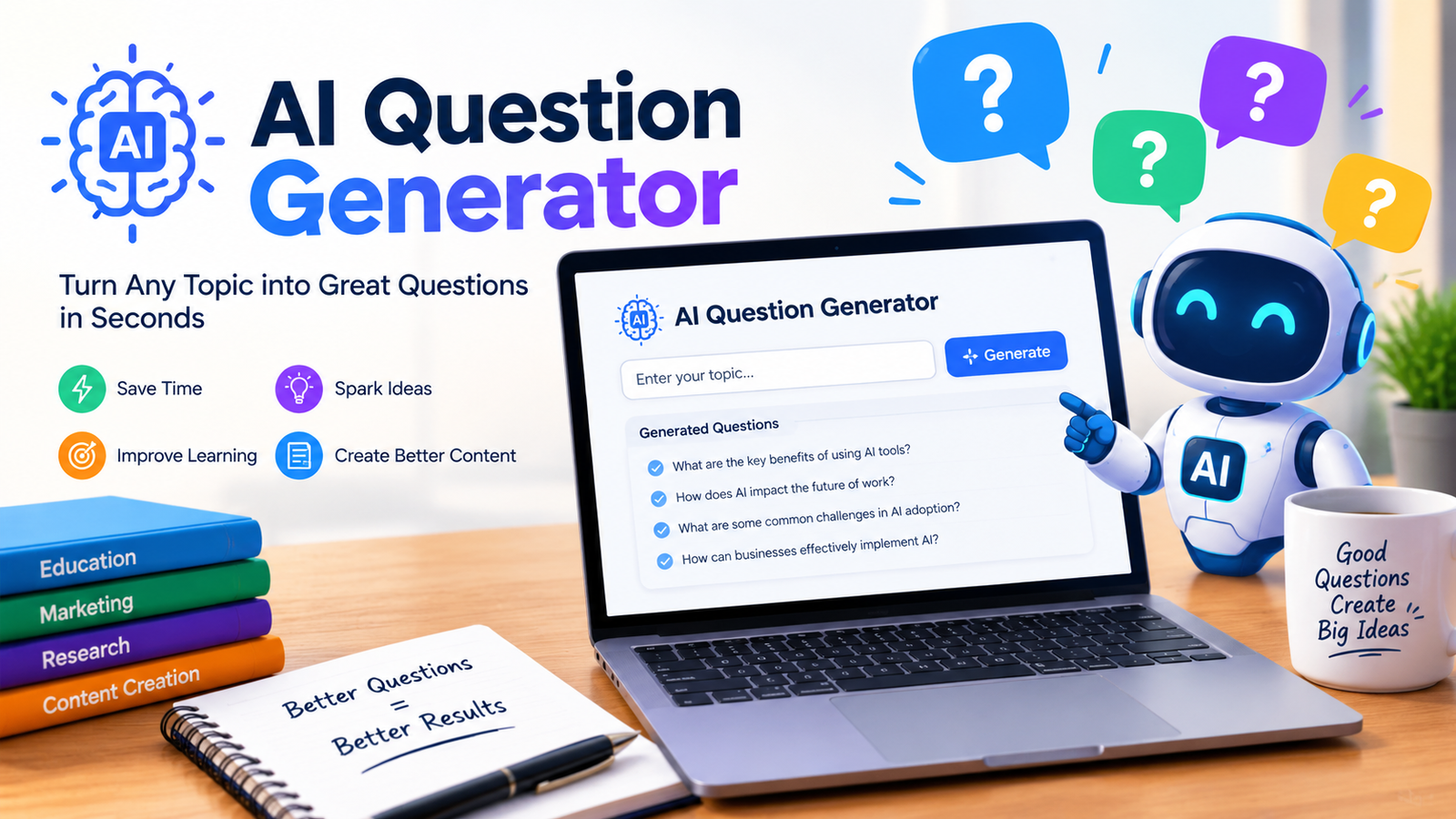
Creating high-quality questions manually can take a surprising amount of time. Whether you are preparing a classroom quiz, studying for an exam, building a practice test, or turning a long document into assessment material, writing every question from scratch can become repetitive.
An AI question generator makes this process much faster by using artificial intelligence to turn topics, notes, text, PDFs, and other study materials into relevant questions. Depending on the tool, you can create multiple-choice, true/false, short-answer, essay, and other question formats.
The real advantage is not simply speed. A good AI tool can help you create varied questions, adjust difficulty, generate answer keys, and produce practice material from content you already have. However, AI-generated questions should still be reviewed for accuracy, clarity, and relevance before being used in an important assessment.
What Is an AI Question Generator?
An AI question generator is a tool that uses artificial intelligence to create questions from a topic or source material. Instead of writing each question manually, you provide information and tell the tool what type of questions you need.
For example, you could provide a biology chapter and request 15 medium-difficulty multiple-choice questions with four answer choices and explanations.
An AI question generator can work with:
- Topics and keywords
- Pasted text
- Class notes
- Study guides
- Articles
- PDFs
- Documents
- Presentations
- Lesson materials
The best results usually come when you provide specific source material and clearly explain your audience, question type, difficulty, and desired number of questions.
How Does an AI Question Generator Work?
Most tools follow a simple process.
1. Provide Your Content
Start by entering a topic, pasting text, or uploading study material. For example, a teacher could upload a chapter about the water cycle.
2. Choose Your Requirements
Specify the number and type of questions you want. You may also be able to select difficulty, grade level, or question format.
3. Generate the Questions
The AI analyzes the supplied information and creates questions based on the concepts it identifies.
4. Review the Results
Read each question and answer carefully. Remove duplicates, correct errors, and rewrite anything unclear.
5. Use or Export the Questions
Once reviewed, the questions can be used for quizzes, homework, revision, practice tests, worksheets, or other learning activities.
What Types of Questions Can AI Generate?
One major benefit of an AI question generator is the ability to create different question formats for different learning goals.
| Question Type | Best Use | Example |
| Multiple Choice | Quizzes and exams | Which process produces energy in cells? |
| True/False | Quick knowledge checks | Water boils at 100°C at sea level. |
| Short Answer | Recall and understanding | Explain the water cycle. |
| Fill in the Blank | Vocabulary and facts | The capital of France is _____. |
| Essay | Deeper analysis | Explain the causes of climate change. |
| Scenario-Based | Applying knowledge | What would happen if rainfall decreased? |
Using several formats can make an assessment more useful than relying on multiple-choice questions alone.
How to Use an AI Question Generator
You do not need complicated instructions to create useful questions. Follow these steps.
Step 1: Choose Your Topic or Material
Start with the content you want to assess. This might be a textbook chapter, lecture notes, article, or a specific subject.
Step 2: Identify Your Audience
Tell the AI who will answer the questions. A question for a sixth-grade student should not use the same vocabulary or complexity as a university-level question.
Step 3: Select the Difficulty
Specify whether you want easy, medium, difficult, or mixed questions.
Step 4: Choose the Question Format
For example:
Create 10 multiple-choice questions with four options each.
Step 5: Request Answers and Explanations
If you are using the questions for studying, ask for the correct answer and a short explanation.
Step 6: Review Before Using
AI can make mistakes. Always check important questions against the original source material.
AI Question Generator Example
Suppose you provide this short source:
Photosynthesis is the process through which green plants use sunlight, water, and carbon dioxide to produce glucose and oxygen.
You could ask the AI to create three multiple-choice questions.
Question 1: What is the primary energy source used during photosynthesis?
A. Soil
B. Sunlight
C. Oxygen
D. Nitrogen
Answer: B. Sunlight
Question 2: Which gas do plants use during photosynthesis?
A. Oxygen
B. Hydrogen
C. Carbon dioxide
D. Nitrogen
Answer: C. Carbon dioxide
Question 3: Which substance is produced during photosynthesis?
A. Glucose
B. Salt
C. Nitrogen
D. Methane
Answer: A. Glucose
This example shows why source-based generation can be useful. Instead of asking AI to invent questions about a broad subject, you can give it specific material and tell it to stay within that information.
AI Question Generator From PDF Free
An AI question generator from PDF free can be particularly useful for students and teachers who already have their learning material in PDF format.
Instead of copying an entire chapter into a prompt, you can use a compatible tool to analyze the document and generate questions from it.
This can be useful for:
- Textbook chapters
- Lecture notes
- Study guides
- Research material
- Training documents
- Exam preparation
For the best results, use a readable PDF and clearly specify what you want generated. For example:
Create 15 medium-difficulty multiple-choice questions from this PDF. Use only information contained in the document, provide four options for each question, identify the correct answer, and include a short explanation.
Remember that “free” tools may have restrictions such as question limits, file-size limits, or fewer export options. Check the tool’s current limits before relying on it for a large project.
AI Question Generator for Students
An AI question generator for students can turn passive reading into active practice.
Instead of repeatedly reading notes, students can generate questions from the same material and attempt to answer them without looking at the source.
For example, a student preparing for a biology exam could upload a chapter and request:
- 10 easy questions for basic revision
- 10 medium questions for practice
- 5 difficult questions for exam preparation
- Answers and explanations
- A mixture of multiple-choice and short-answer questions
This approach can make study sessions more interactive and help identify topics that need additional review.
AI Question Generator With Answers
An AI question generator with answers is especially useful for self-study and teacher preparation.
When answers are included, you can immediately check whether your response was correct. Explanations can make the process even more useful because they show why an answer is correct rather than simply revealing the answer.
For teachers, answer keys can also reduce preparation time. However, never assume an AI-generated answer is automatically correct. Compare important answers with reliable source material.
AI Question Generator for Teachers
An AI question generator for teachers can help with everyday assessment tasks such as:
- Creating classroom quizzes
- Preparing homework
- Building revision worksheets
- Creating practice exams
- Generating comprehension questions
- Making different versions of a test
- Creating question banks
Teachers can also ask AI to match questions to a particular grade level or learning objective.
For example:
Create 20 Grade 8 science questions about ecosystems. Include five recall questions, five comprehension questions, five application questions, and five analysis questions. Provide answers and brief explanations.
The more specific the instructions, the easier it is to produce a useful first draft.
AI Question Generator for Studying
An AI question generator for studying works particularly well when you already have notes or course material.
Instead of asking only for generic questions, ask the AI to create questions directly from your material. You can then answer them without looking at your notes.
Try prompts such as:
Turn these notes into 20 practice questions. Mix multiple-choice, short-answer, and true/false questions. Put the answer key at the end.
You can also ask for difficult questions that focus on concepts you are likely to misunderstand.
How to Create Better AI-Generated Questions
The quality of your instructions has a major effect on the quality of the output.
Give the AI Source Material
Instead of saying:
Make questions about history.
Provide the chapter, notes, or passage you are studying.
Define the Difficulty
Specify whether questions should test basic recall, understanding, application, or deeper analysis.
Specify the Audience
Include the grade, course level, or knowledge level.
Request Different Question Types
A balanced question set can test knowledge in several ways.
Ask for Explanations
Explanations are especially valuable for students because they turn incorrect answers into learning opportunities.
Avoid Ambiguous Questions
Tell the AI to make each question clear and ensure that only one answer is correct when creating single-answer multiple-choice questions.
Use Bloom’s Taxonomy to Improve Questions
Simply asking for “hard questions” does not always produce meaningful higher-level assessment.
Bloom’s Taxonomy provides a useful framework for increasing cognitive complexity.
| Level | Goal | Example |
| Remember | Recall facts | What is photosynthesis? |
| Understand | Explain ideas | Why is photosynthesis important? |
| Apply | Use knowledge | What happens when light decreases? |
| Analyze | Examine relationships | Compare photosynthesis with respiration. |
| Evaluate | Make judgments | Which factor has the greatest effect and why? |
| Create | Produce something new | Design an experiment to test light intensity. |
You can tell an AI tool exactly which level you want. This produces more targeted questions than simply requesting “difficult” questions.
AI Question Generator Prompts You Can Copy
Multiple-Choice Prompt
Create 10 multiple-choice questions from the following material. Use four options for each question, provide one correct answer, and include a short explanation.
Study Prompt
Turn these notes into 20 practice questions for exam preparation. Mix easy, medium, and difficult questions and provide an answer key at the end.
PDF Prompt
Generate 15 questions using only the information in this PDF. Avoid information that is not present in the document and include the correct answer and explanation for every question.
Higher-Level Thinking Prompt
Create five application, five analysis, and five evaluation questions from this material. Make each question test understanding rather than simple memorization.
Are AI-Generated Questions Accurate?
AI-generated questions can be useful, but they are not automatically accurate.
Potential problems include:
- Incorrect answers
- Ambiguous wording
- Duplicate questions
- Weak distractors
- Questions unrelated to the source
- Incorrect difficulty levels
- Missing context
- Overly simple questions
For important exams and assessments, human review is essential.
Before publishing or assigning a question set, check whether the answer is correct, whether the question actually tests the intended concept, and whether the available options are reasonable.
How to Review AI-Generated Questions
Use this quick checklist:
- Is the factual information correct?
- Is the answer key accurate?
- Is the question clear?
- Is there only one correct answer when appropriate?
- Are incorrect options plausible?
- Does the question match the source material?
- Is the difficulty appropriate?
- Does it test the intended learning objective?
- Are any questions repetitive?
- Does the question contain unintended bias?
This final review is what turns AI output into a reliable assessment.
Benefits and Limitations of AI Question Generators
The biggest advantage is speed. You can create a first draft of a question set much faster than writing everything manually.
AI can also help generate variety, transform existing study material into practice questions, support personalized revision, and reduce repetitive preparation work.
However, AI should not completely replace human judgment. A generated question can be grammatically correct while still testing the wrong concept or containing an incorrect answer.
The best approach is to treat AI as an assessment assistant: let it handle repetitive generation, then use human expertise to review and improve the final questions.
Conclusion
An AI question generator can turn topics, notes, documents, and study material into useful questions in much less time than creating everything manually. Students can use it for active recall and exam preparation, while teachers can use it to create quizzes, worksheets, practice tests, and question banks.
The best results come from specific instructions and reliable source material. Tell the AI who the questions are for, what difficulty you need, which formats to use, and whether you want answers or explanations.
Most importantly, review the final output before using it. AI is excellent at producing a first draft at scale, but human judgment remains essential for accuracy, clarity, fairness, and meaningful assessment.
Frequently Asked Questions
What is an AI question generator?
An AI question generator uses artificial intelligence to create questions from a topic, text, PDF, notes, or other source material. It can produce formats such as multiple-choice, true/false, short-answer, and essay questions.
Is there a free AI question generator?
Yes, some AI question generators offer free access or free tiers. However, features such as file uploads, question limits, exports, and advanced controls can vary between tools.
Can AI generate questions from a PDF?
Yes. Tools that support document input can analyze PDF content and create questions based on the information inside the file. Always review the generated questions against the original document.
Can an AI question generator provide answers?
Yes. Many tools can generate questions together with answer keys and, in some cases, explanations. Reviewing the answers is still important because AI can make mistakes.
Can students use an AI question generator?
Yes. Students can use one to turn notes, chapters, and study material into practice questions. This can support active recall and exam preparation.
Can teachers use an AI question generator for free?
Some tools provide free access for teachers, although the number of questions, file uploads, or other features may be limited. Teachers should check the current terms of the specific tool they choose.
Are AI-generated questions reliable?
They can be useful, but they should not be treated as automatically reliable. Check factual accuracy, answer keys, wording, difficulty, and alignment with the original learning material before using them in an assessment..
You May Also Read: Lebron James
