


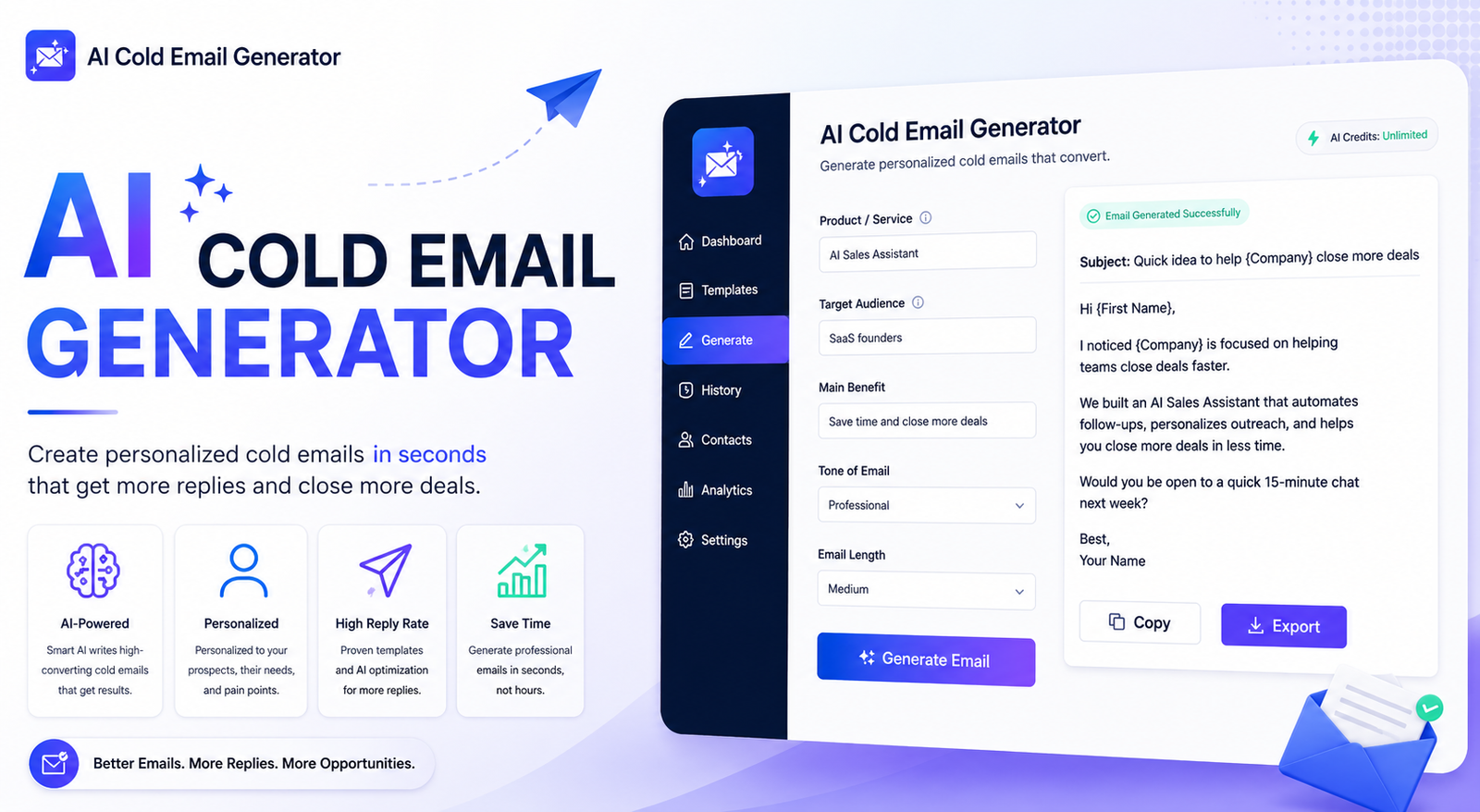
Writing a good cold email sounds simple until you have to create dozens of them. Each message needs a relevant opening, a clear value proposition, natural personalization, and a simple call to action. An AI cold email generator can handle much of the writing work in seconds, but the best results come from using AI as a writing assistant rather than sending its first draft without review.
Whether you are a salesperson, freelancer, agency owner, recruiter, founder, or marketer, AI can help you turn basic prospect information into concise outreach messages. You can also use AI to create subject lines, rewrite awkward sentences, generate follow-ups, and produce multiple versions for testing.
The key is context. The more useful information you provide, the more relevant the generated email becomes. This guide explains how AI cold email generators work, how to use them effectively, and how to turn an AI draft into an email that actually sounds human.
What Is an AI Cold Email Generator?
An AI cold email generator is a tool that uses artificial intelligence to create outreach emails from information you provide. Instead of starting with a blank page, you give the AI details about the recipient, company, offer, pain point, and desired action.
The tool can then generate an email containing a subject line, opening, value proposition, and call to action. Some tools can also create follow-ups or alternative versions of the same message.
Unlike a traditional template, an AI-generated email can be adapted to different prospects. You can change the tone, length, industry, offer, or personalization instructions without rewriting everything manually.
Who Can Use an AI Cold Email Generator?
These tools are useful for:
- B2B sales representatives
- SaaS companies
- Freelancers
- Digital agencies
- Consultants
- Recruiters
- Startup founders
- Affiliate and partnership teams
- Link-building specialists
- Small businesses
The biggest benefit is not simply speed. A good generator helps you maintain a consistent structure while still allowing each message to be adapted to its recipient.
How Does an AI Cold Email Generator Work?
Most AI email tools follow a simple process:
Prospect information → Instructions → AI-generated draft → Human editing → Final email
First, you provide information about the recipient and your offer. You might include their job title, company, industry, business problem, and a specific reason for contacting them.
Next, you tell the AI what you want. For example, you might request a short, conversational email with one clear CTA and no exaggerated sales language.
The AI then creates a draft. Your job is to check the information, remove anything generic, add genuine personalization, and make sure the message accurately represents your offer.
What Information Should You Give the AI?
Better input usually produces better output. A useful starting framework looks like this:
| Information | Example |
| Recipient | Marketing Director |
| Company | B2B SaaS company |
| Offer | AI SEO software |
| Pain point | Slow content production |
| Value | Automates repetitive SEO tasks |
| Proof | Used by growing SaaS teams |
| CTA | Ask for a 15-minute demo |
| Tone | Friendly and professional |
Avoid asking AI to invent facts about a prospect. If you do not know something, leave it out instead of allowing the tool to guess.
How to Write a Cold Email With AI
You do not need a complicated prompt to get started. Give the AI enough context and clearly explain the outcome you want.
1. Define Your Offer
Start by explaining what you sell and who it helps. A vague description such as “We provide marketing services” gives AI very little to work with.
A better input would be:
We help B2B SaaS companies create SEO content faster by handling keyword research, briefs, and content production.
2. Identify the Recipient
Tell the AI who will receive the message. A founder and a marketing manager may care about completely different outcomes.
Include the person’s role, company type, industry, and any legitimate information that is relevant to your pitch.
3. Explain the Pain Point
A cold email becomes more useful when it addresses a specific business problem.
Instead of saying, “Our product can help your business,” explain the problem your product solves.
4. Add a Clear Value Proposition
Tell the AI what makes your offer useful. Focus on an outcome rather than listing every feature.
5. Choose the Tone
You can request a tone such as:
- Conversational
- Professional
- Friendly
- Direct
- Concise
- Consultative
For most cold outreach, conversational and concise is a good starting point.
6. Generate Multiple Versions
Do not automatically choose the first draft. Ask the AI for three subject lines or two alternative openings. Comparing variations can reveal which message feels more natural.
7. Review Before Sending
This is essential. AI can produce incorrect assumptions, generic personalization, awkward phrases, or claims that you did not provide.
Human review is what turns an AI draft into a credible business email.
AI Cold Email Generator Examples
The easiest way to understand these tools is to look at practical examples.
Example 1: B2B Sales Email
Input: You sell an analytics platform to marketing teams.
Generated concept:
Subject: Quick idea for your reporting workflow
Hi Sarah,
I noticed your team is expanding its content operation. We help marketing teams bring campaign data into one dashboard so they spend less time pulling reports manually.
Would it be useful if I sent over a quick example of how it works?
This works because it has one purpose, one benefit, and a low-pressure CTA.
Example 2: Agency Outreach
An agency could ask AI to create a short email for local businesses that have outdated websites.
The generator can create several versions, but the sender should add a real observation about each business instead of using the same generic sentence for everyone.
Example 3: Freelancer Outreach
A freelance designer might provide the prospect’s industry, website, service offered, and reason for reaching out. AI can then turn those details into a concise introduction.
The freelancer should still verify every claim before sending it.
AI Cold Email Generator Prompts
A good prompt does not need to be complicated. Try this structure:
Write a short cold email to [prospect role] at [company]. We help [target audience] solve [specific problem] with [product/service]. Mention [relevant detail]. Keep the email conversational, under 100 words, and end with one low-pressure CTA. Do not use exaggerated claims or generic sales language.
You can also create specialized prompts for SaaS sales, agency outreach, recruitment, partnerships, and follow-ups.
Prompt for Personalization
Write a concise cold email using only the verified information provided about [prospect/company]. Explain how [product] can help with [specific problem]. Make the opening specific and natural. Do not invent facts, compliments, or achievements.
This approach is particularly useful for Cold email personalization ai workflows because it tells the model exactly what information it is allowed to use.
How to Personalize AI-Generated Cold Emails
Personalization is one of the biggest differences between useful AI outreach and generic AI spam.
Instead of inserting someone’s first name into a template, connect your message to something genuinely relevant.
For example:
Generic:
I noticed your company is growing and thought our solution could help.
More specific:
I saw that your team recently expanded its content operation, which made me think our workflow could help reduce the manual research involved.
The second version gives the recipient a reason to believe the sender actually understands their situation.
Do not manufacture personalization. If the AI does not have enough information, research the prospect first or keep the message simple.
AI Cold Email Generator vs Traditional Templates
AI generators and templates both save time, but they work differently.
| Feature | AI Generator | Traditional Template |
| Personalization | High | Usually limited |
| Variations | Easy to create | Usually manual |
| Subject lines | Can generate several | Usually pre-written |
| Adaptability | High | Moderate |
| Speed | Very fast | Fast |
| Best for | Personalized outreach | Repeatable messaging |
Templates are still useful when you have a proven message. AI becomes more valuable when you need to adapt that message for different industries, roles, or situations.
How to Use AI for Cold Email Follow-Ups
An AI cold email generator can also help with follow-ups. Instead of sending the same message repeatedly, ask AI to create a sequence where each message has a different purpose.
The first follow-up can be a simple reminder. The second can introduce additional value, such as a useful resource or relevant observation. A final message can politely close the conversation.
Keep follow-ups short. If someone has not responded to a concise message, sending a much longer version usually does not solve the problem.
How to Make AI Cold Emails Sound Human
AI-generated copy can sometimes sound too polished. Phrases such as “unlock your business potential” or “revolutionize your workflow” can make an email feel like marketing copy rather than a personal message.
To make the output more natural:
- Remove unnecessary introductions.
- Use simple language.
- Avoid exaggerated adjectives.
- Keep sentences short.
- Focus on one problem.
- Use one clear CTA.
- Remove information that does not help the recipient.
- Read the email aloud before sending.
A useful test is simple: Would you actually say this sentence in a conversation? If not, rewrite it.
AI Cold Email Generator: Free Options and Tools
People searching for an AI cold email generator free option often want to test the technology before paying for a larger sales platform.
Free tools can be useful for generating individual drafts, subject lines, and variations. However, advanced platforms may add features such as prospect research, email verification, automation, CRM integrations, analytics, and follow-up sequences.
You may also encounter tools and workflows involving Claude AI, SmartWriter AI, Clay AI, Lavender AI, Copy AI email generator, and Smartlead. These products serve different purposes, so compare the actual functionality you need rather than choosing a tool simply because it uses AI.
For example, a simple generator may be enough if you only need copy. A full outreach platform makes more sense if you need prospecting, automated sequences, sending, and campaign analytics.
Common AI Cold Email Mistakes to Avoid
AI can make writing faster, but it does not automatically make outreach effective.
Avoid these mistakes:
- Sending the first AI draft without editing
- Using fake personalization
- Making claims that cannot be verified
- Writing emails that are too long
- Using multiple CTAs
- Focusing on your company instead of the prospect
- Using aggressive sales language
- Ignoring email deliverability
- Sending the same message to every prospect
- Assuming AI guarantees more replies
The goal is not to send more words faster. The goal is to communicate a relevant reason for starting a conversation.
AI Cold Email and Deliverability
A well-written email can still fail if your sending practices are poor. AI-generated copy does not guarantee inbox placement.
For business outreach, pay attention to technical and operational factors such as SPF, DKIM, DMARC, sender reputation, bounce rates, email verification, and sending volume.
Avoid suddenly sending huge numbers of messages from a new domain. Keep your lists clean, remove invalid addresses, and follow applicable email and privacy regulations.
Most importantly, separate two goals: writing a better email and delivering that email successfully. An AI generator primarily helps with the first.
How to Choose the Best AI Cold Email Generator
Before choosing a tool, consider what you actually need.
Look for:
- Quality of generated copy
- Personalization controls
- Ease of use
- Free access or trial options
- Subject-line generation
- Follow-up support
- Templates
- Integrations
- Export options
- Team features
- Campaign analytics
- Privacy and data handling
If you only need occasional emails, a simple AI writer may be sufficient. If you manage large-scale sales outreach, a complete platform with automation and deliverability features may provide more value.
AI Cold Email Generator Best Practices
Use these principles to get better results from almost any AI email tool:
- Define your ideal customer before writing.
- Give AI specific, verified context.
- Focus each email on one problem.
- Keep the message concise.
- Make the benefit relevant to the recipient.
- Use genuine personalization.
- Generate multiple versions.
- Review every AI-generated email.
- Test different subject lines and CTAs.
- Monitor positive replies and meetings, not just opens.
- Protect your sender reputation.
Conclusion
An AI cold email generator can turn a time-consuming blank-page task into a much faster writing workflow. It can help you create subject lines, outreach emails, personalization ideas, and follow-ups without starting from scratch every time.
But the best results do not come from blindly automating your outreach. Give the AI accurate context, keep the message focused, personalize it with real information, and review every draft before sending.
Think of AI as your writing assistant—not your replacement. When you combine AI speed with good prospect research, human judgment, and responsible email practices, cold outreach becomes much easier to scale without losing its personal touch.
Frequently Asked Questions
What is an AI cold email generator?
An AI cold email generator uses artificial intelligence to create outreach emails from information such as a prospect’s role, company, pain point, offer, and desired CTA. It can also generate subject lines, variations, and follow-ups.
Is there a free AI cold email generator?
Yes. Some AI writing tools offer free access or limited usage. Free options can be useful for individual emails and testing, while advanced sales platforms may charge for automation, prospecting, integrations, and analytics.
Can AI write personalized cold emails?
Yes, but personalization depends heavily on the information you provide. Give AI accurate and relevant details about the prospect and company, and always verify the final message before sending it.
What should I include in an AI cold email prompt?
Include the recipient, company, product or service, relevant pain point, value proposition, tone, desired length, and CTA. Tell the AI not to invent facts or unsupported claims.
How long should an AI-generated cold email be?
There is no universal word count, but cold emails generally benefit from being concise. Include enough information to explain why you are contacting the person without turning the message into a full sales presentation.
Can AI generate cold email follow-ups?
Yes. AI can create reminder emails, value-based follow-ups, and polite closing messages. Each follow-up should add a reason to respond rather than simply repeating the original email.
Does an AI cold email generator guarantee more replies?
No. AI can improve writing speed and help with personalization, but it cannot guarantee replies. Results depend on factors such as targeting, offer quality, relevance, deliverability, timing, and the recipient.
You May Also Read: Best AI Flyer Generator Free
