


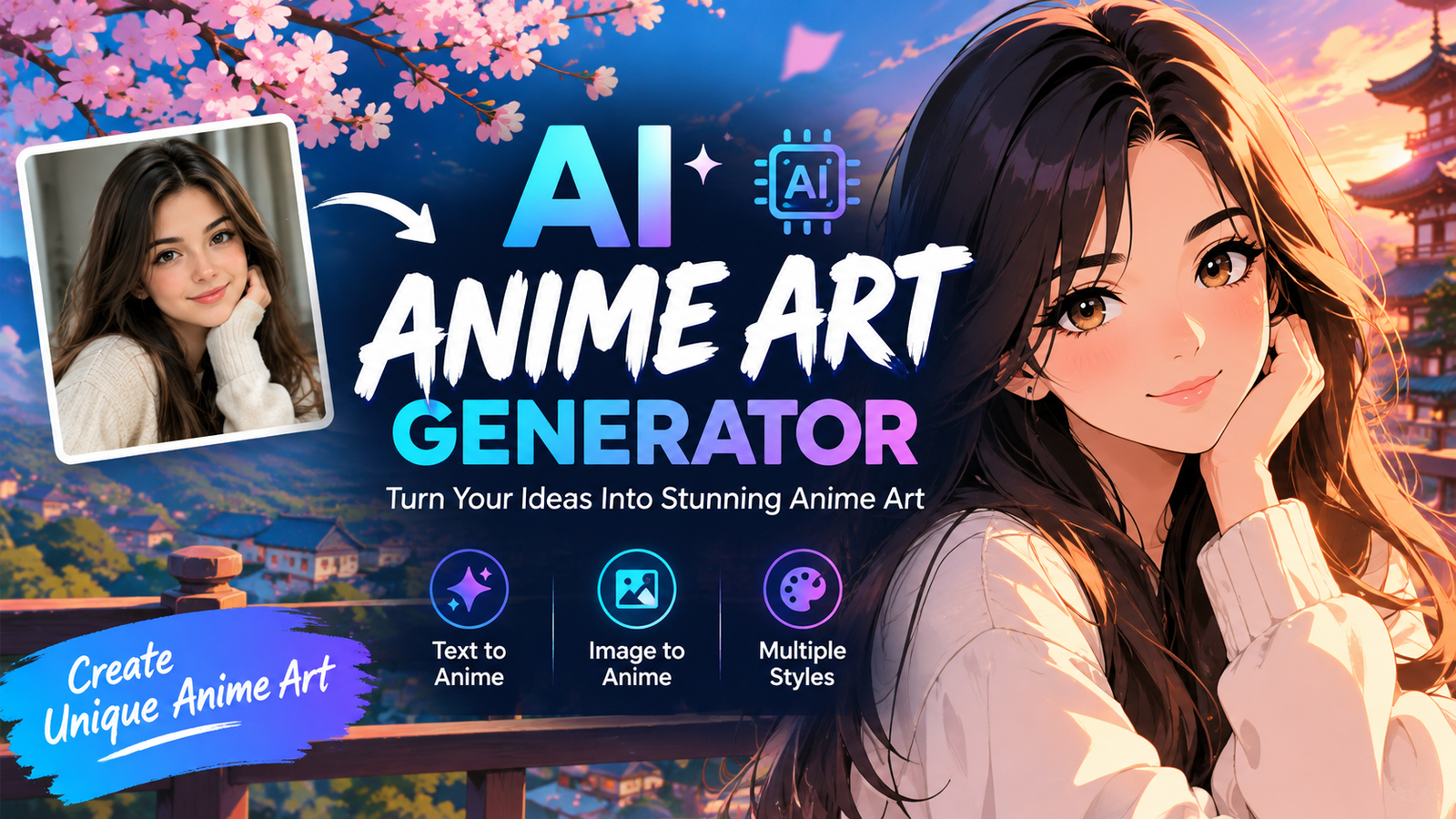
Creating polished anime artwork no longer requires years of drawing practice or expensive software. An AI anime art generator can turn a simple text description into an anime character, fantasy scene, manga concept, wallpaper, avatar, or original artwork within seconds.
The challenge is choosing the right tool. Some generators are designed for beginners, while others offer advanced controls for character consistency, reference images, image-to-image generation, and custom models. Free options can also differ significantly in image quality, credits, watermarks, and usage rights.
In this guide, we’ll look at what makes a good anime AI generator, compare popular options, explain how to write better prompts, and show how to create more consistent and detailed anime artwork.
What Is an AI Anime Art Generator?
An AI anime art generator is a tool that uses artificial intelligence to create anime-style images from text prompts, reference images, or existing artwork. Instead of manually drawing every detail, you describe what you want and the AI generates an image based on your instructions.
For example, a prompt such as “young fantasy warrior with silver hair, detailed armor, glowing sword, moonlit forest, cinematic lighting” can produce a complete anime-inspired scene.
Some platforms specialize specifically in anime artwork, while others are general-purpose image generators that can produce anime-style results. The best choice depends on whether you need portraits, original characters, manga panels, wallpapers, fan art, or professional illustrations.
Best AI Anime Art Generators in 2026
There is no single generator that is perfect for everyone. The best option depends on your experience, budget, desired art style, and the amount of control you need.
| Generator | Best For | Free Option | Ease of Use | Advanced Controls |
| PixAI | Anime characters and fan art | Yes | Easy | Strong |
| NovelAI | Anime storytelling and characters | Limited | Moderate | Strong |
| Midjourney | High-quality artistic images | Limited/plan-based | Easy | Moderate |
| Perchance AI | Free experimentation | Yes | Easy | Basic |
| Anime-focused AI models | Detailed anime artwork | Varies | Moderate | Strong |
PixAI
PixAI is a popular choice for users who want an anime-focused workflow. It is particularly useful for character creation, fan art, and experimenting with different anime models and styles.
Its biggest advantage is the amount of control available to creators who want more than a basic text-to-image experience. It can be a good option for users interested in character references and more advanced generation workflows.
NovelAI
NovelAI is well known among anime and illustration enthusiasts, particularly those interested in combining storytelling with character artwork.
It can be useful for creating recurring characters, scenes, and illustrations connected to fictional stories. Users who want more control over their creative direction may find it more suitable than extremely simple image generators.
Midjourney
Midjourney is a general-purpose AI image platform rather than a dedicated anime generator, but it can create highly polished anime-inspired artwork when prompted correctly.
It is particularly useful when visual quality, composition, atmosphere, and artistic presentation are important. However, users looking for a completely free anime AI art generator should consider other options as well.
Perchance AI
Perchance AI is attractive to users who want to experiment without immediately paying for a premium platform. It can be useful for generating character concepts, fantasy scenes, avatars, and other creative ideas.
Its simplicity makes it appealing to beginners, although advanced creators may eventually want a platform with more controls.
AI Anime Art Generator Comparison
When comparing anime generators, don’t focus only on whether a tool is free. Look at image quality, prompt accuracy, character consistency, editing options, generation limits, and licensing terms.
A free tool may be ideal for casual experimentation, while a paid platform may be more appropriate for creators producing artwork regularly.
For professional projects, always check the current terms of service and commercial-use policy before selling or distributing generated images.
Best Free AI Anime Art Generators
A free AI anime art generator can be an excellent starting point if you are learning how AI image generation works.
Free tools are useful for:
- Anime profile pictures
- Character concepts
- Social media artwork
- Wallpaper ideas
- Story illustrations
- Prompt experimentation
- Casual fan art
However, “free” does not always mean unlimited. Some platforms provide daily credits, while others restrict resolution, add watermarks, limit models, or require an account.
Before choosing a free generator, check five things: generation limits, image resolution, watermark policy, available styles, and commercial-use restrictions.
Which Anime AI Generator Is Best for You?
Your ideal tool depends on what you want to create.
For beginners: Choose a generator with a simple prompt box and straightforward controls.
For anime characters: Look for character-reference and consistency features.
For manga and webtoons: Prioritize tools that can maintain characters, poses, clothing, and environments across multiple images.
For wallpapers: Choose a generator capable of producing detailed backgrounds and high-resolution artwork.
For free experimentation: Look for platforms with generous free generation limits.
For advanced users: Models, image-to-image controls, reference images, seeds, and customization options become more important.
How to Use an AI Anime Art Generator
Creating good anime artwork is easier when you follow a repeatable process.
Step 1: Choose Your Generator
Start with a platform that matches your experience level and intended use. A beginner does not necessarily need advanced model controls.
Step 2: Choose an Anime Style
Decide whether you want a clean modern anime appearance, manga-inspired artwork, chibi characters, fantasy anime, mecha, or another visual direction.
Step 3: Describe the Character
Mention important characteristics such as hairstyle, clothing, colors, expression, accessories, and approximate age.
Step 4: Add the Pose and Environment
Instead of only describing the character, explain what they are doing and where they are.
For example, “standing in a rainy city street” provides much more visual information than simply saying “anime character.”
Step 5: Add Lighting and Composition
Words such as “soft sunset lighting,” “dramatic rim light,” “close-up portrait,” or “full-body composition” can help communicate the intended scene.
Step 6: Generate and Refine
Your first result may not be perfect. Generate several variations and refine the prompt based on what the AI gets wrong.
Best AI Anime Art Prompts
Good prompts are specific without becoming unnecessarily complicated.
Anime Character Prompt
Example:
“Anime fantasy warrior with long silver hair, detailed dark armor, glowing blue sword, confident expression, standing in an ancient forest, moonlight, cinematic composition, detailed background, polished anime illustration.”
Chibi Prompt
“Cute chibi anime character with oversized expressive eyes, short colorful hair, small fantasy outfit, cheerful expression, soft pastel colors, clean line art, adorable pose.”
Anime Wallpaper Prompt
“Epic anime city at night, glowing neon signs, rain-covered streets, dramatic clouds, detailed architecture, cinematic lighting, vibrant atmosphere, wide composition, high-detail anime illustration.”
Manga Prompt
“Black-and-white manga panel showing a determined hero preparing for battle, dynamic perspective, expressive face, detailed clothing, dramatic shadows, strong linework, cinematic composition.”
These examples can be adapted by changing the character, environment, clothing, action, colors, and mood.
How to Write Better Anime AI Prompts
A useful prompt formula is:
Subject + Appearance + Clothing + Pose + Environment + Lighting + Composition + Style
For example:
| Prompt Element | Example |
| Subject | Fantasy anime warrior |
| Appearance | Long silver hair |
| Clothing | Detailed black armor |
| Pose | Holding a glowing sword |
| Environment | Ancient forest |
| Lighting | Blue moonlight |
| Composition | Full-body cinematic view |
| Style | Detailed anime illustration |
The more important an element is to your image, the more clearly you should describe it.
Avoid vague prompts such as “make a cool anime girl.” Instead, explain the visual characteristics you actually want.
Negative Prompts for Anime AI Art
Some AI image generators support negative prompts. These tell the model what you want to avoid.
A general example is:
Negative prompt: “blurry, low quality, distorted face, bad anatomy, malformed hands, extra fingers, duplicate character, poorly drawn eyes, messy background.”
Negative prompts can help reduce common problems, but their effectiveness varies between models and platforms.
If a generator doesn’t support a dedicated negative-prompt field, you can often improve results by describing the desired characteristics more clearly in the main prompt.
Best Anime Styles to Create With AI
An AI anime art generator can produce many different visual directions.
Shonen Anime
Useful for action scenes, warriors, heroes, battles, and dramatic poses.
Shojo Anime
Suitable for romantic scenes, expressive characters, soft colors, and emotional storytelling.
Chibi
Chibi artwork uses exaggerated proportions, large heads, expressive faces, and simplified bodies. It works well for avatars, stickers, and playful illustrations.
Mecha
Mecha prompts can be used for robotic characters, futuristic vehicles, battle machines, and science-fiction environments.
Manga
Manga-focused prompts can emphasize black-and-white linework, panels, dramatic expressions, speed lines, and storytelling compositions.
Fantasy Anime
Fantasy prompts can combine anime characters with magical worlds, mythical creatures, castles, enchanted forests, and supernatural effects.
What Can You Create With an AI Anime Art Generator?
The technology is useful for much more than character portraits.
You can create:
- Original anime characters
- Anime profile pictures
- Wallpapers
- Fantasy scenes
- Manga concepts
- Webtoon artwork
- Game character concepts
- VTuber concepts
- Story illustrations
- Social media graphics
- Fan-art concepts
- Character reference sheets
For example, a writer could use an AI anime generator to visualize a character before commissioning final artwork. A game designer could use it to explore character concepts during the early development stage.
How to Keep the Same Anime Character Consistent
Character consistency is one of the biggest challenges with AI-generated artwork.
A generator may create a character with different hair, clothing, facial features, or body proportions each time.
To improve consistency, keep a detailed character description and reuse it in every prompt. Reference images can also help when the platform supports them.
Advanced tools may offer additional features such as character references, image-to-image generation, seeds, or custom models.
A useful workflow is:
Create the character → save the strongest image → document the character description → reuse the reference → change only the scene or pose.
This approach makes it easier to build a character that looks recognizable across multiple images.
Can You Turn a Photo Into Anime Art?
Yes. Many AI image tools support image-to-image generation or photo-to-anime transformation.
You can upload a suitable image and ask the tool to reinterpret it as anime artwork. This can be useful for profile pictures, avatars, creative portraits, and social media content.
The result depends on the quality of the original photo, the strength of the transformation, and the capabilities of the selected model.
Avoid uploading private or sensitive photographs to unfamiliar services without understanding their privacy policies.
Common AI Anime Art Problems and Fixes
Bad Hands or Fingers
AI image generators can still struggle with complex hands. Try a clearer pose, simpler hand position, or a model with better anatomy handling.
Inconsistent Faces
Use reference images and maintain the same character description across generations.
Messy Backgrounds
Describe the environment separately and specify the composition you want.
Wrong Clothing
Describe clothing using specific colors, materials, and garment types instead of vague terms.
The Image Looks Too Realistic
Add stronger anime-oriented visual descriptions such as clean linework, cel shading, anime illustration, stylized proportions, or manga-inspired composition.
Can You Sell AI-Generated Anime Art?
Potentially, but the answer depends on the generator’s current license and the content itself.
Before selling an AI-generated image, check:
- Commercial-use permissions
- Free-plan restrictions
- Paid-plan licensing
- Model licensing
- Copyright rules
- Restrictions involving existing characters
- Marketplace requirements
Fan art involving recognizable copyrighted characters can create additional legal and licensing concerns. Don’t assume that generating an image with AI automatically gives you unrestricted commercial rights.
AI Anime Art vs Traditional Anime Art
AI generation is fast and useful for experimentation, concept development, and creating many visual variations. Traditional illustration provides much more direct artistic control and can be preferable when precise originality and manual craftsmanship are required.
For many creators, the two approaches can complement each other. AI can help with brainstorming and visual development while human editing and artistic direction improve the final result.
Tips for Better AI Anime Art
For consistently better results:
- Be specific about the character.
- Describe the pose and environment.
- Include lighting and composition.
- Choose a suitable anime model or style.
- Use negative prompts when supported.
- Generate multiple variations.
- Save useful prompts for recurring characters.
- Use reference images when available.
- Refine weak results instead of starting from scratch.
- Check licensing before using artwork commercially.
Conclusion
An AI anime art generator can make character design, illustration, manga concepts, wallpapers, avatars, and creative experimentation much faster. The best tool depends on what you want to create rather than simply which platform has the highest number of features.
Beginners should prioritize ease of use and free access, while advanced creators may benefit from character references, image-to-image generation, custom models, and greater control. Most importantly, learn how to write detailed prompts and refine your results instead of expecting every first generation to be perfect.
Whether you’re creating an original character, exploring a manga concept, or experimenting with anime artwork for the first time, choosing the right generator and learning a reliable prompting workflow can significantly improve your results.
Frequently Asked Questions
What is the best AI anime art generator?
The best option depends on your needs. Beginners may prefer simple tools, while advanced creators may want character references, model selection, image-to-image generation, and greater customization.
Is there a free AI anime art generator?
Yes. Several platforms offer free generations or credits. However, free plans may have limits on images, resolution, models, watermarks, or commercial use.
Can AI generate anime characters from text?
Yes. Text-to-image anime generators can create characters based on descriptions of appearance, clothing, poses, environments, lighting, and artistic style.
Can I turn a photo into anime art?
Yes. Tools with image-to-image or photo transformation features can convert photographs into anime-inspired artwork.
How do I make AI anime characters consistent?
Use a detailed reusable character description and, where available, reference images, character-reference tools, seeds, or custom models.
Can I sell AI-generated anime artwork?
It depends on the platform’s licensing terms and the content you create. Always check commercial-use rules, especially when using free plans or recognizable copyrighted characters.
How can I improve my anime AI prompts?
Describe the subject, appearance, clothing, pose, environment, lighting, composition, and desired visual style. Specific prompts usually provide more predictable results than vague descriptions.
You May Also Read: Drake Maye Stats
