


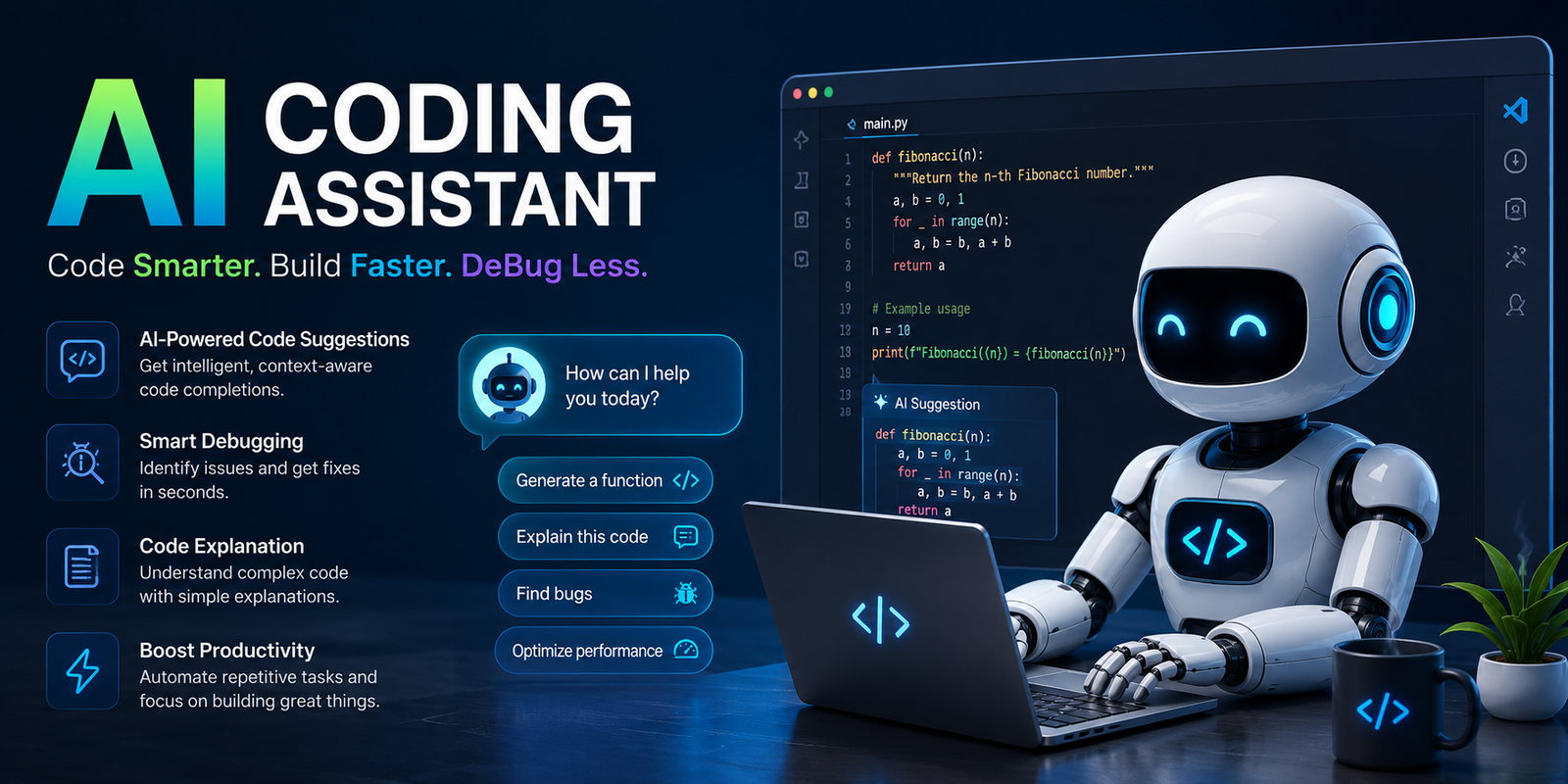
Software development is changing quickly, and an AI coding assistant has become one of the most useful tools for developers who want to write code faster, solve problems more efficiently, and reduce repetitive work. These AI-powered tools can suggest code, explain complex functions, identify potential bugs, generate tests, and help developers work with unfamiliar programming languages or frameworks.
The growing popularity of the AI coding assistant does not mean developers are becoming unnecessary. Instead, AI is changing how developers spend their time. Rather than writing every repetitive line manually, programmers can focus more on problem-solving, architecture, security, and improving the overall quality of software.
Whether you are a beginner learning Python, a student working on programming projects, or an experienced developer managing a large codebase, the right AI tool can improve your workflow. However, choosing the best AI coding assistant requires more than selecting the most popular platform. You need to consider your programming language, development environment, budget, privacy requirements, and the type of work you perform.
What Is an AI Coding Assistant?
An AI coding assistant is a software tool that uses artificial intelligence to help developers write, understand, debug, test, and improve code. Depending on the platform, it may work directly inside a code editor, through a command-line interface, or as a web-based coding assistant.
These tools can understand natural language instructions. For example, instead of manually searching through documentation, a developer might ask the AI to create a function, explain an error, refactor existing code, or generate unit tests.
A simple request could be: “Create a Python function that checks whether a number is prime.” The AI can generate a possible solution within seconds. However, the developer should still review the logic, test the function, and make sure it fits the project requirements.
An AI coding assistant is most valuable when it works as a development partner. It can accelerate routine tasks, but human knowledge remains essential for making technical decisions.
What Can an AI Coding Assistant Do?
Modern AI coding tools can support developers throughout different stages of the software development process.
Common capabilities include:
- Generating code from natural language instructions
- Completing code while you type
- Explaining existing functions
- Finding possible bugs
- Suggesting fixes
- Refactoring complicated code
- Writing unit tests
- Generating documentation
- Helping developers understand unfamiliar codebases
- Creating regular expressions
- Explaining error messages
- Suggesting improvements for readability
For example, imagine a developer receives a large JavaScript project created by another team. Understanding every file manually could take hours or even days. An AI coding assistant can help explain functions, summarize code sections, and provide guidance about how different parts of the application work.
This does not guarantee that every AI explanation is correct, but it can significantly speed up the initial learning process.
How Does an AI Coding Assistant Work?
An AI coding assistant generally combines artificial intelligence models with programming context. The tool analyzes your request and provides suggestions based on the information available to it.
Understanding Natural Language
One of the biggest advantages of AI-powered coding tools is that developers can communicate using everyday language.
Instead of searching for the exact syntax of a function, you can describe what you want the program to do.
For example:
“Create a function that reads a CSV file and removes duplicate rows.”
The AI can suggest code based on that request.
Clear instructions usually produce better results. Adding information about the programming language, framework, expected output, and technical requirements gives the AI more useful context.
Using Code Context
Many advanced tools can analyze context from the code you are currently working on. Depending on the platform and settings, this may include open files, project structure, functions, and related code.
Context is important because a coding suggestion that works in isolation may not work correctly inside a larger application.
For example, an AI may write a technically correct function but use the wrong naming conventions or conflict with an existing project architecture. Developers should therefore evaluate AI-generated suggestions within the context of the complete codebase.
Generating Suggestions
After processing the request and available context, the AI produces a response. This could be a single line of code, a complete function, an explanation, or a proposed solution to a larger programming problem.
The ideal workflow is:
Developer request → AI suggestion → Human review → Testing → Final implementation
The human review stage remains critical.
AI Coding Assistant vs AI Coding Agent
The terms AI coding assistant and AI coding agent are sometimes used interchangeably, but they do not always mean the same thing.
An AI coding assistant usually supports a developer during the coding process. It responds to requests, suggests code, explains problems, and helps with individual tasks.
An AI coding agent may operate with greater autonomy. It can potentially plan multiple steps, modify several files, run tasks, and work toward a larger development goal.
| Feature | AI Coding Assistant | AI Coding Agent |
| Main purpose | Helps developers with coding tasks | Handles multi-step development tasks |
| Human involvement | Usually high | Can be more autonomous |
| Typical work | Suggestions, debugging, explanations | Planning, coding, editing, testing |
| Workflow | Developer-led | More independently executed |
| Best for | Everyday programming support | Complex automated workflows |
Both technologies can be useful, but developers should understand the difference. Greater automation does not remove the need for review, especially when changes affect production systems.
Benefits of Using an AI Coding Assistant
Faster Development
One of the biggest benefits of an AI coding assistant is speed. Developers often spend significant time writing repetitive code, searching for syntax, or looking through documentation.
AI can reduce some of this work by providing suggestions immediately.
For example, generating a basic data model or writing repetitive validation logic can take much less time when AI provides a useful starting point.
Help With Learning
A free AI coding assistant can be particularly useful for beginners and students who are learning programming concepts.
Instead of simply showing an answer, a good AI tool can explain:
- Why an error occurred
- How a function works
- What a programming concept means
- How two approaches differ
However, beginners should avoid copying code without understanding it. The best learning approach is to ask the AI for explanations and then test the concepts independently.
Faster Debugging
Debugging can be frustrating, especially when error messages are unclear.
An AI coding assistant can examine code and suggest possible reasons for a problem. For example, a developer might provide an error message and ask the AI to explain the likely cause.
The AI may identify useful possibilities, but developers should still verify the answer because AI-generated debugging suggestions can also be incorrect.
Better Documentation
Documentation is often neglected because developers are focused on building features.
AI can help create:
- Function descriptions
- Code comments
- API documentation
- README content
- Technical explanations
This can make software easier to maintain when used carefully.
Easier Code Refactoring
AI tools can also help developers improve existing code.
A developer might ask:
“Refactor this function to improve readability without changing its functionality.”
The AI can suggest a cleaner version, but the developer should ensure that the refactoring does not introduce unexpected behavior.
Limitations of AI Coding Assistants
Despite their advantages, AI tools are not perfect.
AI Can Generate Incorrect Code
An AI coding assistant can produce code that looks convincing but contains logical errors. This is one of the biggest reasons developers should never blindly trust generated output.
The code may compile successfully while still failing to solve the actual problem.
Security Risks
AI-generated code can potentially introduce security vulnerabilities.
Developers should carefully review authentication logic, database queries, file handling, API requests, and other security-sensitive areas.
Security testing and professional code review remain important.
Limited Understanding of Business Requirements
AI may understand programming patterns but misunderstand the specific requirements of a business or application.
For example, a technically efficient solution may violate a company’s privacy policy or fail to follow product requirements.
Developer Overdependence
Using AI for every programming task can weaken problem-solving skills.
The best approach is to use AI as an assistant rather than a replacement for understanding fundamental programming concepts.
Best AI Coding Assistants for Developers
Several tools are available, and the best AI coding assistant depends on your workflow.
GitHub Copilot
GitHub Copilot is widely used for AI-powered coding assistance and is particularly useful for developers who want suggestions directly inside supported development environments.
It can help with code completion, explanations, and general programming tasks.
For developers working with GitHub-based workflows, it can be a convenient option to consider.
Cursor
Cursor is designed around an AI-focused development experience. It is popular among developers who want to interact with AI directly while working on projects.
Its approach can be useful for developers who frequently need help understanding, editing, and improving larger sections of code.
Claude Code
Claude Code is aimed at more advanced AI-assisted development workflows and can help with complex programming tasks.
It may be particularly useful when developers need assistance understanding broader code structures and working through multi-step technical problems.
Gemini Code Assist
Gemini Code Assist can be useful for developers who work within Google’s ecosystem and want AI support for programming tasks.
The right choice depends on the tools, platforms, and workflow already used by the development team.
Amazon Q Developer
Amazon Q Developer is particularly relevant for developers and organizations working with AWS environments.
Cloud-focused teams may find ecosystem integration especially important when choosing an AI development tool.
Tabnine
Tabnine is often considered by teams that place significant importance on controlled AI development environments and privacy considerations.
For organizations working with sensitive or proprietary code, data handling policies should always be reviewed carefully before selecting any AI platform.
AI Coding Assistant Comparison
The following comparison can help you understand which type of tool may fit different development needs.
| AI Coding Assistant | Best For | Main Strength | Ideal User |
| GitHub Copilot | Everyday development | Code suggestions and workflow support | Professional developers |
| Cursor | AI-first coding | Project-focused AI assistance | Modern developers |
| Claude Code | Complex tasks | Multi-step coding assistance | Advanced developers |
| Gemini Code Assist | Google ecosystem | Ecosystem support | Google-focused teams |
| Amazon Q Developer | AWS development | Cloud development workflows | AWS developers |
| Tabnine | Privacy-focused workflows | Controlled development options | Teams and businesses |
Features, pricing, free plans, and availability can change frequently, so developers should always check official product information before making a final decision.
How to Choose the Right AI Coding Assistant
Choosing the best AI coding assistant depends on several factors.
Check Programming Language Support
Make sure the tool works well with your preferred language.
A Python developer may have different needs from someone building applications with JavaScript, Java, C#, or other technologies.
Consider Your Development Environment
Some tools work directly inside popular code editors, while others provide their own AI-focused environments.
Choose a tool that fits naturally into your existing workflow.
Consider Your Budget
If you are a student or beginner, a free AI coding assistant may be the best place to start.
Developers searching for the best AI for coding free should compare free-tier limitations carefully. A free plan may limit requests, advanced features, or access to certain models.
The best free AI coding assistant is not necessarily the one with the most features. It should provide enough value for your specific workflow without creating unnecessary limitations.
Review Privacy Requirements
This is especially important for businesses.
Before sharing proprietary code with an AI service, understand how the platform handles data and whether the organization has policies governing AI usage.
Best AI Coding Assistant by Use Case
Different users need different features.
| Use Case | What to Look For |
| Beginners | Clear explanations and learning support |
| Students | Affordable or free access |
| Professional developers | Strong IDE integration |
| Large projects | Better codebase context |
| Enterprise teams | Security and administrative controls |
| AWS developers | Cloud ecosystem support |
| Privacy-focused teams | Strong data controls |
There is no single answer to the question, “What is the best AI coding assistant?” The right tool depends on how and where you code.
How to Use an AI Coding Assistant Effectively
The quality of AI output often depends on the quality of your instructions.
Give Clear Instructions
A vague request like:
“Fix my code.”
may not produce the best result.
A better request would be:
“Review this Python function, identify possible bugs, explain each issue, and suggest a corrected version.”
The second request gives the AI a clear task and expected outcome.
Provide Relevant Context
Include useful details such as:
- Programming language
- Framework
- Expected output
- Existing limitations
- Project requirements
More relevant context can lead to more useful suggestions.
Break Large Problems Into Smaller Tasks
Instead of asking AI to build an entire application in one request, divide the work into smaller steps.
For example:
- Design the data structure.
- Create the core function.
- Add error handling.
- Generate tests.
- Review performance.
This approach makes it easier to validate each stage.
Always Review and Test the Output
Never assume AI-generated code is production-ready.
Review the logic and run appropriate tests before adding the code to an important project.
Best Prompts for an AI Coding Assistant
Here are practical examples that can improve your workflow.
For code explanation:
“Explain this function line by line and identify potential problems.”
For debugging:
“Find possible bugs in this code, explain why they happen, and suggest fixes.”
For refactoring:
“Refactor this code to improve readability without changing its functionality.”
For testing:
“Write unit tests for this function, including edge cases and invalid inputs.”
For optimization:
“Review this code for performance issues and suggest practical improvements.”
These examples demonstrate why clear prompting matters. Specific instructions generally produce more focused results.
Common Mistakes to Avoid
One common mistake is trusting the AI without reviewing the output.
Another is providing sensitive information, passwords, API keys, or confidential business data without understanding how the platform handles information.
Developers should also avoid vague prompts. The more clearly you explain the task, the more useful the response is likely to be.
Finally, do not let AI make major architecture decisions without professional evaluation. Software architecture affects scalability, security, maintainability, and long-term development costs.
How to Review AI-Generated Code
Before using AI-generated code, ask several important questions:
- Does the code actually solve the intended problem?
- Is the logic correct?
- Could it introduce security vulnerabilities?
- Does it fit the existing codebase?
- Is it easy to understand and maintain?
- Has it been properly tested?
- Does it follow project standards?
A useful AI coding workflow combines automation with professional judgment.
AI can accelerate the first draft, but developers remain responsible for the final implementation.
Security and Privacy Considerations
Security should always be part of AI-assisted development.
Avoid sharing credentials, private keys, passwords, or unnecessary sensitive information.
Review generated dependencies and libraries before adding them to a project.
Organizations should also establish clear policies about which AI tools developers can use and what type of information can be shared.
Human code review remains particularly important for applications involving financial data, authentication systems, customer information, healthcare platforms, or other sensitive systems.
Can Beginners Use an AI Coding Assistant?
Yes. Beginners can benefit significantly from an AI coding assistant when they use it as a learning tool.
AI can explain syntax, clarify error messages, demonstrate programming concepts, and provide practice examples.
However, beginners should avoid simply copying answers.
A better approach is to ask:
“Explain why this solution works.”
or:
“Show me another way to solve this problem and compare the two approaches.”
This turns AI into a learning assistant rather than a shortcut.
The Future of AI Coding Assistants
AI coding tools will likely become more capable of understanding larger projects and supporting more complex development workflows.
Developers may increasingly use AI for testing, documentation, debugging, refactoring, and repetitive engineering tasks.
At the same time, human skills will remain essential. Understanding requirements, designing software architecture, making security decisions, and evaluating trade-offs require judgment that should not be blindly delegated to AI.
The future of software development is likely to involve stronger collaboration between developers and AI systems rather than complete replacement of human programmers.
Conclusion
An AI coding assistant can be a powerful addition to a modern development workflow. It can help developers write code faster, understand unfamiliar projects, debug problems, generate tests, improve documentation, and reduce repetitive work.
However, AI should not replace critical thinking. The most effective developers use AI as a productivity tool while continuing to review code, test solutions, and make informed technical decisions.
If you are searching for the best AI coding website, the best AI coding assistant, or even the best AI for coding free unlimited access, focus on your actual workflow rather than choosing a tool based only on popularity. Compare language support, integrations, privacy controls, free-plan limitations, and the quality of assistance you receive.
The right AI tool can make coding faster and easier, but the best results come from combining AI capabilities with human expertise. Use AI to accelerate your work, understand the code it produces, and keep testing and professional judgment at the center of every important development decision.
Frequently Asked Questions
What is an AI coding assistant?
An AI coding assistant is a tool that uses artificial intelligence to help developers write, explain, debug, test, and improve code.
What is the best AI coding assistant?
The best AI coding assistant depends on your programming language, IDE, budget, privacy requirements, and development workflow. Popular options serve different use cases.
Is there a free AI coding assistant?
Yes, some AI coding platforms offer free plans or limited free access. A free AI coding assistant can be useful for students, beginners, and developers who want to test AI-assisted programming before paying for advanced features.
What is the best free AI coding assistant?
The best free AI coding assistant depends on the features you need and the limitations of the available free plan. Compare usage limits, language support, integrations, and privacy policies before choosing one.
Can AI write complete applications?
AI can help generate significant portions of an application, but developers should review the architecture, security, functionality, and testing. Complete applications still require careful human oversight.
Is AI-generated code safe?
AI-generated code is not automatically safe. Developers should review it for bugs, vulnerabilities, incorrect logic, and compatibility issues before using it in production.
Can beginners use AI for coding?
Yes. Beginners can use AI to understand programming concepts, explain errors, practice coding problems, and learn new languages. The best approach is to understand the generated code instead of blindly copying it.
You May Also Read: Pedro Pascal Height
