


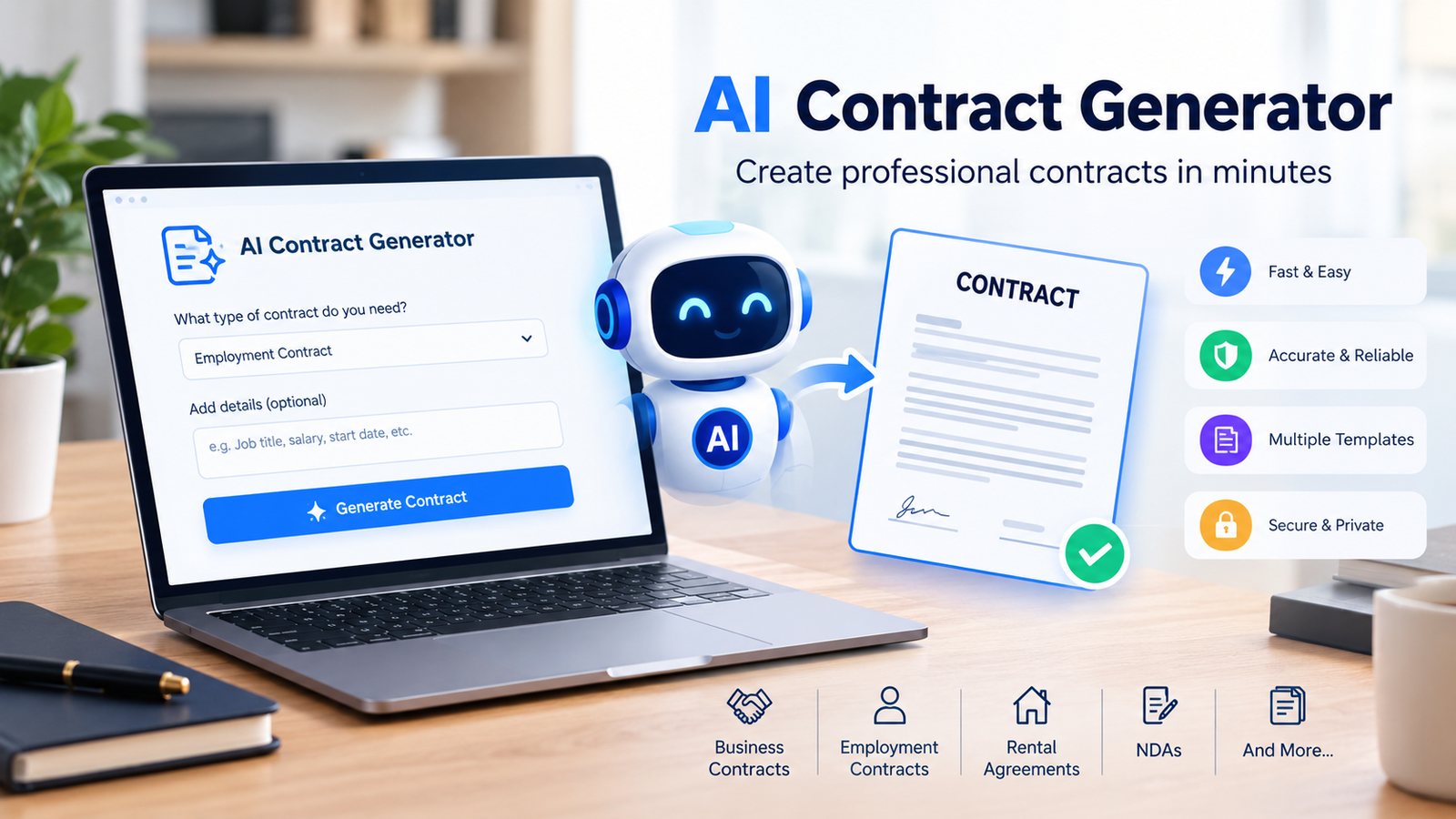
Creating a contract from scratch can take time, especially when you need to organize important details such as payment terms, responsibilities, deadlines, confidentiality requirements, and termination conditions. An ai contract generator can simplify this process by helping users create a structured contract draft using artificial intelligence.
Whether you are a freelancer, small business owner, startup founder, landlord, consultant, or part of a larger legal team, AI-powered contract tools can make the drafting process faster and easier. Instead of beginning with a completely blank document, you can provide information about your agreement and let AI help organize it into a usable draft.
However, an ai contract generator should be viewed as a drafting and productivity tool rather than a replacement for professional legal judgment. The quality and suitability of a contract depend on the information provided, the applicable laws, and the specific circumstances of the agreement. This guide explains how AI contract generators work, what they can create, their benefits and limitations, and how to use them responsibly.
What Is an AI Contract Generator?
An ai contract generator is a tool that uses artificial intelligence to help users create contract drafts based on instructions, prompts, templates, or information they provide. Instead of manually writing every section, users can describe the type of agreement they need and provide important details about the parties and terms involved.
For example, a business owner might ask an AI tool to help draft a service agreement containing the names of both parties, the services being provided, payment conditions, project deadlines, and termination requirements. The AI can then organize this information into a structured document.
An AI contract generator free tool may be useful for people who want to experiment with AI-assisted drafting without immediately paying for software. However, free tools may have limitations involving document exports, customization, security features, usage limits, or the number of contracts that can be created.
The biggest advantage of an ai contract generator is flexibility. Traditional templates provide fixed sections that users must manually change, while AI tools can help generate and reorganize content based on more specific instructions.
AI Contract Generator vs Traditional Contract Templates
Traditional templates can still be useful for common agreements, but AI-assisted tools provide a different approach to customization.
| Feature | AI Contract Generator | Traditional Contract Template |
| Customization | Highly flexible | Usually limited |
| Prompt-based drafting | Yes | No |
| Speed | Fast | Moderate |
| Content suggestions | Often available | Manual |
| Editing flexibility | High | Depends on the template |
| Human review | Recommended | Recommended |
| Best for unique situations | Often more flexible | May require significant editing |
An ai contract generator can save time when the agreement requires customization. However, AI does not automatically understand every legal requirement or unique situation. The generated content should always be checked carefully before it is finalized.
How Does an AI Contract Generator Work?
Most AI-powered contract tools follow a relatively simple workflow. The user provides instructions and relevant information, and the system helps create a structured draft.
You Choose the Type of Contract
The first step is identifying the agreement you need. This could be a freelance contract, service agreement, NDA, employment agreement, vendor agreement, or rental contract.
Choosing the correct contract type gives the ai contract generator a clearer starting point and helps produce a more relevant draft.
You Provide Important Details
The quality of the generated contract depends heavily on the information you provide. Important details may include the names of the parties, services involved, payment terms, dates, responsibilities, deadlines, and termination conditions.
For example, simply asking AI to create a freelance contract may produce a general result. Providing complete project information gives the AI a better foundation for organizing the agreement.
AI Creates a Draft
The ai contract generator processes the information and creates a draft with sections that may include definitions, responsibilities, payment terms, confidentiality provisions, and other relevant clauses.
This draft should be treated as a starting point rather than an automatically final document.
You Review and Customize the Content
The most important step happens after generation. Review the contract carefully and make sure the information accurately reflects the intended agreement.
Check names, dates, financial amounts, responsibilities, deadlines, and any clauses that could affect either party.
How to Use an AI Contract Generator Step by Step
Using an ai contract generator effectively requires more than entering a short request and accepting the first result.
Step 1: Identify the Agreement You Need
Start by clearly defining the purpose of the contract. Ask yourself what relationship or transaction the document needs to describe.
For example, a consultant may need a service agreement, while a startup discussing confidential information may need an NDA.
Step 2: Gather Important Information
Before using the tool, collect the details needed for the agreement.
This may include:
- Names of the parties
- Business information
- Scope of work
- Payment terms
- Start and end dates
- Responsibilities
- Deadlines
- Termination conditions
Having this information ready makes the drafting process more efficient.
Step 3: Write a Clear Prompt
Detailed instructions usually produce more useful results. Instead of writing, “Create a business contract,” explain exactly what the agreement should cover.
For example:
“Create a service agreement between a marketing agency and a client. Include the scope of services, monthly payment terms, project responsibilities, confidentiality requirements, termination conditions, and ownership of completed work.”
A detailed prompt gives an ai contract generator more context.
Step 4: Generate the First Draft
Allow the AI to create the initial document. Read the output carefully rather than assuming every section is appropriate.
Step 5: Review Every Important Clause
Pay special attention to financial terms, responsibilities, deadlines, termination provisions, and any other important obligations.
Step 6: Customize and Finalize
Edit the language to reflect the actual agreement. If the contract involves significant legal, financial, employment, or regulatory consequences, appropriate professional review may be especially important.
What Types of Contracts Can AI Generate?
A modern ai contract generator can assist with many common types of agreements.
Service Agreements
Service agreements define the relationship between a service provider and a client. They may cover services, payment, timelines, responsibilities, and termination.
Freelance Contracts
Freelancers can use AI-assisted drafting to organize agreements covering project scope, payment schedules, revisions, deadlines, and intellectual property.
Non-Disclosure Agreements
An NDA can help establish expectations regarding confidential information shared between parties.
Employment Agreements
AI can help organize employment-related documents containing job responsibilities, compensation details, confidentiality provisions, and other agreed terms.
Vendor Agreements
Businesses working with suppliers or vendors may need agreements covering products, services, delivery expectations, pricing, and responsibilities.
Rental Agreements
Landlords and property managers may use an ai contract generator to help organize rental agreement drafts based on property details, rent, deposits, and responsibilities.
Key Features to Look for in an AI Contract Generator
Not every tool provides the same capabilities. When searching for the best AI contract generator, consider the features that matter for your workflow.
AI-Powered Drafting
The tool should make it easy to provide instructions and generate a structured draft.
Contract Customization
A useful ai contract generator should allow you to edit and personalize the generated document.
Multiple Contract Types
Look for tools that support the types of agreements you regularly need.
Clause Suggestions
Some platforms can help users organize or suggest relevant contract sections based on the information provided.
Collaboration Features
Businesses may benefit from tools that allow multiple people to review and edit documents.
Export Options
A free AI contract generator PDF option can be useful when users need to save or share completed drafts in a common format.
Privacy and Security
Contracts may contain confidential business or personal information. Before uploading sensitive data, understand how the platform handles information and what privacy controls are available.
Benefits of Using an AI Contract Generator
The growing popularity of AI-assisted drafting is largely connected to speed and convenience.
Faster Initial Drafting
Starting from a blank page can be time-consuming. An ai contract generator can help create an organized starting point much faster.
Less Repetitive Work
Businesses that regularly prepare similar agreements can reduce repetitive drafting tasks.
Easier Customization
AI tools can make it easier to adapt contract language to the specific details provided by the user.
Better Productivity
Freelancers and businesses can spend less time formatting initial drafts and more time reviewing the actual terms of the agreement.
Helpful for Beginners
A best free AI contract generator can give beginners a starting point when they need to understand how common agreements are structured.
AI Contract Generator vs Hiring a Lawyer
AI and legal professionals serve different purposes. An ai contract generator can assist with drafting, organization, and productivity, while a qualified lawyer can provide professional legal judgment and advice within their area of practice.
| Factor | AI Contract Generator | Qualified Lawyer |
| Initial drafting speed | Usually fast | May take longer |
| Cost | Often lower | Usually higher |
| Legal judgment | Limited | Professional expertise |
| Complex legal matters | May not be sufficient alone | Better suited |
| Routine drafting | Can be useful | Can provide review or drafting |
| Personalized legal advice | Not a replacement | Available from qualified professionals |
For simple and routine drafting tasks, an AI tool may help create a useful starting point. For complex agreements or situations involving substantial risk, professional legal guidance may be more appropriate.
Are AI-Generated Contracts Legally Binding?
One of the most common questions about an ai contract generator is whether the resulting contract is legally binding.
The answer depends on the applicable laws, the agreement itself, and the circumstances surrounding its creation and acceptance. The fact that AI helped draft a document does not automatically make the contract valid or invalid.
A contract generally needs to accurately reflect the agreement between the parties and satisfy relevant legal requirements. Those requirements can vary depending on location and the type of transaction involved.
For this reason, users should not assume that every AI-generated document is ready to sign without review. High-value agreements, employment matters, complex partnerships, cross-border transactions, and regulated activities may require additional professional consideration.
Risks and Limitations of AI Contract Generators
An ai contract generator can be useful, but responsible users should understand its limitations.
AI Can Produce Incorrect Information
AI-generated content may include inaccurate wording or details that do not match the intended agreement.
Important Clauses May Be Missing
A general prompt may not include every provision needed for a particular situation.
Legal Requirements Differ by Location
A clause suitable in one jurisdiction may not be appropriate somewhere else.
AI Does Not Fully Understand Every Situation
Complex negotiations and unique business relationships often require context that an automated system may not fully understand.
Privacy Concerns Matter
Before entering confidential information into an ai contract generator, review the platform’s privacy practices and data handling policies.
How to Choose the Best AI Contract Generator
The best AI contract generator for one person may not be the best choice for another. Your decision should depend on the types of agreements you need and the features that support your workflow.
Ask these questions before choosing a tool:
- Does it support my contract type?
- Can I fully edit the generated document?
- Does it offer useful export options?
- Does it protect sensitive information?
- Can my team collaborate on contracts?
- Does it fit my budget?
- Are there usage limits on the free version?
Some users may specifically search for a Jotform AI contract generator or another well-known platform because they already use that company’s tools. The most important factor is not simply the brand name but whether the tool provides the functionality, customization, and privacy controls you need.
An AI contract generator free download option may sound appealing, but web-based tools can also offer useful workflows without requiring software installation. Always check what the free plan actually includes before depending on it for regular business use.
AI Contract Generator Prompt Examples
Good prompts can significantly improve the quality of an AI-generated draft.
Service Agreement Prompt
“Create a service agreement between [Company Name] and [Client Name] for [Service]. Include the scope of work, payment terms, project timeline, responsibilities, confidentiality, termination conditions, and ownership terms.”
Freelance Contract Prompt
“Create a freelance contract for a graphic designer working on a website project. Include the project scope, payment schedule, revision limits, delivery timeline, intellectual property ownership, and termination terms.”
NDA Prompt
“Create a draft mutual NDA between two businesses discussing confidential product information. Include definitions of confidential information, permitted use, exclusions, obligations, and the confidentiality period.”
These examples should be treated as starting points for drafting. The final wording should reflect the specific agreement and applicable requirements.
Best Practices for Creating AI-Generated Contracts
To get better results from an ai contract generator, provide complete information from the beginning.
Avoid vague instructions. Clearly explain the relationship between the parties and the purpose of the agreement.
Review every important detail after generation. Check names, dates, amounts, responsibilities, and deadlines.
Ask the AI to revise unclear sections, but remember that repeated AI editing does not replace careful human review.
Keep a record of finalized versions so you know which document represents the final agreed terms.
Never use an AI tool to create misleading or deceptive documents. A fake contract maker should not be confused with a legitimate AI-assisted drafting tool designed to help users prepare genuine agreements based on real information and lawful purposes.
Who Can Benefit From an AI Contract Generator?
Small business owners can use AI to speed up routine contract drafting.
Freelancers and consultants can create structured project agreements more efficiently.
Startups can organize common business documents while building their internal processes.
HR teams may use AI-assisted tools for drafting workflows and document organization.
Landlords and property managers can create structured rental agreement drafts based on property and tenancy details.
Legal and operations teams can use AI tools to reduce repetitive work and improve document workflows while maintaining appropriate review processes.
The Future of AI in Contract Creation
AI is likely to continue improving the way people draft, organize, review, and manage documents. Future contract workflows may involve stronger customization, better collaboration, improved clause analysis, and deeper integration with business systems.
However, technology does not remove the need for careful decision-making. Contracts often involve important rights and responsibilities, which means human understanding remains essential.
Tools described broadly as Contract AI solutions may become increasingly useful for routine workflows, but responsible use will remain just as important as technological capability.
Final Thoughts
An ai contract generator can make contract drafting faster, more flexible, and less intimidating. It can help freelancers, businesses, landlords, startups, and teams create structured drafts without always starting from a blank page.
The greatest value comes from using AI as an assistant rather than blindly accepting every generated result. Provide detailed information, review the output carefully, customize the agreement for the real situation, and seek appropriate professional guidance when the contract involves significant legal or financial consequences.
Used responsibly, an ai contract generator can become a valuable productivity tool for creating and managing the first stages of many common agreements.
Frequently Asked Questions
What is an AI contract generator?
An ai contract generator is a tool that uses artificial intelligence to help users create structured contract drafts based on prompts, templates, and information they provide.
Is there an AI contract generator free to use?
Yes, some platforms offer free plans or limited free access. An AI contract generator free option may have restrictions on features, exports, document creation, or usage limits.
Can I create a PDF using an AI contract generator?
Many tools allow users to export or save documents in common formats. A free AI contract generator PDF option can be useful for users who want to share or store their completed drafts.
What is the best AI contract generator?
The best AI contract generator depends on your needs. Consider contract types, customization options, security, collaboration features, export formats, pricing, and ease of use.
Can an AI contract generator replace a lawyer?
No. An ai contract generator can help with drafting and organization, but it is not a replacement for qualified legal advice, especially for complex or high-risk matters.
What contracts can AI generate?
AI can assist with drafts for service agreements, freelance contracts, NDAs, employment agreements, vendor agreements, rental agreements, and other common documents.
Are AI-generated contracts automatically legally binding?
No. Legal validity depends on the agreement, applicable laws, and the circumstances involved. AI-generated contracts should be reviewed carefully and may require professional guidance depending on their purpose and complexity.
You May Also Read: David Corenswet
