


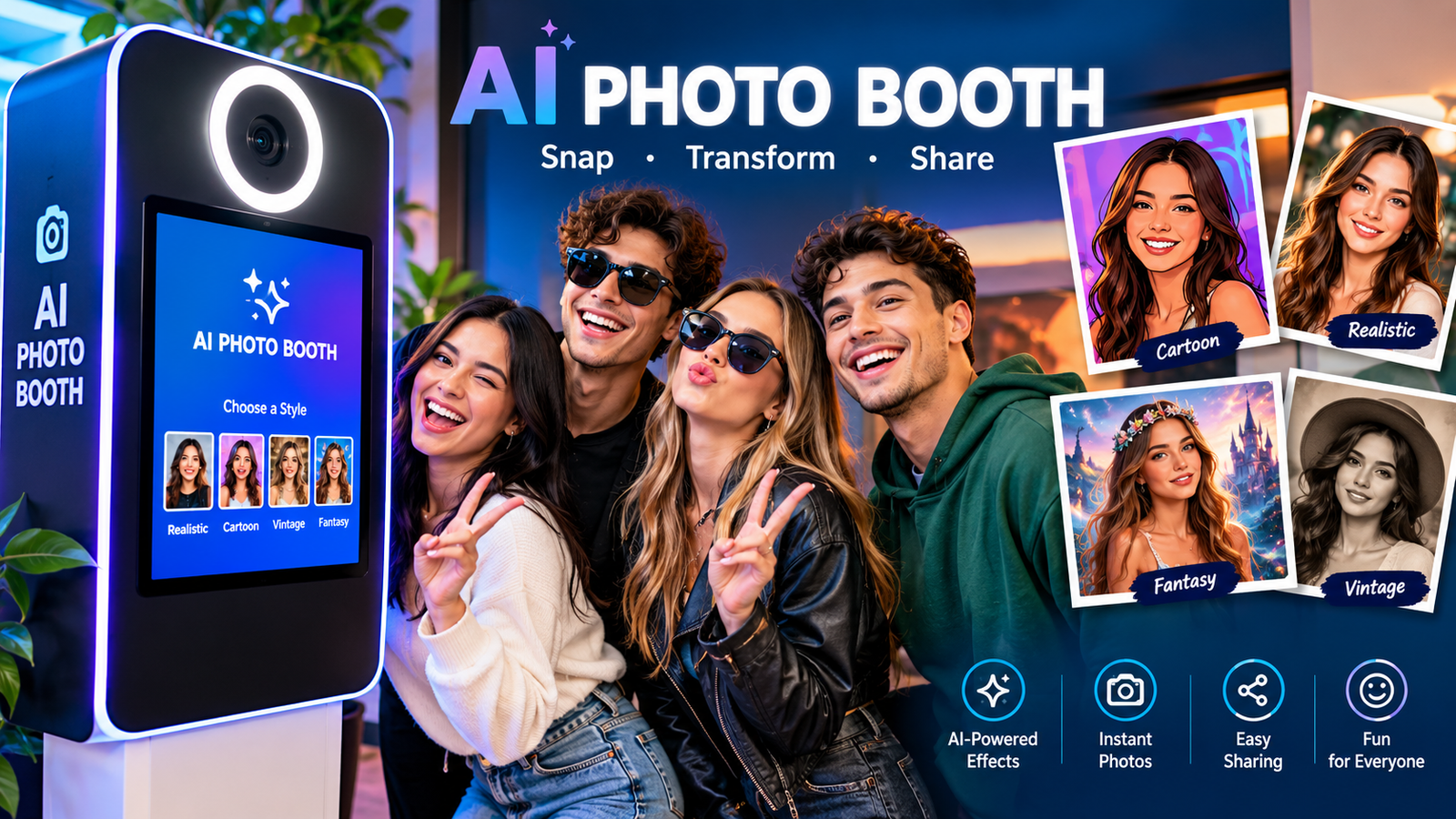
An AI photo booth turns an ordinary event photo into something much more creative. Instead of simply capturing a picture and applying a basic filter, modern systems can use artificial intelligence to transform people, backgrounds, clothing, colors, and visual styles.
Whether you are planning a wedding, birthday party, corporate event, trade show, or brand activation, an AI photo booth can give guests a more interactive experience. Some solutions work through dedicated booth hardware, while others can operate through a tablet, computer, or phone-based interface.
The technology also varies. An AI photo booth generator may create a completely different scene, while another system may focus on background replacement, portrait enhancement, or artistic effects. Understanding these differences can help you choose the right setup instead of assuming every AI booth works the same way.
What Is an AI Photo Booth?
An AI photo booth is a photo-taking system that uses artificial intelligence to transform or enhance photographs after they are captured. Depending on the software, guests may be able to turn a normal portrait into an artistic image, place themselves in a new environment, or apply a particular visual theme.
Unlike a conventional photo booth that mainly relies on filters, frames, and predefined effects, an AI-powered system can generate or modify visual elements based on instructions and selected styles.
For example, a guest at a corporate event could take a standard portrait and receive an AI-generated futuristic professional image. At a birthday party, the same technology could transform guests into fantasy characters.
The important thing is to check what a particular service actually offers. Some products use genuine generative AI, while others combine AI-powered editing with traditional filters and overlays.
How Does an AI Photo Booth Work?
The process is usually simple from the guest’s perspective, even though several technologies can operate behind the scenes.
1. The Guest Takes a Photo
A camera, smartphone, tablet, or connected webcam captures the original image. Good lighting and clear framing are important because the quality of the input can influence the final result.
2. The System Prepares the Image
The software may detect faces, identify the main subject, separate the person from the background, and optimize the image before processing.
3. A Style or Theme Is Selected
The guest can choose from predefined themes or, on some platforms, customized prompts. Options might include cinematic portraits, fantasy environments, vintage artwork, futuristic scenes, or professional headshots.
4. AI Generates or Transforms the Image
The AI photo booth generator processes the original image according to the selected instructions. Depending on the system, it may change the environment, clothing, artistic style, lighting, or other visual elements.
5. The Final Image Is Delivered
The completed image can typically be displayed on the booth screen and delivered through a QR code, email, text message, digital gallery, or physical printer.
The exact workflow depends on the software and hardware being used, so generation speed, image quality, and available features can vary considerably.
What Can an AI Photo Booth Do?
The biggest attraction is the variety of transformations available.
AI Background Replacement
A person can be placed into a completely different environment without physically traveling there. Possible themes include beaches, luxury locations, futuristic cities, fantasy worlds, or branded environments.
AI Portraits
AI can transform a standard photograph into a stylized portrait. This can work particularly well for corporate events, conferences, weddings, and social gatherings.
AI Character Transformations
Guests can be represented as fantasy characters, superheroes, historical figures, or other themed personas. The exact options depend on the software and its content rules.
AI Art Styles
An AI photo booth can produce images inspired by illustration, watercolor, comic art, vintage photography, cinematic visuals, and other artistic directions.
AI Headshots
Businesses can use AI-powered portrait systems to create polished professional images for employees or event attendees. However, users should check whether the system is designed for realistic professional headshots or primarily for entertainment.
Branded Experiences
Businesses can create custom visual themes around a campaign, product, logo, or event concept. This can make the booth part of a broader marketing experience rather than just an entertainment station.
AI Photo Booth vs Traditional Photo Booth
Both options can be entertaining, but the experience is different.
| Feature | AI Photo Booth | Traditional Photo Booth |
| Standard photos | Yes | Yes |
| AI transformations | Yes | Usually no |
| Custom AI scenes | Often available | Rare |
| Artistic styles | Extensive | Usually limited |
| Background transformation | Often available | Limited |
| Physical printing | Depends on setup | Common |
| Digital sharing | Common | Common |
| Technical requirements | Can be higher | Usually simpler |
| Custom branding | Available | Available |
| Output variety | Very high | Moderate |
A traditional booth can be a better fit when the goal is straightforward photography with minimal technical complexity. An AI booth is more focused on creative transformation and personalization.
AI Photo Booth vs 360 Photo Booth
These technologies are sometimes confused, but they provide different experiences.
An AI photo booth generally creates or transforms still images using artificial intelligence. A 360 photo booth captures moving footage around the participants and produces an animated or video-style result.
For example, a wedding could use an AI booth for artistic portraits and a 360 booth for energetic video clips. Some event companies offer both experiences as part of a larger entertainment package.
AI Photo Booth Ideas for Different Events
Weddings
Wedding guests can be transformed into cinematic portraits, elegant fantasy characters, vintage photographs, or themed couples. A consistent style can also create a memorable digital gallery.
Birthday Parties
Birthday events are ideal for playful themes such as fantasy worlds, comic-inspired portraits, futuristic characters, or colorful environments.
Corporate Events
Companies can use AI portraits as an interactive activity. Employees might receive professional-looking portraits or themed images connected to the company’s event concept.
Trade Shows
At a trade show, the booth can become an attraction that encourages attendees to stop at an exhibition stand. A branded AI image can then provide an additional reason for guests to engage with the company.
Brand Activations
Brands can create custom AI experiences based on a product or campaign. For example, a sports brand could place guests inside a virtual stadium environment while incorporating approved campaign visuals.
Can You Use an AI Photo Booth Free?
An AI photo booth free option can be useful for testing the concept before investing in a professional setup. Free tools may allow users to experiment with AI effects, portrait transformations, or background changes without paying for a complete rental.
However, free options can have limitations such as watermarks, fewer styles, usage limits, slower processing, lower-resolution outputs, or fewer customization options.
For a small private event, a free or low-cost solution may be enough. For a large wedding or corporate activation, dedicated equipment and professional software can provide a more predictable experience.
AI Photo Booth Online: How Does It Work?
An AI photo booth online can provide many of the same basic functions without requiring a traditional physical booth.
A guest may scan a QR code, open a web interface, upload or capture a photograph, choose a style, and receive the finished image digitally.
This approach can be useful for events where physical booth hardware is inconvenient. It can also make remote campaigns and virtual experiences easier to manage.
The main consideration is internet connectivity. Cloud-based AI processing generally requires a reliable connection, particularly when many people are generating images at the same time.
What Do You Need for an AI Photo Booth for PC?
An AI photo booth for PC can be built around a computer connected to a camera and suitable software.
A basic setup may include:
- A desktop or laptop computer
- Webcam or compatible camera
- Good-quality lighting
- Display or touchscreen
- AI photo software
- Stable internet connection if processing is cloud-based
- Optional photo printer
- QR or digital delivery system
A more professional setup may add a dedicated enclosure, DSLR or mirrorless camera, studio lighting, printer, backup internet, and an attendant.
The computer’s performance matters more when AI processing is performed locally. Cloud-based systems can shift much of the computational workload to remote servers.
How Much Does an AI Photo Booth Cost?
There is no single universal price because AI booth costs depend heavily on the event and technology.
Important pricing factors include:
- Rental duration
- Number of guests
- Hardware
- AI software
- Number of available styles
- Custom AI themes
- Printing
- Attendant services
- Event location
- Branding
- Digital gallery
- Technical support
A software-only solution may cost considerably less than a full-service rental that includes equipment, setup, staff, printing, and customized experiences.
When comparing packages, look beyond the headline price. Check exactly what is included and whether there are additional charges for custom designs, extra hours, travel, prints, or higher usage.
Can You Build a DIY AI Photo Booth?
Yes. A basic DIY setup can be relatively simple.
You could combine a smartphone or camera, tripod, lighting, computer or tablet, AI software, and a digital delivery method.
The main advantage is flexibility. You can choose your own hardware and experiment with different AI tools.
The challenge is reliability. At a busy event, guests may need quick results, and technical problems can create queues. You also need to consider internet connectivity, image privacy, lighting, software limits, and backup equipment.
For a small gathering, DIY can be practical. For a large commercial event, professional support may reduce technical risks.
Does an AI Photo Booth Need Wi-Fi?
It depends on how the system processes images.
Cloud-based AI tools generally need an internet connection to upload the source image and generate the final result. Local processing can reduce dependence on the internet but may require more powerful hardware.
Before an event, test the system under realistic conditions. A booth that works perfectly with one person may perform differently when dozens of guests are generating images simultaneously.
For an important event, having a backup internet connection can also be useful.
AI Photo Booth Privacy and Safety
Privacy deserves serious attention because photographs can contain identifiable personal information.
Before choosing an AI booth, check:
- Where images are processed
- How long images are stored
- Whether images are used for AI training
- Who can access the photographs
- Whether guests can request deletion
- What consent is required
- Whether images are automatically published or shared
For corporate events and large public activations, these questions become especially important.
Do not assume that every AI platform has the same privacy practices. Read the provider’s current privacy policy and terms before uploading photographs or collecting images from guests.
Common AI Photo Booth Problems
AI-generated images can be impressive, but they are not always perfect.
Common issues include distorted hands, unusual facial details, incorrect clothing, inconsistent backgrounds, or results that do not closely match the selected theme.
Poor lighting can also affect the source image.
To improve results:
- Use even lighting.
- Keep faces clearly visible.
- Avoid extreme poses.
- Test group photos before the event.
- Keep prompts and themes specific.
- Test every effect before guests arrive.
- Have a backup option if generation fails.
Testing is particularly important for business events where the visual output represents a brand.
How to Choose an AI Photo Booth
Start by deciding what you actually need.
If your goal is simple entertainment, look for easy-to-use themes and fast generation. For corporate events, prioritize branding, analytics, digital delivery, privacy controls, and reliability.
Ask the provider:
- What AI technology is being used?
- How long does an image usually take?
- Does the system require internet?
- Can custom themes be created?
- Are images stored?
- Are images used for model training?
- Can guests receive digital copies?
- Is printing included?
- What happens if the internet fails?
- Is an attendant included?
These questions can reveal differences that are not obvious from a package’s advertised price.
AI Photo Booth Pro and Paid Solutions
People searching for AI Photo Booth Pro or similar professional software are often looking for more control than basic consumer apps provide.
Professional solutions may offer features such as custom themes, event branding, multiple output styles, digital galleries, analytics, higher usage limits, and dedicated support.
The right choice depends on the event rather than simply choosing the solution with the largest feature list. A small birthday gathering may not need advanced analytics, while a brand activation may benefit significantly from them.
AI Photo Booth App Options
An AI photo booth app can be useful when you want a lightweight setup using a phone, tablet, or computer.
Apps can be convenient for testing styles, creating personal images, or running smaller events. Dedicated event platforms may provide additional features such as queue management, branding, printing, guest galleries, and centralized administration.
Before installing an app, check its supported devices, export resolution, privacy policy, pricing model, and whether commercial event use is allowed.
AI Photo Booth Download and Digital Delivery
After generation, guests usually want an easy way to receive their images.
A typical AI photo booth download workflow might use a QR code that appears immediately after the image is generated. The guest scans it and downloads the result to their phone.
Other options include email, SMS, shared galleries, or direct printing.
For large events, QR delivery can reduce queues because guests do not have to wait for every image to be printed.
Pros and Cons of AI Photo Booths
Pros
- Highly customizable
- More creative than basic photo filters
- Suitable for many event types
- Strong social-sharing potential
- Can support branded experiences
- Offers a wide range of visual styles
Cons
- AI results can vary
- Cloud systems may require reliable internet
- Professional systems can be expensive
- Privacy requires careful consideration
- Poor source photos can produce poor results
- Complex setups may require technical support
Conclusion
An AI photo booth combines event photography with AI-powered image transformation, giving guests more creative possibilities than a conventional booth. From weddings and birthday parties to corporate events and brand activations, the technology can create personalized images that are easy to share digitally.
The best setup depends on your goals, budget, event size, desired image quality, internet availability, and privacy requirements. Whether you choose a professional rental, an online solution, an app, or a DIY setup, test the complete workflow before the event.
A good AI photo booth is not simply about impressive AI effects. It should also deliver reliable performance, clear privacy practices, fast results, and an enjoyable guest experience.
Frequently Asked Questions
What is an AI photo booth?
An AI photo booth captures a photograph and uses artificial intelligence to transform or enhance it. Depending on the system, it can create new backgrounds, artistic styles, portraits, characters, or branded visual experiences.
How does an AI photo booth work?
The guest takes a photo, selects a style or theme, and the software processes the image using AI. The finished image can then be displayed, downloaded, shared through a QR code, or printed.
Can I use an AI photo booth free?
Yes, some free AI tools can be used to experiment with photo transformations. However, free versions may have restrictions such as watermarks, limited generations, lower resolution, or fewer customization options.
Does an AI photo booth need Wi-Fi?
Cloud-based systems usually require an internet connection because images are processed remotely. Some systems can perform processing locally, but these may require more powerful hardware.
Can I make an AI photo booth myself?
Yes. A DIY setup can use a smartphone or camera, lighting, computer or tablet, AI software, and a digital delivery method. Professional events may require additional hardware and technical support.
What is the difference between an AI photo booth and a regular photo booth?
A regular booth mainly captures photographs and applies conventional effects. An AI booth can use artificial intelligence to create or substantially transform visual elements, including backgrounds, styles, portraits, and themed scenes.
Are AI photo booths safe?
They can be, but privacy practices vary by provider. Before using one, check how photographs are processed, stored, shared, and deleted, and whether the provider uses submitted images for AI training.
You May Also Read: Zendaya Parents
