


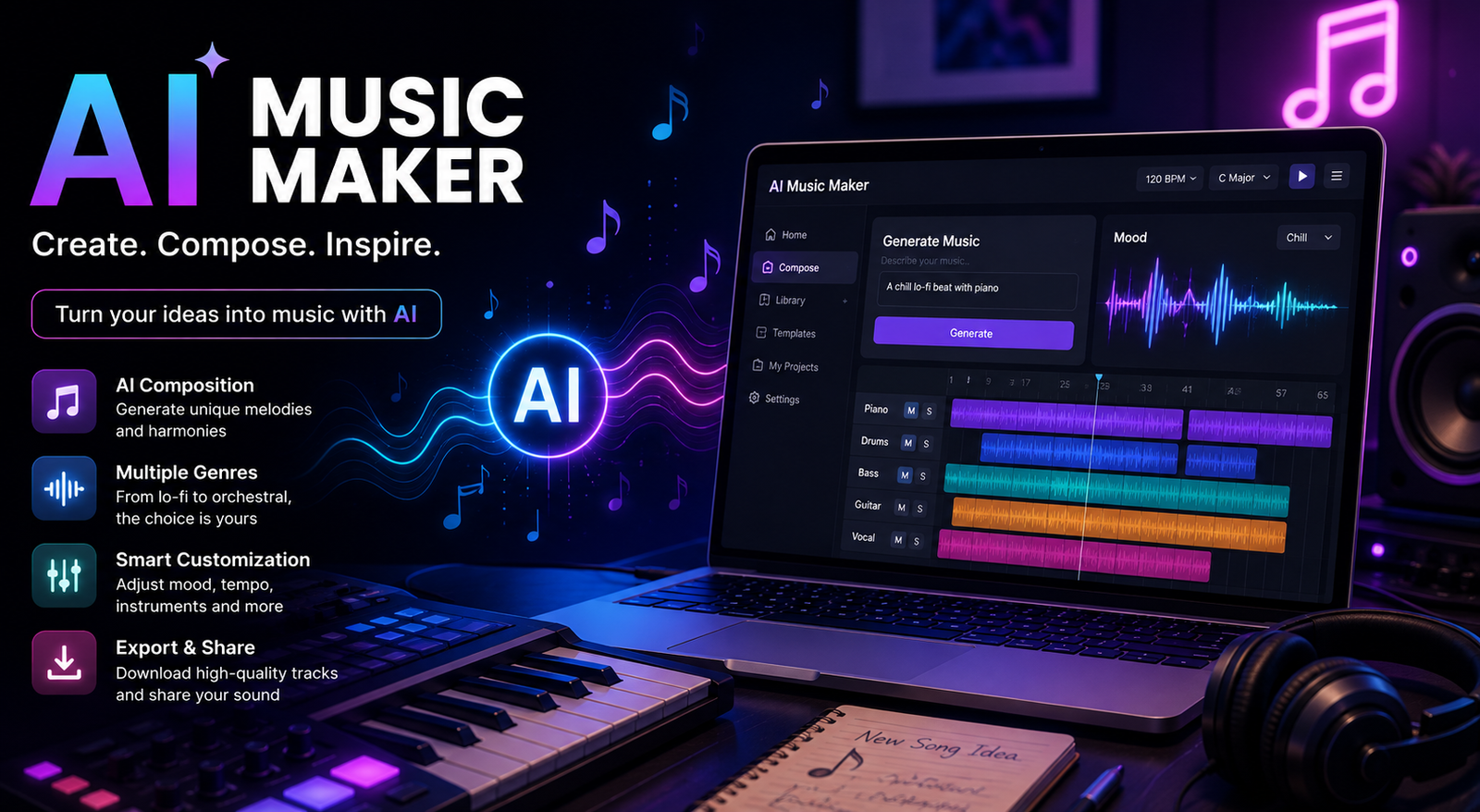
Creating music used to require instruments, recording equipment, music theory, and hours of production work. Today, an AI music maker can turn a simple idea, lyric, or text prompt into a song, instrumental track, beat, or background soundtrack in minutes. You do not need to be a professional musician to get started.
The best AI music maker tools are useful for YouTubers, podcasters, musicians, marketers, game developers, and everyday creators. Depending on the platform, you can generate vocals, choose a genre, describe a mood, adjust instruments, extend a track, or create completely new arrangements.
However, choosing the right tool can be confusing. Some platforms focus on complete songs, while others are better for instrumental music, beats, background tracks, or professional editing. Free plans can also come with limits, and commercial-use rights vary between services.
This guide explains what an AI music maker does, how to use one, what you can create, how to write better prompts, and what to consider before downloading or publishing AI-generated music.
What Is an AI Music Maker?
An AI music maker is a software tool that uses artificial intelligence to create or modify music based on user instructions. Instead of manually composing every melody, chord, beat, and arrangement, you can describe what you want and let the AI generate a starting point.
For example, you could enter a prompt such as:
“Create an upbeat electronic track with energetic drums, bright synths, a catchy melody, and a futuristic atmosphere.”
The AI can interpret those instructions and generate music that matches the requested style.
Some tools are designed primarily as an AI music generator, while others provide additional editing features. Depending on the platform, you may be able to generate full songs, instrumental tracks, beats, vocals, soundtracks, or background music.
AI Music Maker vs AI Music Generator
The terms are often used interchangeably, but there is a useful distinction.
An AI music generator mainly refers to technology that creates music automatically. An AI music maker can describe a broader creative workspace that may include generation, editing, remixing, arranging, extending tracks, and working with vocals or stems.
For users, the important thing is not the label. Look at the actual features offered by the tool.
How Does an AI Music Maker Work?
Most AI music platforms allow you to provide instructions through text. The system then uses trained models to generate audio based on patterns learned from large amounts of musical data.
The exact technology varies between platforms, but the basic workflow is simple.
Text-to-Music
You describe the type of music you want, including genre, mood, tempo, instruments, and other characteristics. The AI then generates a track based on your description.
Lyrics-to-Song
Some AI song makers can transform lyrics into a structured song with vocals and instrumental accompaniment. You can often specify the genre or vocal character to influence the result.
AI Vocals and Instruments
Modern tools may generate both vocals and instrumental arrangements. Some are better at realistic singing, while others are more focused on instrumental production.
Editing and Remixing
More advanced platforms may allow you to extend a track, regenerate a section, change elements, create variations, or work with individual stems. These features are especially useful when the first generation is close to what you want but needs refinement.
Best AI Music Maker Features to Look For
Not every platform is equally useful for every project. Before choosing an AI music maker, consider these features:
- Audio quality: Does the output sound clean and balanced?
- Prompt control: Can you describe specific styles and instruments?
- Vocals: Does it support realistic AI singing?
- Instrumentals: Can you generate music without vocals?
- Editing: Can you modify or extend generated tracks?
- Free access: Does it offer free generations or credits?
- Commercial licensing: Can you legally use the output for your intended project?
- Download options: Can you export the formats you need?
- Stems: Can you separate vocals, drums, bass, and other elements?
- Ease of use: Is it suitable for your experience level?
AI Music Maker Comparison
| Feature | Basic AI Music Maker | Advanced AI Music Maker |
| Song generation | Yes | Yes |
| Instrumental generation | Usually | Yes |
| AI vocals | Varies | Often |
| Prompt control | Basic | Detailed |
| Editing | Limited | Advanced |
| Track extension | Sometimes | Often |
| Stems | Limited or unavailable | May be available |
| Free plan | Often limited | Usually limited |
| Commercial rights | Plan-dependent | License-dependent |
| Best for | Beginners | Creators and professionals |
Always check the current terms of the specific platform because features and licensing conditions can change.
What Can You Create With an AI Music Maker?
The biggest advantage of AI music creation is its versatility. You are not limited to making traditional songs.
Full Songs
An AI song maker can help create a complete track containing verses, choruses, instrumental sections, and vocals.
This can be useful for songwriting ideas, demos, social media content, or experimentation.
Instrumental Music
If you do not need vocals, an AI music maker can generate instrumental tracks in styles such as jazz, electronic, classical, rock, ambient, or cinematic music.
Beats
AI beat makers can help create rhythms for hip-hop, trap, pop, EDM, lo-fi, and other genres.
Background Music
Creators can generate background tracks for YouTube videos, podcasts, presentations, advertisements, and social media content.
Soundtracks
AI-generated music can also be used during the early stages of film, game, or video production when a creator needs music that matches a particular scene or mood.
How to Make Music With an AI Music Maker
Making a track does not have to be complicated. A simple workflow can produce much better results than randomly generating music.
Step 1: Decide What You Want to Create
Start with the purpose of the track.
Do you need a full song, a beat, an instrumental, a podcast intro, or background music for a video?
Step 2: Choose a Suitable Tool
Different platforms specialize in different types of music. A tool designed for complete songs may not be the best option for simple background music.
Step 3: Write a Detailed Prompt
Describe the important musical characteristics.
Include:
- Genre
- Mood
- Tempo
- Instruments
- Vocal style
- Energy level
- Intended use
- Song structure
Instead of writing:
“Make a good song.”
Try:
“Create an energetic pop song with bright electric guitars, punchy drums, warm bass, expressive female vocals, a memorable chorus, and a positive summer mood.”
The second prompt gives the AI much more useful direction.
Step 4: Generate Several Versions
Do not assume the first generation will be perfect. Generate multiple versions and compare their melodies, arrangements, vocals, and overall mood.
Step 5: Refine the Best Result
If the platform supports editing, use it to improve the strongest version instead of starting from scratch.
Step 6: Check the License Before Publishing
This step is essential if you plan to monetize or commercially distribute the music.
Best AI Music Maker Prompts
Good prompts can make a major difference in AI music generation. Here are practical examples you can adapt.
Pop Music Prompt
Create a modern upbeat pop song with energetic drums, bright synths, warm bass, catchy melodies, dynamic verses, and a memorable chorus.
Cinematic Music Prompt
Create an emotional cinematic instrumental with orchestral strings, deep percussion, atmospheric pads, piano, and a dramatic build suitable for a film trailer.
Lo-Fi Prompt
Create a relaxing lo-fi instrumental with soft drums, warm vinyl texture, mellow piano chords, subtle guitar, and a calm late-night atmosphere.
YouTube Background Music Prompt
Create energetic electronic background music for a technology YouTube video, with modern synths, medium tempo, clean production, and no vocals.
Podcast Intro Prompt
Create a short modern podcast intro with a confident rhythm, subtle electronic elements, a memorable melody, and an energetic professional atmosphere.
The more specific your creative goal is, the easier it becomes to guide the output.
Is There a Free AI Music Maker?
Yes, many platforms offer some form of free AI music creation. However, free does not always mean unlimited.
A free AI music maker may provide a limited number of generations, daily credits, lower-quality downloads, or personal-use rights.
Before choosing a free tool, check:
- Number of free generations
- Download restrictions
- Audio quality
- Watermarks
- Commercial-use rights
- Required attribution
- Whether an account is required
A free plan can be excellent for experimenting, but creators producing music for commercial projects should pay close attention to licensing.
Can You Use AI-Generated Music Commercially?
Sometimes, but you should never assume that every AI-generated track is automatically safe for commercial use.
Commercial rights depend on the platform, subscription plan, generation method, and license terms.
For example, using an AI music maker to create a track for a personal project may have different requirements from using that same track in a monetized YouTube channel, advertisement, client project, or commercial game.
Before publishing commercially, check the platform’s current terms for:
- Commercial usage
- Copyright ownership
- Attribution
- Monetization
- Distribution
- Content ID policies
- Restrictions on generated content
Also remember that royalty-free does not necessarily mean copyright-free. These concepts can have different meanings.
AI Music Maker for YouTube, TikTok, and Social Media
Content creators are one of the biggest audiences for AI music tools.
For YouTube, look for a platform with clear commercial licensing and downloadable audio. Background music should complement your video rather than overpower narration.
For TikTok and short-form content, short energetic tracks, loops, and catchy hooks can work particularly well.
If you are using AI-generated music in monetized content, always verify that your specific plan gives you the necessary rights.
AI Music Maker vs Traditional Music Production
AI does not necessarily replace traditional music production. Instead, it can reduce the time required to turn an idea into something you can hear.
| Factor | AI Music Maker | Traditional Production |
| Speed | Very fast | Usually slower |
| Learning curve | Lower | Higher |
| Initial cost | Often lower | Can be higher |
| Creative control | Tool-dependent | Very high |
| Experimentation | Extremely fast | More time-consuming |
| Music theory required | Often optional | More useful |
| Editing control | Varies | Extensive |
| Best use | Ideas, content, demos | Detailed professional production |
A musician might use AI to generate an idea and then refine it manually. A YouTuber might use it to produce background music without learning an entire digital audio workstation.
Common AI Music Maker Mistakes
Using Vague Prompts
“Make cool music” gives the AI very little direction. Specify genre, mood, instruments, tempo, and purpose.
Accepting the First Result
AI generation is about iteration. Try several versions before selecting one.
Ignoring Licensing
Never assume a free generation automatically comes with commercial rights.
Choosing a Tool Only Because It Sounds Good
Audio quality matters, but so do editing options, pricing, licensing, downloads, and ease of use.
Assuming AI Can Replace Every Production Step
AI can speed up music creation, but professional projects may still require editing, mixing, mastering, or human creative direction.
How to Choose the Right AI Music Maker
Start with your project rather than the tool.
If you want a complete vocal song, choose a platform that specializes in song and vocal generation. If you need background music for videos, prioritize instrumental quality and licensing.
If you create beats, look for rhythm and customization controls. If you are a professional musician, advanced editing and stem support may matter more than a simple interface.
For developers and technically experienced users, open-source AI music models can provide additional control, but they may require more setup and computing resources.
The best AI music maker is therefore not necessarily the one with the highest rating. It is the one that fits your specific creative workflow.
Conclusion
An AI music maker makes music creation more accessible by allowing users to turn text prompts, lyrics, and creative ideas into songs, beats, vocals, instrumentals, and background tracks. You do not need to be an experienced producer to experiment with different genres and musical styles.
The key is choosing a tool based on your actual needs. Consider sound quality, prompt control, editing features, free limits, downloads, and especially commercial licensing. Use detailed prompts, generate multiple versions, and refine your strongest results instead of expecting perfection from a single click.
Whether you are making a YouTube soundtrack, experimenting with a new song, creating a podcast intro, or producing a beat, the right AI music maker can turn an idea into something you can hear quickly. Start with a clear goal, test different approaches, and let AI handle the repetitive parts while you focus on the creative direction.
Frequently Asked Questions
What is the best AI music maker?
The best AI music maker depends on what you want to create. Full songs, beats, vocals, background music, and professional production can require different features. Compare audio quality, controls, pricing, and licensing before choosing.
Is there a free AI music maker?
Yes. Many AI music platforms offer free credits, trials, or limited free plans. However, free generations may have restrictions on downloads, quality, usage, or commercial rights.
Can an AI music maker create a complete song?
Yes. Some AI song makers can generate lyrics-based songs with vocals, instruments, verses, choruses, and arrangements. The level of control varies between platforms.
Can I use AI-generated music on YouTube?
It depends on the platform’s license and your subscription plan. Always check whether the generated music can be used in monetized or commercial videos before publishing.
Can an AI music maker create beats?
Yes. Many AI music tools can generate beats and instrumental tracks in genres such as hip-hop, trap, EDM, pop, and lo-fi.
What is the difference between an AI music maker and an AI music generator?
An AI music generator generally focuses on creating music automatically. An AI music maker can refer to a broader platform that combines generation with editing, arranging, remixing, or other production features.
Can AI-generated music replace a musician?
Not completely. AI can accelerate composition, experimentation, and production, but human creativity, direction, editing, performance, and musical judgment remain valuable, especially for highly specific professional work.
You May Also Read: Best AI Personal Assistant App
