


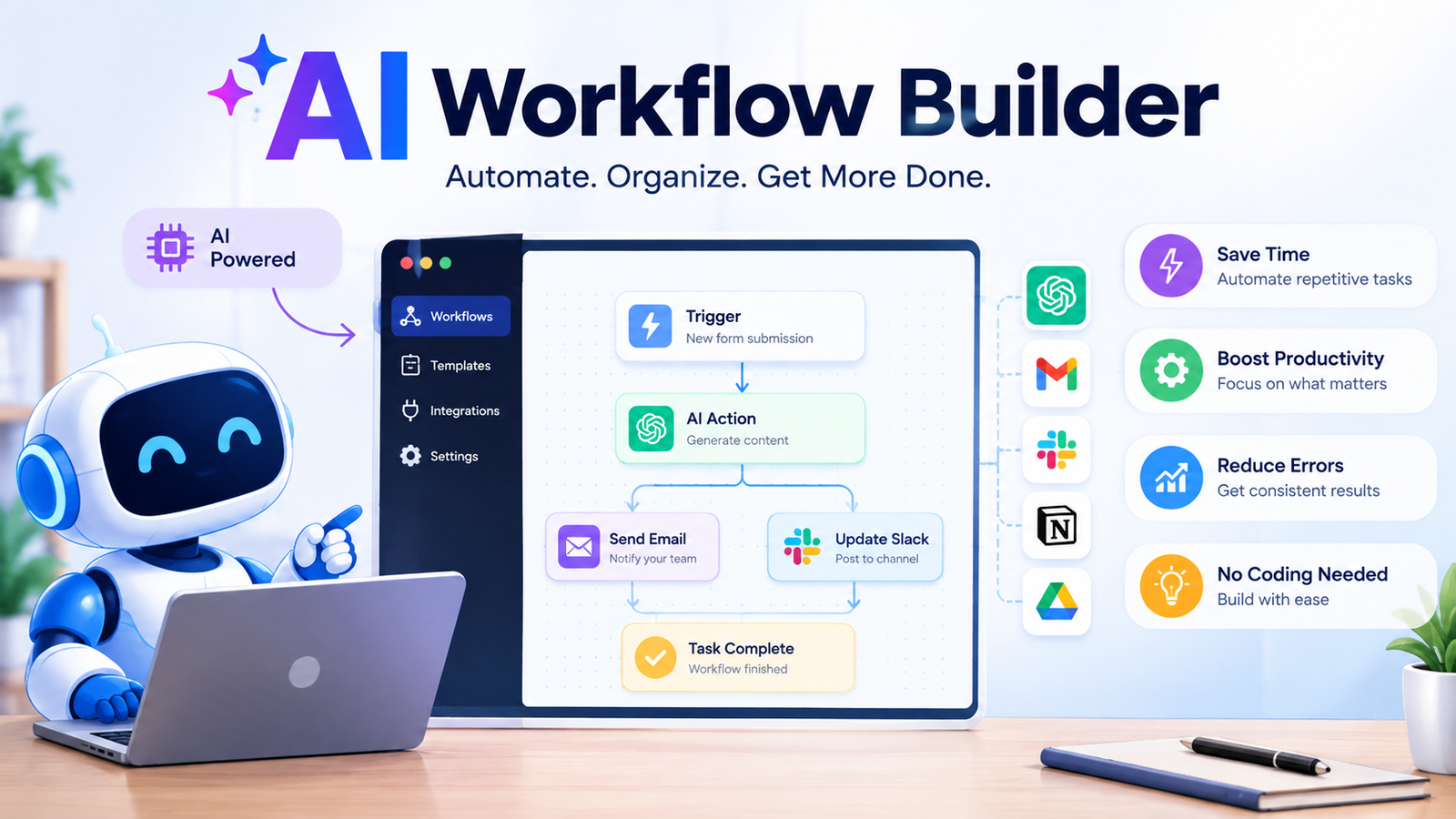
Artificial intelligence is changing the way businesses automate everyday work. Traditional automation tools can follow fixed rules, but they often struggle when a task requires understanding language, analyzing information, making decisions, or responding to changing situations. This is where an AI workflow builder becomes valuable. An AI workflow builder allows businesses and individuals to connect applications, data, automation logic, and artificial intelligence to create smarter processes. Instead of manually moving information between tools or repeating the same tasks every day, users can design workflows that perform multiple actions automatically. These workflows can help with customer support, lead qualification, content operations, document processing, email management, and many other business activities. Whether you are exploring a free AI workflow builder, an AI workflow builder open source platform, or advanced AI workflow automation tools, understanding how these systems work can help you choose the right approach.
What Is an AI Workflow Builder?
An AI workflow builder is a platform that helps users create automated processes powered by artificial intelligence. A workflow usually begins with a trigger, collects information, processes that information using rules or AI, and then performs one or more actions.
For example, a customer might submit a support request through a website. An AI workflow builder can receive the request, understand what the customer needs, search relevant information, categorize the issue, generate a response, and send complex cases to a human support agent.
The main advantage is that AI adds intelligence to traditional automation. Instead of relying only on fixed “if this, then that” rules, an AI workflow can work with unstructured information such as emails, documents, customer messages, and written requests.
An AI workflow builder can be useful for marketers, agencies, startups, sales teams, customer support departments, and developers. Some platforms are designed for complete beginners with visual drag-and-drop interfaces, while others provide more flexibility for an AI workflow developer who needs APIs, custom logic, and advanced integrations.
How Does an AI Workflow Builder Work?
Most AI workflows follow a series of connected stages. The exact structure can vary, but the basic process is easy to understand.
Trigger
Every workflow needs something that starts it. This is called a trigger.
Common triggers include a new form submission, a new email, a scheduled event, a customer message, a CRM update, or an API request.
For example, a new lead submitting a contact form could automatically start an AI workflow.
Data and Context
After the workflow starts, it collects the information needed to complete the task. This may include customer details, form responses, documents, CRM records, spreadsheet data, or information from connected applications.
Context is especially important when AI is involved. The more relevant and reliable information the workflow receives, the better the AI can understand the task.
AI Processing
The AI component processes the available information. Depending on the workflow, it may classify text, summarize a document, extract important data, generate content, analyze sentiment, or provide recommendations.
For example, an AI workflow could read an incoming customer email and determine whether it relates to billing, technical support, or a product question.
Decisions and Logic
The workflow then uses conditions and rules to determine what should happen next.
A support workflow might follow this logic:
Simple question → Generate an answer.
Technical problem → Create a support ticket.
Urgent complaint → Notify a manager.
This combination of automation logic and AI analysis is what makes an AI workflow builder useful for more complex processes.
Actions
Once the workflow reaches a decision, it performs an action. Actions might include sending an email, updating a CRM, creating a task, generating a document, notifying a team, or sending data to another application.
Monitoring and Improvement
Reliable AI workflows should not simply be created and forgotten. Businesses should monitor results, review failures, check AI output quality, and improve the workflow when problems appear.
A successful workflow is usually an ongoing process of testing and optimization.
The Anatomy of an AI Workflow
An AI workflow can be understood as a chain of connected components. Each component has a specific purpose.
| Workflow Component | Purpose | Example |
| Trigger | Starts the workflow | New customer inquiry |
| Input | Provides information | Form submission |
| Context | Gives AI relevant background | Customer history |
| AI Processing | Analyzes or generates information | Categorizes the inquiry |
| Logic | Determines the next step | Urgent or non-urgent |
| Action | Performs a task | Creates a support ticket |
| Human Review | Adds oversight when needed | Approves an important response |
| Monitoring | Tracks performance | Measures workflow success |
| This structure can also help when using an AI workflow diagram generator. Before building a workflow, visually mapping the trigger, decisions, actions, and possible outcomes can make the automation easier to understand and troubleshoot. |
AI Workflow Builder vs Traditional Automation
Traditional automation remains useful, especially for predictable tasks. However, an AI workflow builder can handle situations where information needs to be interpreted before an action is taken.
| Feature | Traditional Automation | AI Workflow Builder |
| Rules | Fixed rules | Rules plus AI intelligence |
| Decision-making | Rule-based | AI-assisted |
| Unstructured data | Limited | Better handling of text and documents |
| Content generation | Not usually available | Available |
| Adaptability | Lower | Higher |
| Complex processes | Can become difficult | Better suited to intelligent workflows |
| Human oversight | Optional | Often recommended |
| AI is not automatically the best choice for every process. A simple task with predictable inputs may work perfectly with traditional automation. AI becomes more valuable when the workflow must understand language, analyze context, or handle information that does not follow a fixed structure. |
AI Workflow Builder vs AI Agent vs Chatbot
These terms are often used together, but they do not mean exactly the same thing.
| Technology | Primary Purpose | Autonomy | Best For |
| Traditional Automation | Repeating fixed tasks | Low | Predictable processes |
| AI Workflow Builder | Connecting AI with automated processes | Medium | Multi-step workflows |
| AI Agent | Working toward goals with greater independence | Higher | Complex adaptive tasks |
| AI Chatbot | Communicating with users | Varies | Customer conversations |
| An AI workflow builder can include an AI agent or chatbot as part of a larger process. For example, a chatbot may collect information from a customer, while the workflow processes that information and sends it to other business systems. |
Key Features to Look for in an AI Workflow Builder
The best platform depends on your needs, but several features are worth considering.
A visual workflow editor can make it easier to build and understand automation without extensive technical knowledge. AI model integration is also important because different workflows may require different AI capabilities.
Look for strong app and API integrations if your business uses multiple tools. Conditional logic and branching are useful for workflows that need different actions based on different situations.
Knowledge base support can help AI work with company information, while human approval steps provide additional control over important actions.
Error handling is another important feature. A reliable workflow should know what to do when an application fails, information is missing, or an API connection stops working.
Monitoring and analytics can help you measure whether the workflow is actually saving time and producing useful results.
Security should also be a priority. Businesses should understand what data the platform can access and how permissions are managed.
What Can You Build With an AI Workflow Builder?
AI workflow automation tools can support many different business processes.
AI Customer Support Workflows
A customer sends a message, the AI identifies the topic, relevant information is retrieved, and a response is generated. If the request is complicated, the workflow can send it to a human agent.
This approach can reduce repetitive support work while keeping humans available for situations that require judgment.
AI Lead Qualification Workflows
A lead submits information through a website. The workflow can analyze the company, identify the person’s needs, assign a lead score, update the CRM, and notify the appropriate sales representative.
AI Content Workflows
Content teams can use AI workflows to organize repetitive stages of production. A workflow might move from topic research to content briefs, drafts, quality checks, and human editing.
AI should support the process rather than replace editorial judgment. Human review remains important for accuracy, originality, and brand quality.
AI Email Automation
AI workflows can classify incoming emails, summarize long conversations, prepare responses, and create personalized follow-up messages.
AI Document Processing
Businesses dealing with large numbers of documents can use workflows to extract information, summarize files, categorize documents, and send relevant data to other systems.
AI Internal Knowledge Workflows
Employees can use AI-powered workflows to find information across internal knowledge bases and documents, helping teams spend less time searching for answers.
Real-World AI Workflow Examples
AI Lead Qualification Workflow
Imagine a company receiving dozens of new leads every day. Reviewing every submission manually can take valuable time.
An AI workflow could follow these steps:
- A visitor submits a form.
- The workflow captures the lead information.
- AI analyzes the company and request.
- The lead is categorized based on potential value.
- The workflow assigns a score.
- The CRM is updated.
- The appropriate sales representative receives a notification.
This does not mean AI should make every important sales decision. High-value or uncertain leads can still be reviewed by a person.
AI Customer Support Workflow
A customer submits a support request. The AI workflow identifies the issue and checks whether relevant information is available.
If the issue is simple, the system can prepare a response. If the customer reports a serious technical problem, the workflow can create a support ticket and notify the correct team.
AI Content Operations Workflow
A content team might use a workflow that begins with a topic and moves through research, briefing, drafting, quality review, human editing, and publishing preparation.
The workflow can save time on repetitive organizational tasks while editors maintain responsibility for final quality.
How to Build an AI Workflow Step by Step
Step 1: Identify a Repetitive Process
Start with one process that consumes significant time. Avoid trying to automate your entire business immediately.
Look for tasks that are repetitive, clearly defined, and easy to measure.
Step 2: Define the Goal
Decide what success looks like. Your goal might be faster response times, fewer manual tasks, better lead organization, or reduced processing time.
Step 3: Map the Workflow
Write down the trigger, inputs, AI tasks, decisions, actions, and possible exceptions.
Using an AI workflow diagram generator or a simple workflow map can help identify missing steps before you build the automation.
Step 4: Connect Your Tools and Data
Connect the applications, databases, APIs, or knowledge sources needed by the workflow.
Only provide access to information that is genuinely required.
Step 5: Add AI Instructions and Logic
Give the AI clear instructions. Define what information it should analyze, what output format it should produce, and what it should do when information is missing.
Clear inputs usually lead to more reliable outputs.
Step 6: Add Human Approval When Necessary
Some actions should not be completely automated.
Human approval can be valuable for sensitive customer communications, financial actions, legal matters, and high-impact business decisions.
Step 7: Test the Workflow
Test normal situations and unusual ones. Check what happens when data is missing, information is incorrect, or an external application fails.
Step 8: Deploy and Monitor
After deployment, monitor workflow success rates, failures, processing times, costs, and output quality.
Step 9: Improve Over Time
Use real results to improve prompts, workflow logic, integrations, and approval processes.
How to Choose the Right AI Workflow Builder
The right AI workflow builder depends on your technical skills and business requirements.
Beginners may prefer visual no-code platforms that make it easy to connect applications and create workflows. More advanced users may need greater flexibility and customization.
An N8n AI workflow builder approach can appeal to users who want more control over workflows and integrations. Open-source options can also be attractive for teams that need flexibility and want greater control over their technical environment.
Before choosing a platform, consider the following questions:
How technical is your team?
How many applications need to be connected?
How complex are your workflows?
Do you need AI agents?
What is your budget?
What security requirements do you have?
Do you need custom APIs or advanced logic?
A free AI workflow builder can be a useful way to test basic ideas before investing in a larger automation system. However, free plans may have limits related to usage, integrations, or advanced features.
Common Mistakes When Building AI Workflows
One common mistake is trying to automate everything at once. Complex workflows are harder to test and troubleshoot.
Another mistake is using AI for a task that simple automation could handle more reliably. AI should solve a real problem rather than being added simply because it is available.
Poor context can also create poor results. If an AI system receives incomplete or outdated information, its output may be unreliable.
Ignoring error handling is another serious problem. External applications can fail, APIs can change, and data may be missing.
Businesses should also avoid skipping human review for high-impact decisions. AI can assist with analysis and automation, but important decisions may still require human judgment.
AI Workflow Security and Privacy Best Practices
Security should be considered before deploying an AI workflow.
Protect API keys and credentials. Limit permissions so each workflow can access only what it needs. Review third-party integrations carefully and understand where data is stored.
Avoid sending unnecessary sensitive information to AI systems. Add approval steps for high-risk actions and maintain logs when appropriate.
Before launching a workflow, test who can access it, what information it can retrieve, and what actions it can perform.
A powerful AI workflow builder is useful only when it is also reliable and appropriately controlled.
When Should You Not Use an AI Workflow Builder?
AI workflows are not the answer to every problem.
You may not need AI when a task is extremely simple and predictable. Traditional automation can often be faster and easier to maintain.
AI may also be inappropriate when the workflow requires completely deterministic results or involves high-risk decisions without meaningful human oversight.
Poor-quality data is another warning sign. AI cannot reliably compensate for inaccurate or incomplete information.
Finally, consider the cost of automation. A workflow should save enough time or create enough value to justify the effort required to build and maintain it.
Best Practices for Building Reliable AI Workflows
Start small and focus on one valuable problem. Define clear inputs and expected outputs before building.
Use reliable data sources and provide relevant context to AI systems. Add human checkpoints where decisions carry significant consequences.
Test edge cases before deployment and create fallback processes for failures.
Monitor performance regularly instead of assuming the workflow will remain effective forever. Applications change, business processes evolve, and AI instructions may need improvement.
The best workflow is usually not the most complicated one. It is the one that reliably solves a real problem with the least unnecessary complexity.
The Future of AI Workflow Builders
AI workflow builders are likely to become easier to use and more capable. Natural-language workflow creation may allow users to describe what they want instead of manually configuring every step.
AI agents may also become more integrated into workflow platforms, allowing certain processes to adapt more effectively to changing situations.
However, greater automation will also increase the importance of security, monitoring, testing, and human oversight.
The future of workflow automation is not simply about removing humans from every process. In many cases, the strongest systems will combine AI speed with human judgment.
Conclusion
An AI workflow builder helps businesses combine automation with artificial intelligence to create smarter and more efficient processes. From lead qualification and customer support to document processing and content operations, AI workflows can reduce repetitive work and help teams focus on higher-value tasks.
The most effective approach is to start with one clearly defined process, map the workflow carefully, test it thoroughly, and monitor the results. Whether you choose a free AI workflow builder, an open-source platform, or advanced AI workflow automation tools, the goal should remain the same: solve a real problem reliably.
AI can make automation more intelligent, but successful workflows still depend on good data, clear logic, security, testing, and appropriate human oversight. The best AI workflow is not the most complicated one—it is the one that consistently delivers useful results.
Frequently Asked Questions
What is an AI workflow builder?
An AI workflow builder is a platform that allows users to create automated processes that use artificial intelligence to analyze information, make decisions, generate content, and perform actions.
Can I use an AI workflow builder without coding?
Yes. Many platforms provide visual interfaces that allow users to build workflows without advanced programming knowledge. More technical platforms may also offer APIs and custom development options.
Is there a free AI workflow builder?
Yes, some platforms offer free plans, trials, or open-source versions. A free AI workflow builder can be useful for learning and testing workflows before moving to a paid solution.
What is the difference between an AI workflow builder and an AI agent?
An AI workflow builder creates structured processes with defined triggers and actions. An AI agent generally has greater autonomy and can work toward goals with more flexibility.
What can AI workflow automation tools do?
AI workflow automation tools can support customer service, lead qualification, email management, document processing, marketing, content operations, and internal knowledge management.
Is an AI workflow builder open source better?
An AI workflow builder open source option can provide more flexibility and control, but it may require greater technical knowledge for setup, customization, and maintenance.
How do I make an AI workflow reliable?
Use clear inputs, reliable data, strong workflow logic, error handling, testing, monitoring, and human review where necessary.
You May Also Read: Hailee Steinfeld
