


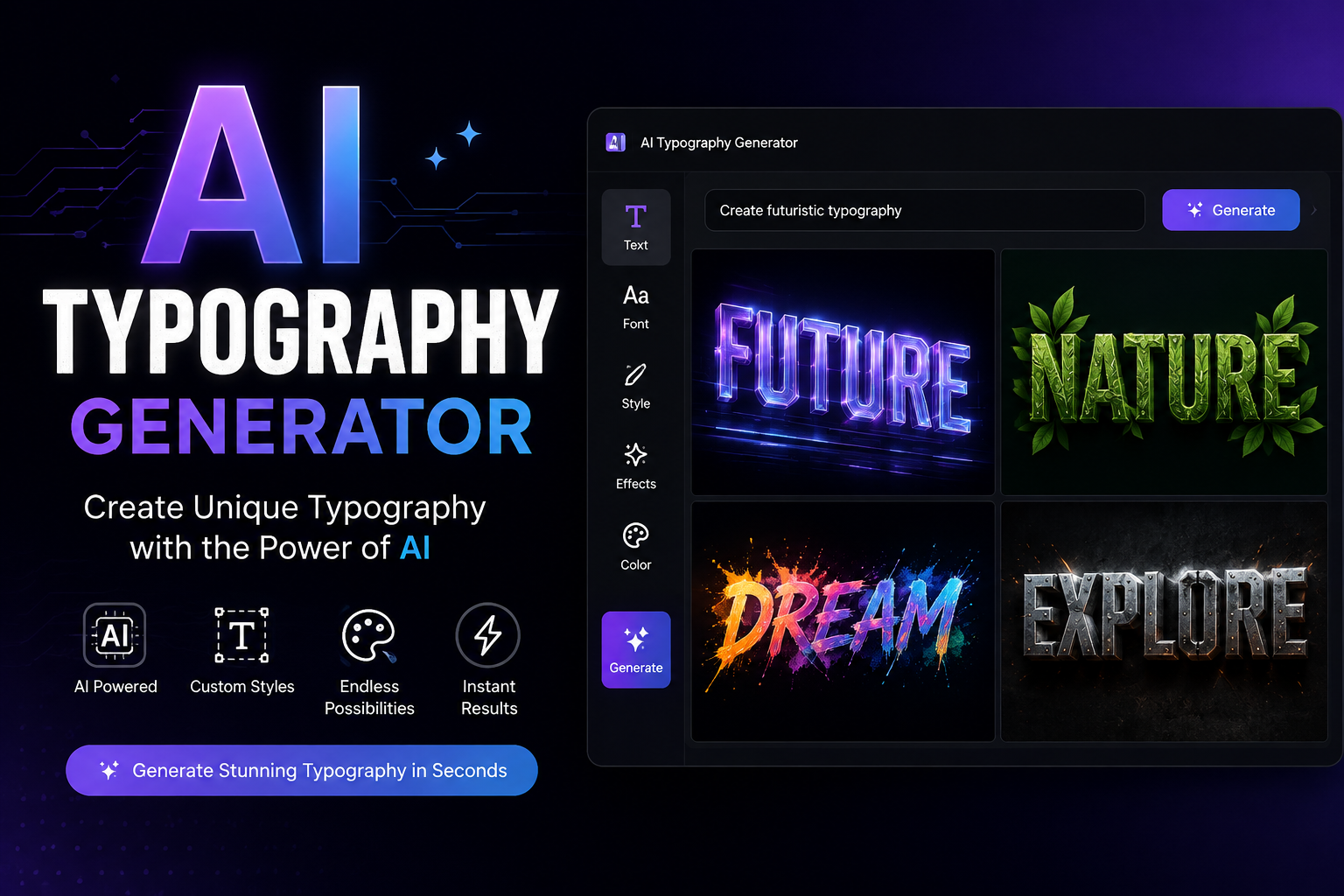
Typography is one of the fastest ways to change how a design feels. A simple word can look elegant, futuristic, playful, bold, or professional depending on its typeface, spacing, shape, and visual treatment. Traditionally, creating distinctive typography required extensive font knowledge and hours of experimentation. An AI typography generator can speed up that process by helping designers turn ideas, text, and visual references into new typography concepts in seconds.
Whether you need a logo, social media graphic, poster headline, website heading, or a custom font concept, AI can make experimentation much faster. However, there is an important distinction to understand: generating a stylish text image is not always the same as creating a complete, installable font.
This guide explains how AI typography generators work, what you can create with them, how to write better prompts, how they compare with AI font generators, and what to check before using the results commercially.
What Is an AI Typography Generator?
An AI typography generator is a design tool that uses artificial intelligence to create or transform text into a specific visual style. Instead of manually choosing a typeface and adjusting every design element, you can describe the look you want and let the AI produce different concepts.
For example, you could ask for a bold geometric wordmark for a technology company, a vintage script headline for a coffee brand, or glowing cyberpunk lettering for a gaming project.
AI typography tools can work in several ways. Some generate stylized text as an image, while others focus on creating complete typefaces or editable glyphs. That is why it is important to understand what a particular tool actually produces before choosing it.
An AI typography generator may help with:
- Custom lettering concepts
- Logo and wordmark ideas
- Decorative text
- Poster typography
- Social media graphics
- Font concepts
- Branding experiments
- 3D and illustrated text
- Custom typeface development
What Can You Create With an AI Typography Generator?
The flexibility of AI makes typography useful for far more than ordinary font selection.
Typography Logos
A typography-based logo can be created almost entirely from lettering. AI can help explore different combinations of font weight, letter shape, spacing, and visual effects.
For example, a technology startup might prompt an AI tool to create the word “NOVA” using a clean geometric style with wide spacing and subtle futuristic details.
The generated concepts can then be refined manually before being used as a final brand asset.
Posters and Headlines
AI typography is also useful when the text itself needs to become the main visual element. Event posters, advertisements, magazine headlines, and promotional graphics can benefit from expressive lettering.
A designer could request bold condensed lettering with high contrast for a music festival poster or an elegant serif style for a luxury fashion campaign.
Social Media Graphics
For social media, typography needs to attract attention quickly. AI can help generate unusual text treatments for Instagram posts, YouTube thumbnails, promotional graphics, and quote cards.
You can experiment with neon, chrome, 3D, handwritten, retro, or minimal styles without manually recreating each effect.
Custom Font Concepts
An AI typography generator can also help develop ideas for a custom typeface. You might generate a distinctive “A” or “R” and use that visual direction as inspiration for a larger alphabet.
However, creating one attractive letter is much easier than producing a complete font with consistent glyphs, spacing, kerning, and character mapping.
How Does an AI Typography Generator Work?
Although different platforms use different models and interfaces, the basic workflow is straightforward.
1. Enter Your Text
Start with the exact word, phrase, or brand name you want to design.
If the wording is important, carefully check the generated result because image-based AI systems can sometimes distort or replace characters.
2. Describe the Typography Style
Tell the generator what you want the typography to look like.
Instead of saying:
“Make cool text.”
Try something more specific:
“Create bold geometric typography with clean straight lines, rounded corners, balanced spacing, and a modern technology-brand aesthetic.”
Specific instructions generally give you more useful creative directions.
3. Add Design Characteristics
You can describe characteristics such as:
- Bold or thin
- Wide or condensed
- Rounded or sharp
- Serif or sans-serif
- Minimal or decorative
- Vintage or futuristic
- Flat or dimensional
- Elegant or playful
You can also mention colors, textures, lighting, composition, and intended use.
4. Generate Multiple Variations
Don’t automatically choose the first result. Generate several variations and compare them.
One version might have better letterforms, another might have better spacing, and a third might have a stronger overall visual identity.
5. Refine and Export
The final step is checking the result carefully and exporting it in the format your project requires.
For professional work, vector output such as SVG can be preferable because it remains scalable and editable. If you need an actual font, look specifically for tools that support formats such as TTF or OTF.
Best AI Typography Generators
The best tool depends on whether you need visual text, a logo, or a complete font.
| Tool Type | Best For | Custom Text | Font File | Vector Output | Best Use |
|---|---|---|---|---|---|
| AI typography generator | Styled lettering | Yes | Sometimes | Depends on tool | Graphics and concepts |
| AI font generator | Custom typefaces | Yes | Often | Often | Installable fonts |
| AI logo generator | Branding | Yes | Rarely | Often | Logo concepts |
| AI design platform | Complete designs | Yes | Depends | Often | Marketing graphics |
When comparing an AI typography generator, look beyond the number of styles it offers. Text accuracy, customization, editing options, export formats, licensing, and consistency are often more important than having hundreds of visual effects.
If you are searching for an AI typography generator blog free resource, remember that “free” can mean different things. Some tools provide unlimited free generation, while others offer limited credits, watermarked exports, or free previews but charge for high-resolution downloads.
AI Typography Generator vs. AI Font Generator
These terms are often used interchangeably, but they don’t always mean the same thing.
An AI typography generator generally focuses on the visual appearance of text. It may produce a PNG, JPG, SVG, or another design asset.
An AI font generator, on the other hand, is designed to create a reusable typeface. Depending on the platform, it may produce a TTF, OTF, WOFF, or WOFF2 file.
| Feature | AI Typography Generator | AI Font Generator |
|---|---|---|
| Creates styled text | Yes | Usually |
| Creates logo concepts | Often | Sometimes |
| Creates complete typefaces | Not always | Yes |
| Installable font | Usually not | Often |
| TTF/OTF export | Depends | Common |
| Best for visual designs | Yes | Sometimes |
| Best for reusable fonts | Limited | Yes |
This distinction matters when researching an AI font generator from image or an AI font generator free tool. If you want to type with your new design across different applications, you need a genuine font file rather than simply an image containing text.
How to Use an AI Typography Generator
A simple workflow can help you get much better results.
Step 1: Define the Purpose
Decide whether you’re creating a logo, poster, social graphic, website heading, packaging design, or font.
Step 2: Choose a Style
Think about the visual personality you want. A fintech company may need clean and trustworthy typography, while a gaming brand could benefit from aggressive or futuristic lettering.
Step 3: Write a Detailed Prompt
Include the text, style, mood, weight, shape, spacing, colors, and intended application.
Step 4: Generate Several Options
Create multiple concepts rather than relying on a single output.
Step 5: Check Every Character
Make sure the AI has not changed letters, added strange shapes, or introduced spacing problems.
Step 6: Refine the Design
Adjust kerning, tracking, alignment, proportions, and other details where the tool allows it.
Step 7: Export the Correct File
Use raster formats for ordinary graphics and vector formats when scalability and editing are important. If you need a reusable font, make sure the platform actually generates a font file.
Best AI Typography Prompts
Good prompts provide enough direction without becoming unnecessarily complicated.
| Use Case | Example Prompt |
|---|---|
| Minimal logo | “Create clean geometric typography for the word NOVA with balanced spacing and a modern technology aesthetic.” |
| Luxury brand | “Create elegant high-contrast serif lettering with refined proportions and a premium fashion identity.” |
| Gaming | “Create bold futuristic gaming typography with sharp angular letterforms and a powerful energetic appearance.” |
| Retro | “Create 1970s-inspired rounded typography with playful curves and a vintage poster aesthetic.” |
| Neon | “Create glowing cyberpunk typography with bright neon edges, dark surroundings, and futuristic letterforms.” |
| Tech startup | “Create modern sans-serif typography with clean geometric shapes, moderate tracking, and a professional AI startup aesthetic.” |
A useful prompt formula is:
Text + type style + visual characteristics + mood + spacing + color + intended use
For example:
“Create the word AITOOLS in bold geometric sans-serif typography, slightly condensed, clean letterforms, moderate tracking, subtle futuristic details, and a premium technology-brand style.”
Why Does AI Typography Sometimes Get Letters Wrong?
One of the biggest limitations of AI-generated typography is consistency.
An AI model may produce a visually attractive design while incorrectly rendering a letter. You may also see:
- Misspelled words
- Missing characters
- Uneven spacing
- Inconsistent letter shapes
- Poor kerning
- Strange symbols
- Different styles between letters
This is especially noticeable when generating long words or complete alphabets.
For that reason, AI typography should usually be treated as a starting point rather than something that never needs review.
A better workflow is:
Generate → inspect → compare → correct → refine → export
That extra quality-control step can make a major difference in professional branding work.
Can AI Create a Real Font?
Yes, some AI font generators can create actual font files, but not every AI typography generator can.
A genuine font needs more than attractive letter images. It needs a structured collection of glyphs, character mappings, spacing information, and other font data.
Common font formats include:
- TTF: widely supported desktop font format
- OTF: advanced font format with broad professional use
- WOFF: web-focused font format
- WOFF2: modern compressed web font format
If your goal is to create a font that you can install and use throughout your design software, always confirm that the tool supports the appropriate font format.
Why Vector Output Matters
For logos and professional branding, vector typography is often more useful than a pixel-based image.
Raster files such as PNG and JPG are made from pixels. Enlarging them too much can reduce quality.
Vector graphics such as SVG use paths that can be scaled without the same resolution limitations.
This makes vector typography particularly useful for:
- Logos
- Packaging
- Print materials
- Large signs
- Websites
- Brand assets
If a generator offers both image and vector export, SVG is often the better choice for designs that need future editing or resizing.
Best Uses for AI Typography Generators
AI typography can support many design workflows.
Branding
Use it to explore wordmarks, lettering styles, and brand directions before committing to a final design.
Social Media
Generate eye-catching headlines and decorative text for promotional content.
Websites
Create unique hero headings, campaign graphics, and visual text treatments.
Gaming
Experiment with aggressive, futuristic, metallic, or fantasy-inspired lettering.
Packaging
Explore typography concepts that communicate a product’s personality.
Apparel
Create decorative lettering for shirts, hoodies, merchandise, and promotional products.
The key is to match the typography style with the audience and purpose rather than choosing a design simply because it looks impressive.
AI Typography vs. Traditional Typography
AI makes experimentation faster, but it doesn’t eliminate the need for design judgment.
| Factor | AI Typography | Traditional Typography |
|---|---|---|
| Speed | Very fast | Slower |
| Experimentation | Excellent | Moderate |
| Manual control | Depends on tool | Very high |
| Idea generation | Excellent | Designer dependent |
| Refinement | Often required | Built into workflow |
| Consistency | Can vary | Highly controllable |
| Best role | Ideation and assistance | Professional refinement |
The strongest workflow is often a combination of both. AI can generate dozens of directions quickly, while a designer can select the strongest concept and improve its proportions, spacing, readability, and brand fit.
Can You Use AI Typography Commercially?
Commercial use depends on the specific tool and its current terms.
Before using generated typography for a client project, product, logo, website, or merchandise, check:
- Commercial-use permissions
- Font licensing
- Asset ownership
- Output restrictions
- Attribution requirements
- Redistribution rules
- Whether generated elements include third-party assets
Don’t assume that an output is automatically free for every commercial purpose just because the generator itself has a free option.
A free AI typography generator may allow personal projects while restricting commercial downloads or advanced exports. Always read the current license before using important brand assets commercially.
How to Choose the Right AI Typography Generator
The best generator isn’t necessarily the one with the most effects. Look for the features that match your actual workflow.
Consider:
- Text accuracy: Does it reliably render the requested words?
- Style control: Can you describe precise typography characteristics?
- Customization: Can you adjust spacing, weight, shape, and other elements?
- Reference support: Can you use an image or existing style as inspiration?
- Editing: Can you refine the generated result?
- Vector export: Is SVG available when needed?
- Font export: Does it create TTF or OTF if you need a real font?
- Commercial licensing: Are business and client projects permitted?
- Language support: Does it handle your required writing system?
- Cost: Does the pricing match your expected usage?
A tool that does one job extremely well can be more useful than a general AI design platform with dozens of unrelated features.
Common AI Typography Mistakes to Avoid
Using vague prompts
Specific instructions usually produce more useful design directions.
Accepting the first result
Generate several alternatives and compare them.
Ignoring spelling
Always inspect the final text character by character.
Confusing an image with a font
A beautiful typography image isn’t automatically an installable typeface.
Forgetting licensing
Check commercial permissions before using the output for business purposes.
Using raster output for everything
Choose vector formats when the design needs to scale or be edited.
Prioritizing appearance over readability
Typography should communicate a message first. Decorative effects shouldn’t make the text impossible to read.
Frequently Asked Questions
What is an AI typography generator?
An AI typography generator uses artificial intelligence to create or transform text into different visual styles. Depending on the tool, it may produce stylized text images, logo concepts, vector lettering, or even complete font files.
Is there a free AI typography generator?
Yes, some platforms offer free AI typography generation or limited free credits. However, features such as high-resolution exports, commercial licensing, advanced editing, or font downloads may require payment.
Can AI generate custom fonts?
Yes. Dedicated AI font generators can create reusable typefaces and may provide files such as TTF or OTF. A standard typography generator may only create a visual text design.
Can AI typography be used for logos?
Yes. AI typography is particularly useful for creating wordmark and lettering concepts. However, important brand logos should be carefully refined and checked for originality, readability, licensing, and trademark considerations.
Can an AI font generator create a font from an image?
Some specialized tools can use image references or lettering samples to help create font or glyph concepts. The exact process and supported formats depend on the platform.
What is the difference between an AI font generator and an AI typography generator?
An AI typography generator primarily creates visual text designs, while an AI font generator is designed to create a reusable typeface or font file. Some platforms combine both capabilities.
Can AI-generated typography be used commercially?
Potentially, but it depends on the tool’s license and the assets involved. Always check the current commercial-use terms before using AI-generated typography in paid projects, branding, merchandise, or client work.
Conclusion
An AI typography generator can dramatically speed up the creative process by turning ordinary text into distinctive visual concepts. It can help with logos, posters, social media graphics, branding, packaging, custom lettering, and many other design projects.
The most important thing is to understand what you’re actually generating. A stylized text image is different from a complete installable font, and a visually impressive result still needs to be checked for spelling, spacing, consistency, scalability, and licensing.
For the best results, use AI for rapid experimentation and idea generation, then apply human design judgment to refine the final typography. With specific prompts, multiple variations, careful quality control, and the right export format, AI can become a powerful part of a modern typography workflow.
You May Also Read: AI Font Generator From Image
