


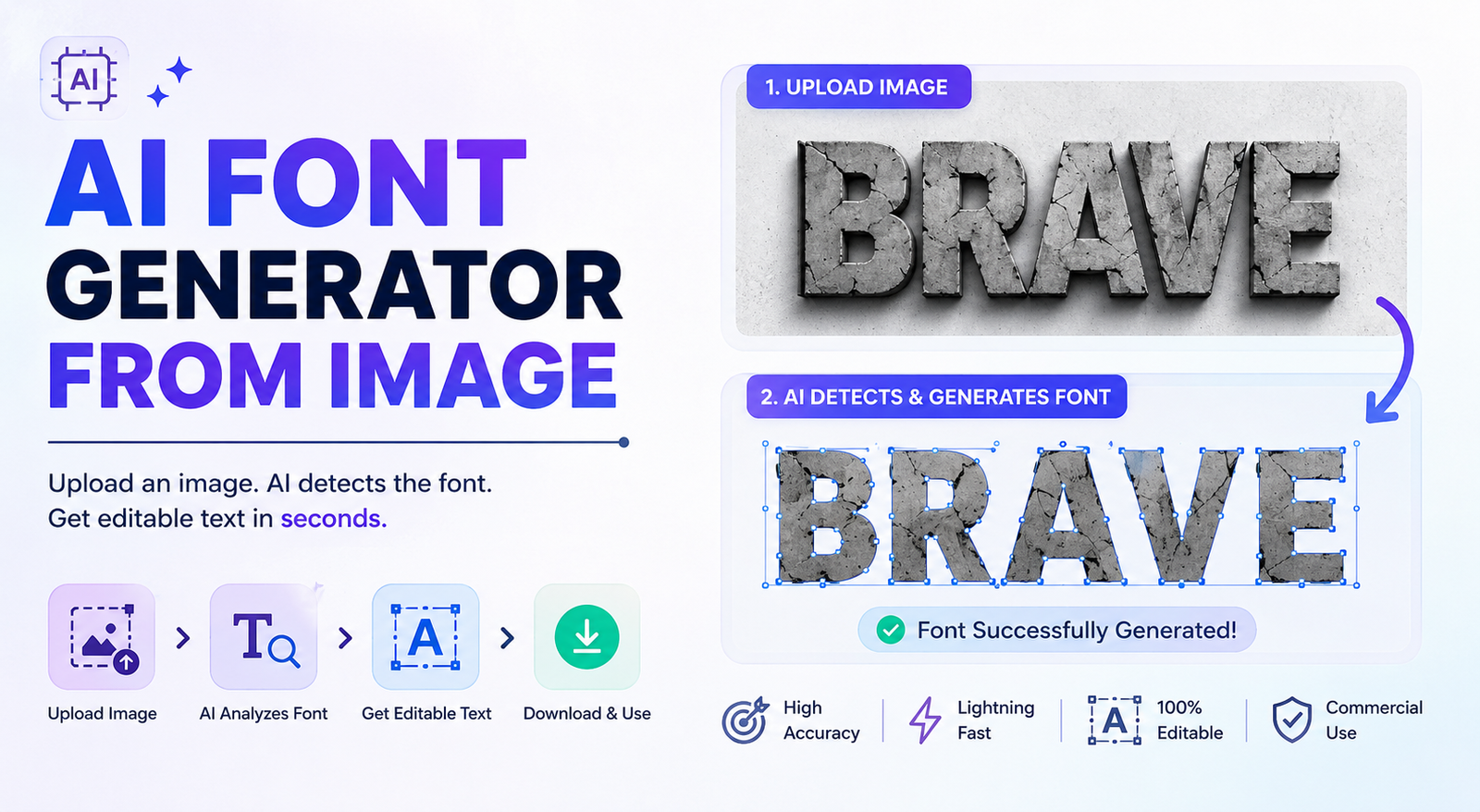
Creating a custom font from scratch can take hours of drawing, spacing, testing, and editing. But if you already have handwriting, lettering, a logo, or a custom alphabet saved as an image, an AI font generator from image can make the process much easier. Instead of manually recreating every character, an AI-powered tool can analyze your image and use its lettering style as the foundation for a digital font.
An AI font generator from image is particularly useful for designers, content creators, students, businesses, and anyone who wants to transform unique lettering into reusable typography. Depending on the tool, you may be able to upload a PNG, JPG, scanned handwriting sample, or another image containing characters.
However, converting an image into a font is not as simple as changing a file extension. A font needs individual glyphs, consistent proportions, spacing, and other typographic details. In this guide, you’ll learn how an AI font generator from image works, how to create a font from an image, which images work best, how to improve the results, and what to consider before using the finished font commercially.
What Is an AI Font Generator From Image?
An AI font generator from image is a tool that uses artificial intelligence to analyze lettering contained in an image and help transform those visual characters into a digital typeface.
For example, you may have a photograph of your handwriting, a scanned sheet of letters, a custom logo, or a drawing containing unique characters. An image-to-font tool can analyze the shapes and visual characteristics of those letters and use them as references for generating a font.
The important difference is that an image and a font are not the same thing. An image is made from pixels, while a font contains individual characters called glyphs that can be typed, resized, edited, and reused.
A good AI font generator from image attempts to bridge that gap by interpreting the lettering and creating digital characters that follow the same visual style.
AI Font Generator From Image vs. Font Identifier
These two tools are easy to confuse.
A font identifier examines an image and tries to determine the name of an existing font. An AI font generator from image, on the other hand, is designed to help create a new font based on the lettering shown in the image.
For example, if you find a font in a screenshot and want to know its name, you need a font identification tool. If you have your own handwriting and want to turn it into a typeface, an AI font generator from image is more relevant.
Can AI Really Create a Font From an Image?
Yes, but the quality depends on the image, the AI font generator you choose, and how much information the image provides.
An image containing a complete alphabet gives an AI font generator from image much more information than an image containing only one short word. When the system can see many different characters, it has a better reference for understanding the style, proportions, and stroke characteristics.
If your image only contains a few letters, the AI may need to create or interpret the missing characters. This can still produce useful results, but the generated letters may not perfectly match the original lettering.
For that reason, an AI font generator from image should usually be viewed as a powerful starting point rather than a replacement for every part of professional font design.
How Does an AI Image-to-Font Generator Work?
Different tools use different technologies, but most image-to-font workflows follow a similar process.
1. Image Analysis
The AI font generator from image first examines the uploaded picture and attempts to identify letters, shapes, strokes, and boundaries. A clear image with strong contrast makes this process easier.
2. Character Extraction
The system separates individual characters from the image. This is especially important when you’re working with handwriting or a scanned alphabet.
If letters overlap heavily or the background contains distracting elements, the AI may have difficulty identifying individual glyphs.
3. Shape and Stroke Analysis
The tool analyzes characteristics such as stroke thickness, curves, proportions, character width, and overall visual style.
These details help the AI understand what makes the lettering look consistent.
4. Glyph Creation
The extracted characters are converted or recreated as digital glyphs. Some tools may provide more direct control over this process, while others automate most of it.
5. Spacing and Consistency
A font is more than a collection of attractive letters. Characters must also have appropriate alignment, proportions, and spacing.
This is why a generated font may still require manual refinement after the initial AI process.
6. Font Export
Depending on the AI font generator from image, the final typeface may be available as TTF, OTF, WOFF, or WOFF2.
Always check the export options before choosing a tool, especially if you need an actual downloadable font rather than a decorative text image.
How to Create a Font From an Image With AI
Creating a font from an image becomes much easier when you prepare the source correctly and review the generated characters carefully.
Step 1: Choose a Clear Image
Start with the highest-quality image you have. A clean scan or high-resolution digital image is generally better than a blurry photograph.
If you’re creating a handwriting font, write the characters clearly and leave enough space between them.
Step 2: Clean the Image
Before uploading the image to an AI font generator from image, remove unnecessary shadows, textures, backgrounds, and other distractions.
A simple black-and-white character sheet is usually easier to process than a photograph containing complex colors and objects.
Step 3: Upload the Image
Choose an AI font generator from image that specifically supports image, handwriting, or character input.
This is especially important if you’re searching for an AI font generator from image free option. Some services allow free generation or previews but charge for downloading the final font or using it commercially.
Step 4: Let AI Generate the Characters
Upload your image and allow the tool to analyze the lettering. Depending on the service, it may recognize existing characters or generate additional characters based on your reference.
Step 5: Review the Generated Font
Don’t judge the result from one word. Examine the complete character set.
Look for:
- Uneven character heights
- Different stroke thicknesses
- Incorrect curves
- Odd proportions
- Misaligned baselines
- Missing characters
- Inconsistent visual style
Step 6: Fix Spacing and Kerning
Spacing is one of the easiest things to overlook.
Test combinations such as AV, WA, To, Yo, Ta, and LT. If the letters appear too close or too far apart, adjust their spacing when the tool allows it.
Step 7: Export the Font
Once you’re satisfied with the result, export the font in the format you need.
TTF and OTF are useful for many desktop applications, while WOFF and WOFF2 are commonly used for websites.
What Types of Images Work Best for an AI Font Generator?
Not every image is equally suitable for an AI font generator from image. The cleaner your reference, the easier it is for the system to understand the lettering.
| Image Type | Expected Result | Best Use |
| Clean handwriting | Excellent | Personal fonts |
| Scanned alphabet | Excellent | Complete typefaces |
| High-resolution lettering | Very good | Display fonts |
| Logo lettering | Good | Branding concepts |
| Digital sketches | Good | Creative projects |
| Screenshots | Variable | Style references |
| Blurry photographs | Poor | Requires cleanup |
| Distorted text | Poor | Requires correction |
A complete alphabet is particularly valuable because it gives the AI font generator from image more information about the intended style.
Can You Turn Handwriting Into a Font With AI?
Yes. Handwriting is one of the most useful applications for an AI font generator from image.
You can write your alphabet on paper, scan or photograph it, clean the image, and upload it to a compatible image-to-font tool. The AI can then use those characters as references for creating a digital handwriting font.
For better results, include uppercase letters, lowercase letters, numbers, and common punctuation. Providing more characters gives the system more information about your handwriting style.
A handwriting font can be useful for invitations, personal branding, social media graphics, digital products, greeting cards, and creative projects.
Can You Turn a Logo or Custom Lettering Into a Font?
An AI font generator from image can use logo lettering as a reference, but there is an important limitation.
Most logos contain only a small number of characters. For example, if your logo says BRAND, you only have visual references for B, R, A, N, and D.
A complete font requires many more characters.
AI may be able to generate missing letters based on the visible style, but those characters should be reviewed carefully to make sure they look like part of the same typeface.
You should also consider intellectual property rights. If the image contains someone else’s logo, artwork, or copyrighted lettering, generating a font from it does not automatically give you permission to use or distribute the result.
Best AI Font Generators From Image: What Should You Look For?
The best AI font generator from image depends on what you’re trying to accomplish. A tool designed for decorative text may not be able to create an actual font file.
When comparing an AI font generator, check these features:
| Feature | Why It Matters |
| Image upload | Essential for image-based generation |
| Handwriting support | Useful for personal fonts |
| Character editing | Helps correct AI mistakes |
| TTF/OTF export | Needed for installable fonts |
| WOFF/WOFF2 | Useful for web projects |
| Free option | Lets you test before paying |
| Commercial license | Important for business use |
| Easy interface | Helpful for beginners |
| Output quality | Determines editing requirements |
This distinction is important because an AI font text generator may only create stylized text from a prompt or phrase. It may not convert your uploaded image into a real, installable font.
How to Prepare an Image for Better Results
Before using an AI font generator from image, spend a few minutes preparing the reference.
Use a High-Resolution Image
Low-resolution images can contain blurry edges that make character recognition more difficult.
Keep the Background Simple
A plain white or transparent background makes the lettering easier to isolate.
Separate Individual Characters
Avoid overlapping letters whenever possible. Clear character boundaries make image analysis easier.
Avoid Strong Visual Effects
Shadows, gradients, textures, and decorative outlines can interfere with character recognition.
Keep the Writing Consistent
When creating a handwriting font, try to maintain similar character sizes, writing pressure, and alignment.
Include More Characters
If possible, provide the complete alphabet, numbers, and punctuation instead of only one word.
How to Improve an AI-Generated Font
Even a good AI font generator from image can produce characters that need refinement.
First, check character consistency. The lowercase “a” should feel like it belongs to the same visual family as “e,” “o,” and “c.”
Next, examine the baseline. If some characters sit noticeably higher or lower than others, the finished font can look unprofessional.
Spacing is another important factor. Test common letter combinations and adjust them where necessary.
Finally, test the font using multiple words and sentences. A typeface may look excellent in one example but reveal problems when you use different characters.
TTF vs. OTF vs. WOFF2
The correct font format depends on how you plan to use the generated typeface.
| Format | Best For | Main Benefit |
| TTF | Desktop and general use | Broad compatibility |
| OTF | Professional design | Advanced typography features |
| WOFF | Websites | Web-focused format |
| WOFF2 | Modern websites | Better compression |
If you want to install the font on your computer, TTF or OTF may be suitable. If you’re creating a website, WOFF2 is often a better choice when your workflow supports it.
Is an AI-Generated Font Free to Use Commercially?
Not necessarily.
An AI font generator from image free may let you create or preview a font without payment, but that does not automatically mean the resulting font is free for commercial use.
Some services place restrictions on downloads, redistribution, or business projects. Others may offer different licenses depending on the subscription plan.
You should also consider the source image. If you’re using someone else’s logo, artwork, or copyrighted lettering, creating a new font based on it does not automatically give you ownership rights.
Before using an AI-generated font in a paid product, client project, logo, merchandise, or business identity, check the tool’s current licensing terms and make sure your intended use is permitted.
Common Problems When Converting an Image to a Font
An AI font generator from image can produce impressive results, but problems can still occur.
| Problem | Possible Cause | Solution |
| Letters look inconsistent | Too few reference characters | Provide more samples |
| Characters look blurry | Low-quality image | Use a higher-resolution source |
| Spacing looks wrong | Automatic spacing issue | Adjust spacing or kerning |
| Some characters are missing | Incomplete alphabet | Add missing glyphs |
| Font doesn’t match the image | AI interpretation | Refine individual letters |
| Background gets detected | Poor contrast | Clean the image |
| Curves look rough | Weak source quality | Improve or vectorize the glyphs |
These issues don’t necessarily mean the tool has failed. In many cases, the biggest advantage of an AI font generator from image is reducing the amount of manual work required.
AI Font Generation vs. Traditional Font Design
AI makes font creation faster, but traditional font design still offers greater manual control.
| Factor | AI Font Generation | Traditional Font Design |
| Speed | Fast | Slower |
| Initial skill requirement | Lower | Higher |
| Manual control | Tool-dependent | Very high |
| Refinement | Usually needed | Extensive |
| Cost | Often lower | Can be higher |
| Best For | Rapid creation and concepts | Professional type design |
For personal projects, prototypes, and creative experiments, an AI font generator from image can be a practical starting point.
For professional type families requiring extensive language support, precise kerning, multiple weights, or highly controlled production quality, a professional type designer may still be the better choice.
Best Use Cases for an AI Font Generator From Image
Personal Handwriting
Turn your handwriting into a reusable digital font for personal projects.
Invitations and Stationery
Create a consistent handwritten style for wedding invitations, greeting cards, and stationery.
Branding Concepts
Use custom lettering as the starting point for exploring a distinctive brand typeface.
Social Media Content
Create unique typography that can be reused across social media graphics.
Packaging and Creative Projects
Transform custom lettering into reusable typography for posters, packaging concepts, artwork, and promotional materials.
How to Choose the Right AI Font Generator From Image
Start with your actual goal rather than simply choosing a tool because it advertises AI.
If you want to convert handwriting, prioritize handwriting and image upload support. If you need a downloadable font, confirm that the service supports TTF or OTF export.
If you’re designing for the web, look for WOFF or WOFF2 support. For commercial projects, licensing should be one of your first considerations.
If you’re a beginner, choose an AI font generator from image that provides a simple interface and useful editing controls. A tool that allows you to correct individual characters can be more useful than one that produces an impressive first preview but offers little control.
Frequently Asked Questions
Can AI create a font from a picture?
Yes. An AI font generator from image can analyze lettering in a picture and help create digital characters based on that reference. The quality depends on the source image and the capabilities of the tool.
What is the best AI font generator from image?
The best option depends on your goal. For handwriting, choose a tool with handwriting support. For custom lettering, prioritize image input, glyph editing, and TTF or OTF export.
Can I turn my handwriting into a font?
Yes. You can use a clear handwriting image with a compatible AI font generator from image or handwriting-to-font tool to create a reusable digital typeface.
Can I convert a PNG into a font?
A PNG can be used as an image reference by compatible tools, but simply changing a PNG into a font does not create a complete typeface. Individual characters need to be interpreted and converted into glyphs.
Can I turn a logo into a font?
Yes, logo lettering can be used as a reference for creating a custom typeface. However, logos usually contain too few characters to create a complete font, so additional glyphs may need to be generated and refined.
Are AI-generated fonts free for commercial use?
Not always. A free AI font generator from image may have restrictions on commercial use, downloads, or redistribution. Always check the specific service’s current license.
Can I download an AI-generated font?
Some AI font generators provide downloadable TTF or OTF files, while others only create visual text. Check the export options before selecting a tool.
Conclusion
An AI font generator from image makes it much easier to transform visual lettering into reusable digital typography. Whether you’re starting with handwriting, a scanned alphabet, custom lettering, or a logo concept, AI can significantly reduce the manual work involved in creating a font.
The best results come from combining AI generation with human refinement. Use a clean, high-resolution image, provide as many character references as possible, check spacing and consistency, and verify licensing before using the font commercially.
If you already have unique lettering saved as an image, an AI font generator from image can give you a practical way to turn that visual idea into a custom digital font.
You May Also Read: ai image inpainting
