


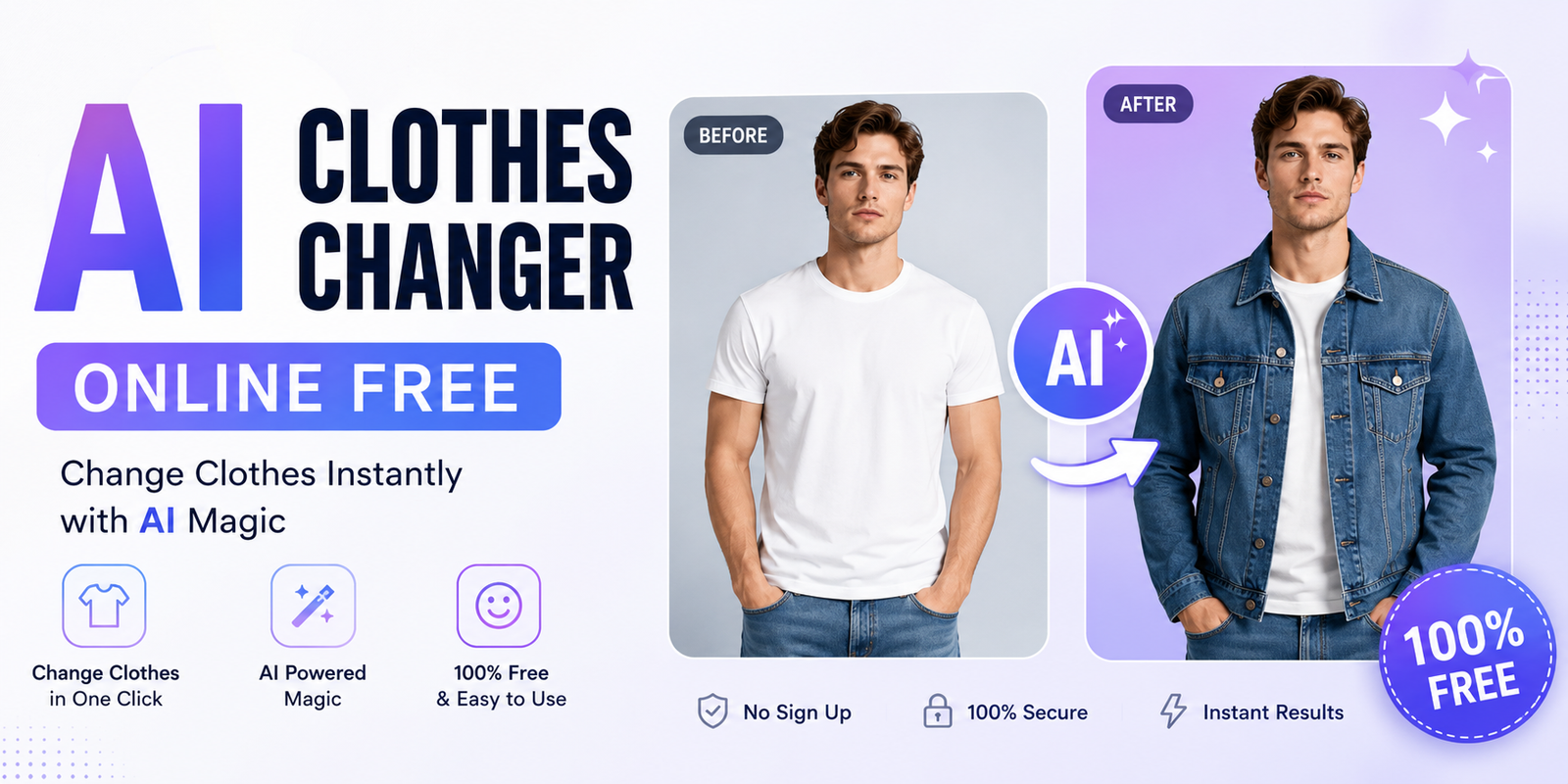
Changing an outfit in a photo used to require advanced editing skills, careful masking, and tools such as Photoshop. Today, an AI clothes changer online free tool can do much of that work automatically. You can upload a photo, describe the outfit you want, or provide a clothing reference image, and AI can generate a new look while attempting to preserve your face, pose, body shape, and background.
Whether you want to test a new dress, visualize a suit, create social media content, or preview clothing before buying it, an AI clothes changer free tool can make the process much faster. However, “free” does not always mean unlimited. Some platforms offer free credits, previews, or limited generations, while others may require an account or place restrictions on downloads.
This guide explains how an AI clothes changer online free works, how to get realistic results, what to look for in a free tool, and how to use prompts and clothing reference images effectively.
What Is an AI Clothes Changer?
An AI clothes changer is an image-editing tool that uses artificial intelligence to replace clothing in an existing photograph. Instead of manually cutting, masking, resizing, and blending clothes, the AI analyzes the person’s image and generates a new outfit based on your instructions.
You can usually change a shirt, dress, jacket, suit, hoodie, pants, or other visible clothing. Depending on the tool, you may be able to describe the new outfit with text, choose from preset styles, or upload a picture of the garment you want to use.
How Does AI Clothing Replacement Work?
Most AI clothes changers analyze several parts of an image, including the person’s body position, existing clothing, lighting, shadows, and surrounding background. The system then generates replacement clothing that attempts to follow the person’s pose and proportions.
For example, you could upload a portrait wearing a T-shirt and enter a prompt such as “replace the T-shirt with a fitted navy blazer and white shirt.” The AI then creates a new version of the image with the requested outfit.
The result is not always perfect. Complex poses, covered clothing areas, poor lighting, and low-resolution images can make realistic clothing replacement more difficult.
AI Clothes Changer vs. Virtual Try-On
These terms are related but not always identical. An AI clothes changer generally focuses on replacing clothes in an existing photo. A virtual try-on system is more specifically designed to show how a particular garment may look on a person.
For example, changing your shirt to “a black hoodie” is a simple AI clothing replacement. Uploading a photo of an actual hoodie from an online store and placing that specific garment on your photo is closer to a virtual try-on experience.
Best AI Clothes Changer Online Free Tools
When choosing an AI clothes changer online free, don’t judge a platform only by its homepage. Check how its free version actually works. Some services provide free credits, while others may offer limited previews or require an account before downloading the final image.
Popular tools and platforms in this category include options such as PxBee AI Clothes Changer and Vidnoz AI Clothes Changer. The exact features, limits, and pricing can change, so always verify the current terms before relying on a particular tool.
| Feature | What to Check Before Using |
| Free access | Is there a free generation or free credit allowance? |
| Signup | Can you use it without creating an account? |
| Watermark | Does the free output contain branding? |
| Clothing reference | Can you upload your own garment image? |
| Text prompts | Can you describe the desired outfit? |
| Download | Is downloading included in the free tier? |
| Quality | What resolution does the free version provide? |
| Privacy | How does the platform handle uploaded photos? |
| The phrase AI clothes changer free can therefore mean different things. A tool with a free trial is not necessarily the same as a tool that provides unlimited free generations. Checking these details before uploading personal photos can save time. |
How to Use an AI Clothes Changer Online for Free
Using an AI clothes changer online free tool is usually straightforward, even if you have never edited a photo before.
Step 1: Upload Your Photo
Start with a clear photograph of one person. A front-facing or natural three-quarter pose usually gives the AI enough information to understand the clothing and body position.
Avoid extremely blurry images, heavy shadows, or photos where the clothing is almost completely hidden.
Step 2: Choose the New Clothing
Some tools allow you to select a preset outfit. Others let you describe clothing using a text prompt or upload a garment reference image.
For example, you could request a white linen shirt, black evening dress, denim jacket, business suit, or oversized hoodie.
Step 3: Select the Clothing Area
If the tool provides a brush or selection feature, mark the clothing you want to replace. Accurate selection can prevent parts of the original outfit from appearing underneath the new clothing.
Step 4: Add an AI Prompt
Be specific about what you want. Instead of writing “change clothes,” try:
“Replace the current shirt with a light blue oversized cotton shirt. Keep the person’s face, hairstyle, pose, body proportions, lighting, and background unchanged.”
Step 5: Generate the Image
Click the generate or create button and allow the AI to process the image. Depending on the service, you may receive several variations.
Step 6: Review and Download
Check the face, hands, clothing edges, patterns, shadows, and background. If the result looks unnatural, modify your prompt or use a clearer image and generate another version.
How to Write Better AI Clothes Changer Prompts
Prompt quality can have a noticeable effect on the result. A vague instruction gives the AI less information about your desired outfit.
A simple prompt might be:
“Change the shirt to a black shirt.”
A more useful prompt could be:
“Replace the current shirt with a fitted black cotton button-up shirt, long sleeves, realistic fabric folds, natural shadows, and a clean professional appearance. Keep the person’s face, pose, body shape, and background unchanged.”
A good clothing prompt can include:
- Clothing type
- Color
- Material
- Fit
- Length
- Pattern
- Sleeve style
- Occasion
- Important details
- Elements that should remain unchanged
For example, if you’re creating a professional look, try: “Change the outfit to a tailored charcoal business suit with a white dress shirt and subtle fabric texture. Preserve the person’s face, hairstyle, pose, and original background.”
Can AI Put Your Actual Clothes on Your Photo?
Yes, some AI clothing tools support a garment-reference workflow. Instead of simply describing a garment, you provide a picture of the clothing you want the AI to use.
This is useful when you want to visualize a specific shirt, dress, jacket, or other item rather than a generic version.
For example, you can take a clear photo of a jacket from your wardrobe and combine it with a photo of yourself. If the tool supports reference-based generation, it can attempt to place the jacket on you.
Using an Online Clothing Product Image
You can also use a suitable product image as a garment reference where the tool and image rights allow it. This can help you visualize how a particular item might look before purchasing it.
Keep in mind that an AI-generated image is a visualization, not a guarantee of how the garment will actually fit. Fabric behavior, sizing, body measurements, and real-world lighting can differ.
What Clothes Can an AI Clothes Changer Change?
An AI clothes changer can work with many common clothing categories, although results vary by platform and image.
Shirts and T-Shirts
Change colors, sleeve lengths, materials, or styles. For example, transform a casual T-shirt into a button-up shirt.
Dresses
You can experiment with evening dresses, casual dresses, formal outfits, and different colors or lengths.
Jackets and Coats
Try denim jackets, leather-style jackets, blazers, coats, and other outerwear.
Suits and Formalwear
An AI outfit changer can be useful for visualizing business suits, formal shirts, ties, and professional clothing.
Pants and Jeans
Depending on the image and tool, you can change jeans, trousers, or other lower-body clothing.
Hoodies and Casualwear
Try oversized hoodies, sweatshirts, sweaters, and other relaxed styles for social media or personal fashion ideas.
How to Get More Realistic AI Outfit Changes
The best AI clothes changer cannot completely compensate for a poor source image. Your starting photo matters.
Use a sharp, reasonably high-resolution image with good lighting. Make sure the original clothing is visible and avoid extreme poses whenever possible.
A simple background can also help. When there are too many objects around the person, the AI may have more difficulty separating the subject from the environment.
Your clothing reference should also be clear. If you’re uploading a garment image, choose one where the item’s color, shape, and major details are easy to see.
Most importantly, tell the AI what should remain unchanged. A useful instruction is:
“Change only the clothing. Preserve the person’s identity, face, hair, body proportions, pose, and background.”
Common AI Clothes Changer Problems and Fixes
Even a good AI clothes changer online free tool can sometimes produce unexpected results.
The Original Clothes Are Still Visible
This often happens when the clothing selection does not cover the entire area. If the tool offers masking or brushing, expand the selected region and try again.
The Face Changes
Some generations may unintentionally modify facial details. Use an instruction asking the AI to preserve the person’s identity and choose tools with identity-preservation features when available.
Sleeves or Clothing Edges Look Strange
Try a clearer photo with better lighting. A more detailed prompt can also help the AI understand the shape and style of the clothing.
Patterns Look Distorted
Complex patterns, logos, and small details can be difficult for generative AI. A higher-quality reference image may improve the result, but exact reproduction is not guaranteed.
The Background Changes
Include “keep the original background unchanged” in your prompt. If the platform offers a background-preservation setting, enable it.
AI Clothes Changer Use Cases
An AI clothes changer online free tool is useful for more than simple entertainment.
Online Shopping
Try different styles before purchasing clothes. This can help you compare colors and general appearance, although it should not replace checking actual sizing and measurements.
Social Media
Creators can generate different outfit concepts without taking a new photograph for every variation.
Personal Styling
You can compare casual, formal, business, or seasonal outfits using one photo.
Ecommerce
Fashion businesses can explore model-image concepts and visualize different clothing combinations. Commercial users should always verify the tool’s licensing and usage rights before publishing generated images.
Fashion Design
Designers can use AI clothing replacement to visualize concepts and experiment with silhouettes, colors, and styling before producing a physical garment.
AI Clothes Changer vs. Photoshop
Both approaches have advantages, but they are designed for different users.
| Feature | AI Clothes Changer | Photoshop |
| Ease of use | Beginner-friendly | Requires practice |
| Clothing replacement | Mostly automated | Often manual |
| Text prompts | Available on many AI tools | Depends on workflow |
| Speed | Usually fast | Can take longer |
| Manual control | More limited | Extensive |
| Best for | Quick outfit experiments | Detailed professional editing |
| If your goal is simply to test several outfits, an AI tool can be much faster. Photoshop remains useful when you need precise control over individual pixels, colors, masks, shadows, and other editing details. |
Is an AI Clothes Changer Really Free?
This is one of the most important questions when searching for an AI clothes changer free option. “Free” can describe several different models.
A platform may offer free credits, a limited number of daily generations, free previews, or a free version with watermarked downloads. Another service may require an account before allowing you to use its free credits.
Before using a tool, check whether it offers free generations, whether downloading is included, and whether the free version has a watermark. Also check whether commercial use is allowed.
If you see a page advertising an AI clothes changer online free, don’t assume that every feature is unlimited. Read the current free-tier terms before spending time creating your images.
Do You Need to Sign Up?
Not always. Some online AI tools allow limited use without an account, while others require registration to provide free credits or save generated images.
If your priority is an AI clothes changer no sign up, look specifically for platforms that clearly state that no account is required. However, avoid uploading sensitive personal photographs to unfamiliar services simply because they advertise free access.
Is It Safe to Upload Photos to an AI Clothes Changer?
Privacy should be part of your tool selection process. Before uploading a personal image, check the platform’s privacy policy and look for information about image storage, deletion, third-party sharing, and whether uploaded content can be used for AI training.
Avoid uploading highly sensitive photographs unless you understand how the service handles them. If you’re using AI-generated clothing images commercially, also review the platform’s content and licensing terms.
A trustworthy workflow is not just about image quality. It also means understanding what happens to your photo after you click upload.
How Accurate Are AI Clothes Changers?
AI clothing replacement has improved significantly, but it is not perfect. Results depend on the source image, pose, lighting, garment complexity, reference image, and AI model.
Simple clothing changes often produce cleaner results than complicated garments with intricate patterns, transparent material, heavy folds, or unusual shapes.
Think of AI clothes changing as a visualization tool rather than a guaranteed representation of real-world fit. If you’re shopping, always check the actual garment’s measurements and sizing information.
Pros and Cons of AI Clothes Changers
Pros
- Fast outfit experimentation
- Easy for beginners
- No advanced photo-editing skills required
- Useful for social media and fashion concepts
- Can test multiple styles from one photo
- Some tools provide free access
Cons
- Free generations may be limited
- Some outputs may contain watermarks
- Results can occasionally look unrealistic
- Faces or backgrounds may change unexpectedly
- Complex clothing can be difficult to reproduce accurately
- Privacy and commercial-use policies differ between platforms
How We Evaluate AI Clothes Changer Tools
A useful comparison should look beyond marketing claims. When evaluating an AI clothes changer online free, consider the same factors for every platform: image quality, clothing realism, identity preservation, ease of use, free credits, signup requirements, watermarks, download options, prompt control, reference-image support, and privacy policies.
Testing similar photo types and clothing changes makes comparisons more meaningful. Since AI platforms frequently update their models and pricing, verify the current features before making a final recommendation.
Conclusion
An AI clothes changer online free tool can turn a time-consuming photo-editing task into a simple experiment. You can try different shirts, dresses, suits, jackets, and other outfits using text prompts or, with supported tools, an actual garment reference image.
The best results come from choosing a clear photo, giving specific instructions, and understanding the limitations of free AI tools. Don’t assume that “free” means unlimited, and always check watermark, signup, privacy, download, and commercial-use restrictions.
For casual outfit experimentation, social media, personal styling, and early fashion concepts, an AI clothes changer free solution can be a convenient way to explore new looks without advanced editing skills.
Frequently Asked Questions
What is an AI clothes changer online free?
An AI clothes changer online free tool lets you replace clothing in a photo using artificial intelligence without traditional manual editing. Free access may be limited by credits, watermarks, or other restrictions.
Can I change clothes in a photo for free?
Yes, some platforms provide free generations or credits. However, the number of free edits and download options varies, so check the tool’s current free plan before using it.
Can AI put my actual clothes on my photo?
Some AI virtual try-on and clothing replacement tools allow you to upload a garment reference image and combine it with a person’s photo. Results depend on the quality of both images.
Can I use an AI clothes changer without signing up?
Some services offer limited no-signup access, while others require an account. If no-signup access is important to you, check the tool’s current requirements before uploading an image.
How do I make AI clothing changes look realistic?
Use a clear, well-lit photo, choose a natural pose, provide a high-quality garment reference, and write a detailed prompt. Tell the AI to preserve the face, body proportions, pose, and background.
Can AI change a dress, shirt, jacket, or suit?
Yes. Many AI clothing tools can generate different types of outfits, including shirts, dresses, jackets, suits, hoodies, and other clothing. The quality varies depending on the tool and source image.
Is an AI clothes changer safe?
Safety depends on the platform. Review its privacy policy, image-storage practices, data-use terms, and deletion options before uploading personal photographs.
You May Also Read: Best AI Background Remover
