


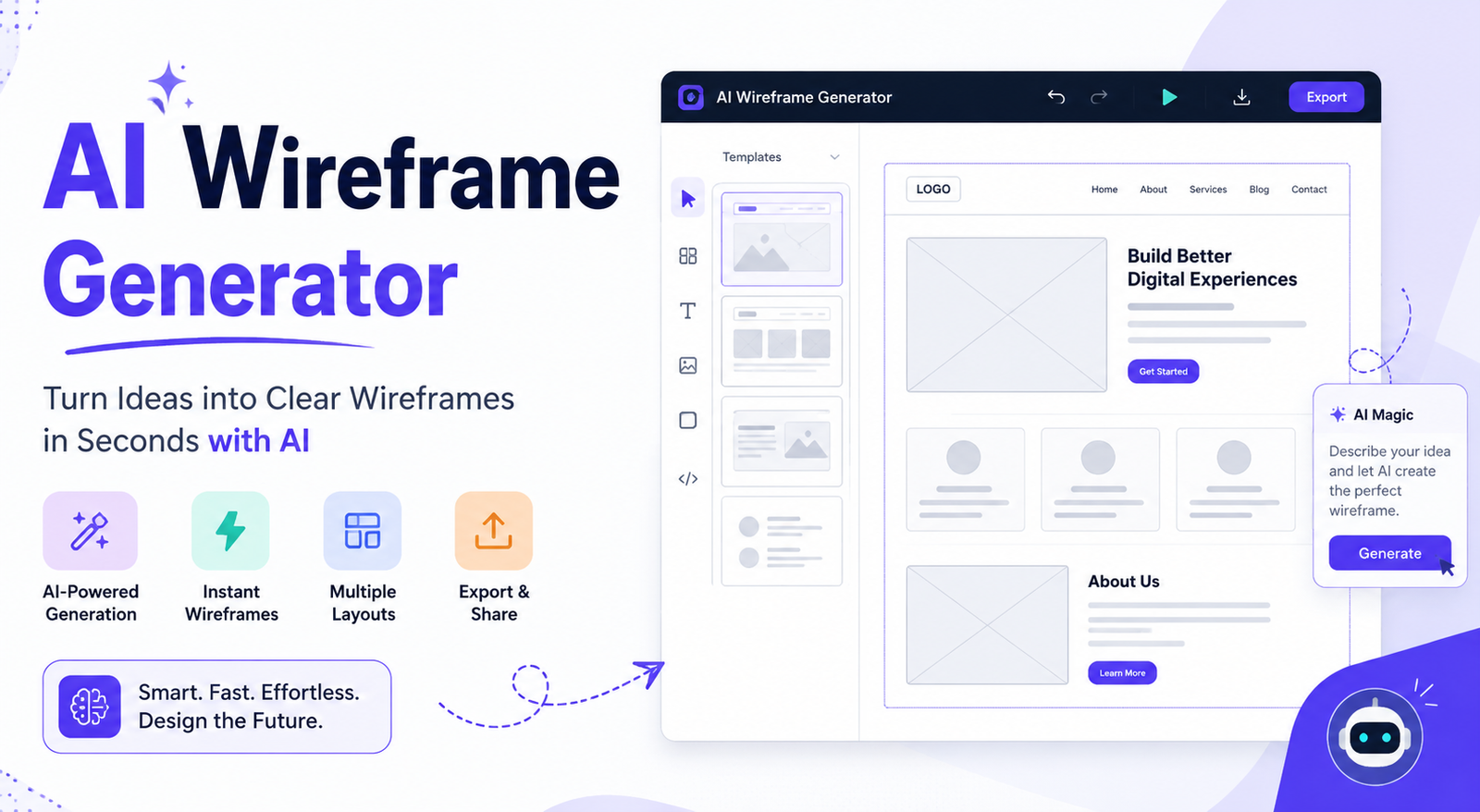
Designing a website or app usually starts with a wireframe. The problem is that creating one manually can take hours, especially when you need several layout ideas before choosing the right direction. An AI wireframe generator speeds up this early stage by turning text descriptions, sketches, or visual references into structured interface layouts.
Instead of drawing every section from scratch, you can describe what you want and let AI generate an initial concept. You can then refine the layout, test different ideas, and move toward a prototype or finished design.
Whether you’re a UX designer, developer, founder, marketer, or product manager, an AI web wireframe generator can make early product planning much faster. The key is knowing which tool fits your workflow and how to write prompts that produce useful results.
What Is an AI Wireframe Generator?
An AI wireframe generator is a design tool that uses artificial intelligence to create a wireframe from a description or another type of input. The input might be a text prompt, screenshot, sketch, or existing design reference.
A traditional wireframe focuses on the structure of a page rather than polished colors, graphics, or final branding. It can show navigation, buttons, forms, content areas, cards, sidebars, and other interface components.
With an AI wireframe tool, much of this structure can be generated automatically. For example, instead of manually creating a SaaS dashboard, you could ask the tool to create a dashboard with a sidebar, analytics cards, revenue chart, activity feed, and user settings.
The result is not necessarily a finished product. Think of it as a fast starting point that helps you explore and communicate an interface idea.
How Does an AI Wireframe Generator Work?
Most AI wireframing workflows follow a simple process.
1. Describe Your Interface
Start with a clear prompt describing the screen you want to create. Include the type of product, target user, important sections, and required components.
2. AI Creates the Initial Layout
The AI interprets your instructions and generates a structured interface. Depending on the platform, the result may be a basic low-fidelity wireframe, an interactive prototype, or a more polished UI concept.
3. Review the Structure
Look at the navigation, content hierarchy, buttons, forms, and overall user flow. AI can generate a layout quickly, but it may not understand every business or UX requirement.
4. Refine the Result
Follow-up prompts can make the result more specific. You might ask the tool to move the navigation, add a search bar, simplify the dashboard, or create a mobile version.
5. Move Toward Design or Development
Once the structure works, you can continue toward a prototype, high-fidelity design, or development workflow, depending on the capabilities of the tool.
This is why an AI wireframe generator is particularly useful during early product development: it reduces the time between an idea and something the team can actually review.
Best AI Wireframe Generators
There is no single best AI wireframe generator for everyone. The right choice depends on whether you need simple wireframes, collaborative design, prototyping, Figma workflows, or code generation.
| Tool | Best For | AI Generation | Prototyping | Best User |
| Figma | Design workflows | Yes | Yes | Designers & teams |
| Uizard | Fast UI concepts | Yes | Yes | Beginners |
| Visily | Product wireframes | Yes | Yes | Product teams |
| Magic Patterns | Product interfaces | Yes | Yes | Product teams |
| Superdesign | Design-to-code workflows | Yes | Yes | Developers |
| MockFlow | Traditional wireframing | AI-assisted | Yes | UX teams |
Features, pricing, and free-plan limits can change, so check each platform before making a final tool decision.
Rather than choosing a tool simply because it claims to be the “best AI wireframe generator,” identify your actual requirement first. A developer may prioritize code generation, while a UX designer may care more about editing and prototyping.
Free AI Wireframe Generators: What to Check
If you’re looking for an AI wireframe generator free option, pay attention to what “free” actually means.
Some platforms offer free projects but restrict AI generations. Others provide monthly credits, limited exports, watermarked designs, or restricted collaboration.
Before choosing a free AI wireframing tool, check:
- Number of AI generations
- Export options
- Project limits
- Collaboration features
- Watermarks
- Prototype functionality
- Commercial-use restrictions
- Figma or other design-tool compatibility
A free plan is excellent for learning and testing ideas, but professional teams may eventually need paid features.
How to Create a Wireframe With AI
Creating a useful wireframe starts with a useful prompt. You don’t need to write a long technical specification, but you should give the AI enough information to understand the product.
Step 1: Define the Product
Start with the overall purpose.
For example:
Create a SaaS analytics dashboard for small online businesses.
Step 2: Identify the User
Tell the AI who will use the interface.
The primary users are business owners who want to quickly monitor sales and website performance.
Step 3: List Important Components
Add the sections you need:
- Left sidebar
- Top navigation
- Revenue card
- Traffic chart
- Conversion chart
- Recent orders
- Customer activity
- Account settings
Step 4: Add Layout Requirements
Specify the platform and structure.
Create a clean desktop dashboard with a responsive layout and clear visual hierarchy.
Step 5: Generate and Refine
Don’t expect the first result to be perfect. Ask follow-up questions to improve it.
For example:
Simplify the sidebar and move account settings to the top-right navigation.
This iterative approach generally produces a more useful result than trying to write one enormous prompt.
Text to Wireframe Generator: Writing Better Prompts
A text to wireframe generator works best when your prompt explains the interface rather than simply naming it.
A weak prompt would be:
Create a shopping website.
A stronger prompt would be:
Create a desktop e-commerce homepage for a fashion store. Include a top navigation bar with categories and search, a promotional hero section, featured products, category cards, customer reviews, newsletter signup, and footer navigation. Use a simple low-fidelity wireframe structure with clear content hierarchy.
The second prompt gives the AI information about the page, components, and hierarchy.
A useful prompt formula is:
Page type + target user + sections + components + layout + platform + constraints
You can use this formula for websites, mobile apps, dashboards, landing pages, and SaaS products.
AI Wireframe Generator From Screenshot
Some AI design workflows can use screenshots or images as references. This makes them useful when you’re studying an existing interface or trying to recreate a layout.
For example, you could have a screenshot of an old dashboard and use an AI tool to help reconstruct its basic structure.
This can be useful for:
- Website redesigns
- Competitor research
- Legacy interface modernization
- UI inspiration
- Rebuilding an existing concept
However, screenshot-based generation should not be treated as perfect conversion. The AI may misunderstand fonts, spacing, responsive behavior, hidden interactions, or certain components.
Always review the generated structure before using it in a real project.
AI Wireframe Generator From Sketch
A sketch is another useful starting point.
Imagine that you draw a rough mobile banking screen on paper with a header, account balance, transaction list, and bottom navigation. Instead of recreating every element manually, an AI workflow can help turn that concept into a more organized digital interface.
The process is generally:
Hand-drawn sketch → AI interpretation → Digital wireframe → Refinement → Prototype
This is especially helpful during brainstorming sessions because designers can focus on the idea first and worry about precise digital construction later.
AI Wireframe Generator for Different Use Cases
AI Wireframe Generator for Websites
Website wireframes can map out navigation, hero sections, content blocks, forms, pricing sections, testimonials, and footers before visual design begins.
This is useful for landing pages, corporate websites, blogs, portfolios, and online stores.
AI Wireframe Generator for Mobile Apps
For mobile apps, describe the screens and user flow instead of focusing only on individual components.
For example:
Create a mobile food delivery app with onboarding, location selection, restaurant search, restaurant details, cart, checkout, and order tracking screens.
AI Wireframe Generator for SaaS
SaaS products often have complicated dashboards. AI can help explore layouts for analytics, settings, billing, projects, users, notifications, and reports.
AI Wireframe Generator for Dashboards
Dashboards benefit from clearly defined information hierarchy. Tell the AI which metrics are most important and which actions users need to take.
AI Wireframe Generator for E-commerce
You can use AI to explore product listing pages, product details, carts, checkout flows, account pages, and order tracking.
AI Wireframe Generator for Designers, Developers, and Founders
Different users expect different things from AI wireframing.
| User | Main Goal | Most Important Feature |
| UX Designer | Explore layouts | Editing & prototyping |
| Developer | Build interfaces | Code handoff |
| Founder | Validate an idea | Speed |
| Product Manager | Align the team | Collaboration |
| Marketer | Test page concepts | Ease of use |
For developers, a wireframe that can move closer to usable code may be more valuable than a simple static layout. For designers, control over components and editing may matter more.
Founders often benefit from rapid idea generation because they can explore an MVP before investing heavily in development.
AI Wireframe vs Traditional Wireframing
Traditional wireframing gives designers detailed manual control, while AI wireframing emphasizes speed and rapid iteration.
| Factor | Traditional Wireframing | AI Wireframing |
| Initial creation | Manual | Prompt-assisted |
| Speed | Moderate | Fast |
| Layout variations | Manual | Easy |
| Human control | Very high | Depends on tool |
| Iteration | Manual | AI + manual |
| UX judgment | Human | Human + AI |
| Best stage | Detailed planning | Rapid exploration |
AI doesn’t automatically replace traditional UX work. It can make the repetitive part faster, but someone still needs to determine whether the resulting interface actually makes sense for users.
Benefits of Using an AI Wireframe Generator
Faster Ideation
You can generate multiple layout directions in a short period instead of manually building every concept.
Easier Collaboration
A visual wireframe gives designers, developers, founders, and product managers something concrete to discuss.
Lower Barrier for Non-Designers
Someone without advanced design skills can describe an idea and produce a rough interface concept.
Faster MVP Planning
Startups can use AI wireframes to explore product features before committing development resources.
Easier Iteration
Instead of rebuilding an entire layout, you can experiment with different structures and compare the results.
Limitations of AI Wireframe Generators
AI wireframes are useful, but they are not automatically good UX.
Common limitations include:
- Generic layouts
- Repetitive component patterns
- Incorrect information hierarchy
- Poor assumptions about user behavior
- Accessibility issues
- Responsive-design problems
- Inconsistent design systems
- Incorrect interpretation of requirements
- Limited understanding of business context
A generated wireframe should therefore be treated as a starting point, not a final UX decision.
For important products, review the navigation, content hierarchy, accessibility, mobile behavior, and user flows before moving into production.
AI Wireframing Best Practices
To get better results from an AI wireframe generator:
- Start with the user’s goal.
- Clearly define the target audience.
- Name the required screens and components.
- Specify desktop or mobile.
- Explain the desired information hierarchy.
- Generate multiple variations.
- Refine the strongest concept with follow-up prompts.
- Check accessibility and responsive behavior.
- Compare the result against your design system.
- Validate important flows with real users.
The best results usually come from combining AI’s speed with human UX judgment.
Conclusion
An AI wireframe generator can turn an early product idea into a visual interface concept much faster than traditional manual wireframing. It is useful for websites, mobile apps, SaaS dashboards, e-commerce stores, and MVPs.
The biggest advantage is not that AI creates a perfect wireframe with one prompt. It is that you can quickly explore ideas, generate alternatives, and refine a direction before investing more time in detailed design or development.
If you’re choosing an AI wireframe tool, focus on your actual workflow. Compare free limits, prompting capabilities, editing, prototyping, exports, and code support. Then use AI as a creative accelerator while keeping human UX review at the center of the process.
Frequently Asked Questions
What is an AI wireframe generator?
An AI wireframe generator is a tool that uses artificial intelligence to create interface layouts from prompts, sketches, screenshots, or other inputs. It helps users quickly visualize the structure of a website or application.
Is there a free AI wireframe generator?
Yes. Several AI design platforms offer free plans or limited AI generations. However, free versions may restrict projects, exports, AI credits, or collaboration features, so check the current plan details before choosing one.
What is the best AI wireframe generator?
The best option depends on your needs. Designers may prefer tools with strong editing and prototyping, developers may prioritize code workflows, while beginners may want a simple interface and generous free plan.
Can AI create a wireframe from a text prompt?
Yes. A text to wireframe generator can interpret descriptions of pages, components, users, and layouts and use them to create an initial interface structure.
Can AI turn a screenshot into a wireframe?
Some AI design tools can analyze screenshots or use them as references for recreating interface structures. Results vary, so you should review the generated layout for accuracy.
Can AI wireframes be used for mobile apps?
Yes. You can create wireframes for mobile screens and flows such as onboarding, login, search, product pages, checkout, profiles, and settings.
Can an AI wireframe generator replace a UX designer?
Not completely. AI can speed up ideation and repetitive design work, but UX designers still provide user research, accessibility expertise, information architecture, usability testing, and product judgment.
You May Also Read: AI Image Outpainting
