


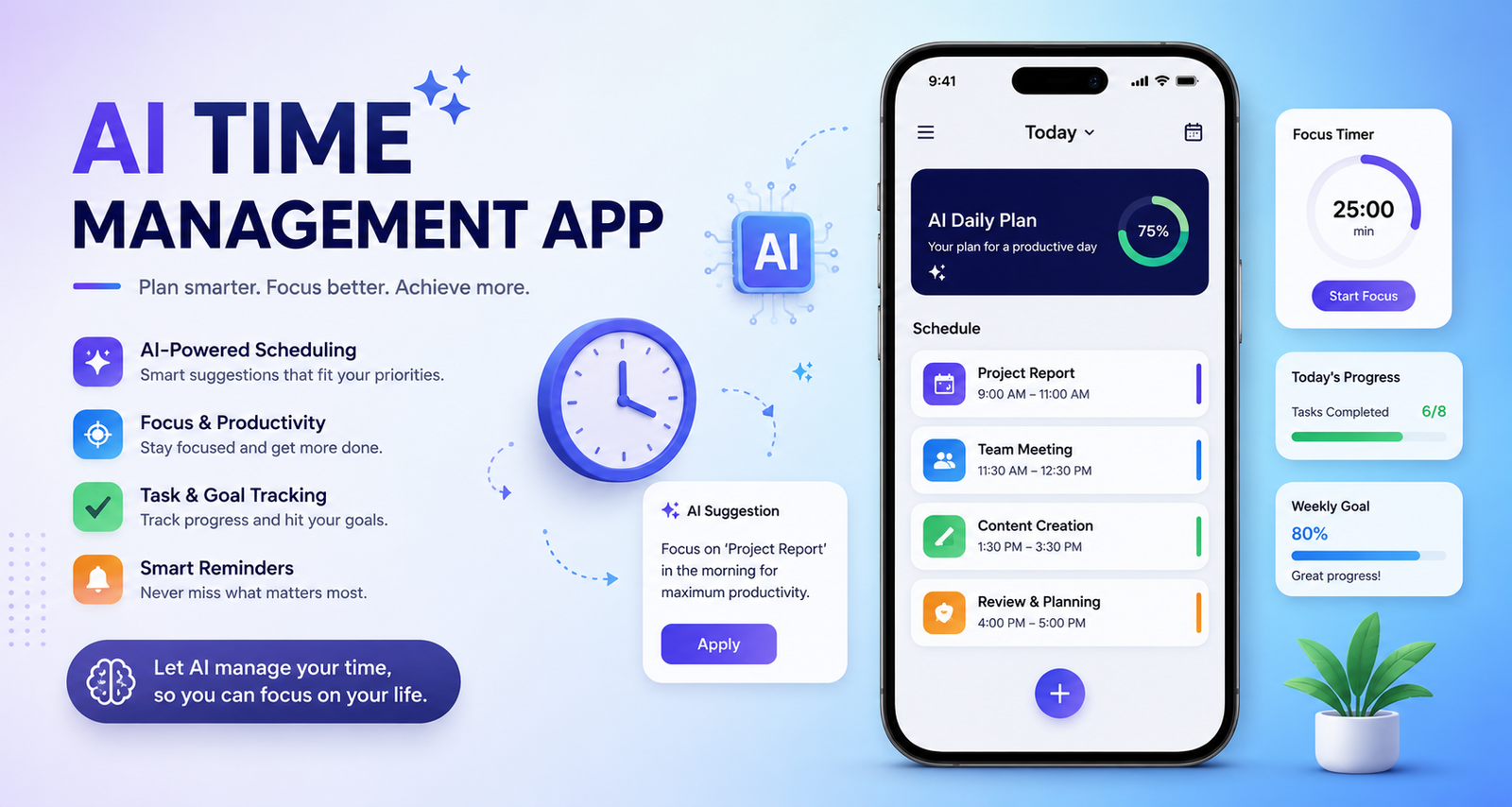
Managing a busy schedule is no longer just about writing tasks on a to-do list. Between meetings, deadlines, emails, personal commitments, and unexpected changes, it can be difficult to know what deserves attention first. An ai time management app can make this process easier by helping organize tasks, prioritize work, plan available time, and adjust schedules when plans change.
Unlike a basic calendar or task list, an AI-powered productivity tool can analyze information and provide recommendations about what to do and when to do it. Some tools can also turn tasks into calendar blocks, protect focus time, or automatically reorganize a schedule.
However, not every app marketed as an AI productivity tool offers the same capabilities. Some focus on task management, while others specialize in scheduling, time tracking, or calendar automation. Understanding these differences is essential before choosing one.
This guide explains how AI time management apps work, which features matter, how they can be used for different types of users, and what to consider before selecting one.
What Is an AI Time Management App?
An ai time management app is a productivity application that uses artificial intelligence to help users plan, organize, prioritize, and manage their time more efficiently.
Traditional productivity apps generally require users to decide what needs to be done and manually determine when to do it. AI-powered applications can assist with some of those decisions by analyzing deadlines, priorities, available calendar space, recurring tasks, and workload.
For example, instead of simply adding “finish presentation” to a task list, an AI planner may help determine an appropriate time block for completing it. If an important meeting is later added to the calendar, the system may also suggest moving the task.
AI Time Management vs Traditional Time Management
| Feature | Traditional App | AI-Powered App |
| Task lists | Manual | AI-assisted |
| Prioritization | User decides | AI can recommend priorities |
| Scheduling | Usually manual | Can be automated |
| Rescheduling | Manual | May be automated |
| Reminders | Fixed | Can be context-aware |
| Time estimates | Usually manual | May be AI-assisted |
| Productivity insights | Basic | More advanced analytics |
The important point is that “AI” does not automatically mean full automation. Some applications use AI for simple suggestions, while others can actively assist with planning.
How Does an AI Time Management App Work?
Most AI productivity systems follow a relatively simple process.
1. Collects Tasks and Commitments
You enter tasks, deadlines, appointments, meetings, and recurring responsibilities. Depending on the application, it may also connect to an existing calendar.
2. Analyzes Priorities
The system can consider factors such as urgency, deadlines, task duration, and importance. This helps create a more logical order for completing work.
3. Finds Available Time
The app looks at your existing commitments and identifies available periods that could be used for focused work or smaller tasks.
4. Creates a Schedule
An AI planner can place tasks into available time blocks. Some applications allow users to specify preferred working hours or focus periods.
5. Adjusts When Plans Change
One of the most useful capabilities is adaptive planning. If a meeting moves or a deadline changes, an intelligent scheduling system may help reorganize the remaining tasks instead of requiring you to rebuild the entire day manually.
Example of an AI-Planned Day
Imagine a freelancer has two client meetings, five tasks, and six hours of available work time.
Instead of randomly choosing tasks, the app could prioritize the urgent client project, reserve a longer focus block for it, place emails between meetings, and schedule smaller administrative tasks later in the day.
That turns a simple task list into an actionable schedule.
Key Features to Look For in an AI Time Management App
The best application depends on your workflow, but several features are particularly valuable.
AI Task Prioritization
A good tool should help answer the question: What should I work on first?
AI-assisted prioritization can consider deadlines, urgency, workload, and other information to recommend which tasks deserve attention.
Automatic Scheduling
This is one of the biggest differences between an AI planner and a traditional to-do list. Instead of only telling you what needs to be completed, an intelligent scheduler can help determine when to complete it.
Automatic Rescheduling
Plans rarely stay unchanged. A meeting can run late, an urgent request can arrive, or a task can take longer than expected.
An app with adaptive scheduling can make it easier to recover from those changes.
Calendar Integration
Calendar integration is essential for an application that wants to manage time rather than simply manage tasks.
Look for compatibility with the calendar services you already use and check exactly what permissions the app requires.
Time Tracking
Time tracking helps compare planned work with actual work.
For freelancers, this can also be useful for understanding billable hours. For professionals, it can reveal how much time is being consumed by meetings, administration, or focused work.
Time Blocking
Time blocking turns individual tasks into dedicated periods on your calendar.
An AI planner can make this process faster by suggesting suitable blocks rather than requiring you to manually arrange everything.
Smart Reminders
Useful reminders should help you stay on schedule without creating unnecessary notification overload.
Productivity Analytics
Analytics can show patterns such as completed tasks, time allocation, workload, and recurring scheduling problems. These insights can help you improve your routine over time.
Best AI Time Management Apps
There is no single application that is perfect for everyone. Some tools focus heavily on automatic scheduling, while others are better for task management or flexible planning.
When comparing an ai time management app, consider its AI capabilities, scheduling features, integrations, pricing, ease of use, and intended audience.
Reclaim AI
Reclaim AI is designed around intelligent scheduling and calendar-based productivity. It can be particularly useful for people who have many recurring commitments and need help protecting time for important activities.
Its approach is useful for professionals who want tasks, habits, meetings, and focus periods to coexist within one calendar.
Motion AI
Motion is another well-known AI productivity platform focused on combining tasks, projects, calendars, and scheduling.
It can appeal to professionals and business users who want their work organized around an automatically generated daily schedule.
Trevor AI
Trevor AI focuses on time blocking and calendar-based task planning. It can be useful for users who prefer seeing tasks directly in their available calendar time.
Its approach is especially relevant to people who already use time blocking as their primary productivity method.
Todoist
Todoist is primarily known as a task-management platform, but its intelligent features can make it useful for people who want a structured task system with productivity assistance.
It can be a good choice for users who prefer a strong task-management foundation rather than relying entirely on automated calendar planning.
Claude AI
Claude can also be used as a flexible planning assistant. Users can provide tasks, deadlines, priorities, and constraints and ask it to create a practical schedule.
However, a general AI assistant is different from a dedicated time-management application. A dedicated app may offer persistent task data, calendar integrations, reminders, and automation that a conversational assistant alone does not provide.
AI Time Management App Comparison
| App | Best For | AI Planning | Task Management | Calendar Focus | Time Blocking |
| Reclaim AI | Calendar automation | Strong | Strong | Strong | Strong |
| Motion AI | Automated daily planning | Strong | Strong | Strong | Strong |
| Trevor AI | Time blocking | Strong | Strong | Strong | Strong |
| Todoist | Task organization | Moderate | Strong | Moderate | Moderate |
| Claude AI | Flexible planning | Flexible | Flexible | Depends on setup | Manual/assisted |
Features and plans can change, so users should verify current capabilities and pricing on each provider’s official website before making a purchasing decision.
Best AI Time Management Apps by Use Case
Different users have different scheduling problems. The right tool for a freelancer may not be the best choice for a student or team manager.
AI Time Management for Students
AI time management for students can help organize classes, assignments, study sessions, and exam preparation.
For example, a student could enter several upcoming assignments and specify their deadlines. An AI planner could help divide the workload into smaller sessions rather than leaving everything until the night before.
Students should prioritize simplicity, calendar integration, reminders, and affordable plans.
AI Time Management for Freelancers
Freelancers often manage multiple clients simultaneously.
An AI planner can help organize project deadlines, meetings, administrative work, and focused production time.
For example, a freelance designer could reserve morning hours for creative work while scheduling client communication and administrative tasks later in the day.
AI Time Management for Professionals
Professionals often struggle with meeting overload.
A useful ai time management app can help balance meetings with deep work, administrative tasks, and important deadlines.
The most valuable features for this audience are usually calendar integration, automatic scheduling, prioritization, and focus-time protection.
AI Time Management for Remote Workers
Remote employees may have more flexibility but can also face blurred boundaries between meetings and focused work.
AI planning can help organize work into realistic blocks while keeping personal commitments and working hours visible.
AI Time Management for Teams
Teams have more complicated requirements because productivity depends on multiple people.
Team-oriented systems may provide workload management, shared calendars, task assignments, project planning, and workforce insights.
Best Free AI Time Management Apps
People searching for an ai time management app blog free option should distinguish between a completely free application, a free tier, and a temporary trial.
A free plan may provide basic task management while limiting advanced AI scheduling, automation, integrations, or analytics.
Before signing up, check:
- Which AI features are included
- Number of tasks or projects allowed
- Calendar integrations
- Mobile and desktop availability
- Trial duration
- Data and privacy policies
- Features that require an upgrade
A free plan is often enough for testing whether AI-based planning actually fits your workflow.
AI Time Management App vs AI Task Manager vs AI Calendar
These terms are related but not identical.
| Tool | Primary Purpose |
| AI Task Manager | Organizes and prioritizes tasks |
| AI Calendar | Manages events and availability |
| AI Scheduler | Finds suitable times for activities |
| AI Time Tracker | Measures actual time usage |
| AI Time Management App | Can combine several functions |
A task manager mainly answers “What do I need to do?”
A scheduler answers “When should I do it?”
A time tracker answers “Where did my time go?”
A comprehensive AI time management platform attempts to connect these questions.
Benefits of Using an AI Time Management App
An AI-powered planner can provide several practical benefits.
Less Manual Planning
Instead of repeatedly rearranging calendars, users can automate some routine scheduling decisions.
Better Prioritization
AI recommendations can help bring urgent or important tasks to the front of the schedule.
Fewer Missed Deadlines
Deadlines become more visible when tasks are connected to actual calendar time.
Better Focus
Protected work blocks can reduce the temptation to fill every available period with meetings.
Reduced Decision Fatigue
Users don’t have to make dozens of small scheduling decisions every morning.
More Flexible Planning
When circumstances change, an adaptive schedule can be easier to recover than a completely manual plan.
Limitations of AI Time Management Apps
AI isn’t a replacement for human judgment.
An application may misunderstand how long a task will take or incorrectly assume that one deadline is more important than another.
Automatic schedules can also become unrealistic if users enter too many tasks without enough available time.
Privacy is another consideration. Depending on the application, connecting calendars, email accounts, workspaces, or other services may give the platform access to sensitive information.
Finally, adding more automation doesn’t automatically make someone more productive. A simple task system that is consistently used can be better than a complicated platform that requires constant maintenance.
Are AI Time Management Apps Worth It?
For people with complicated schedules, multiple projects, frequent meetings, or constantly changing priorities, an AI planner can be extremely useful.
It may be less necessary for someone who has only a handful of daily tasks and prefers a simple paper planner or basic calendar.
The key question isn’t whether an application has the most AI features. It is whether those features solve a real problem in your daily workflow.
How to Choose the Right AI Time Management App
Start by identifying your biggest time-management problem.
If you struggle with priorities, look for strong AI task management. If your calendar is overloaded, prioritize intelligent scheduling. If you don’t know where your working hours disappear, choose a platform with reliable time tracking.
Also consider integrations, pricing, privacy, ease of use, mobile support, and customization.
Before committing, test the application with a realistic week of work. Add real tasks, deadlines, meetings, and recurring commitments. This will give you a much better idea of whether the AI recommendations actually fit your routine.
How to Use an AI Time Management App Effectively
Getting the most from AI requires good inputs.
- Connect your primary calendar.
- Add your important tasks and deadlines.
- Estimate task durations realistically.
- Define working hours and unavailable periods.
- Set your highest priorities.
- Allow the app to create an initial schedule.
- Review the plan at the start or end of each day.
- Adjust unrealistic recommendations instead of blindly following them.
For example, if an app schedules four hours of uninterrupted work after a morning filled with meetings, don’t simply accept the plan. Adjust your availability and preferences so future recommendations become more realistic.
Privacy and Security Considerations
Before choosing an ai time management app, investigate what information it can access.
Potentially relevant data can include calendars, tasks, emails, project information, meetings, and productivity activity.
Review the provider’s privacy policy and security documentation. Look for information about data storage, third-party sharing, account deletion, permissions, and whether user information is used for AI training.
You should also connect only the services the application genuinely needs. More integrations aren’t necessarily better if they create unnecessary privacy exposure.
Frequently Asked Questions
What is an AI time management app?
An AI time management app uses artificial intelligence to help organize tasks, prioritize work, schedule activities, manage calendars, and sometimes adapt plans when circumstances change.
What is the best AI time management app?
The best option depends on your needs. Calendar-focused users may prefer an AI scheduling platform, while task-focused users may prefer a powerful task manager with intelligent features.
Is there a free AI time management app?
Yes, some productivity platforms offer free plans or trials. However, advanced AI scheduling and automation features may be restricted to paid plans, so always check the current plan details.
Can AI automatically schedule my tasks?
Some AI productivity platforms can automatically place tasks into available calendar periods based on priorities, deadlines, estimated duration, and scheduling preferences.
Can an AI app prioritize my tasks?
Yes. Some AI task-management systems can recommend priorities using factors such as deadlines, urgency, workload, and task information. Users should still review those recommendations.
Can AI time management apps work with calendars?
Many AI productivity applications integrate with popular calendar services. The exact integrations and capabilities vary by provider, so verify compatibility before signing up.
Are AI time management apps safe?
They can be safe when provided by reputable companies with appropriate security and privacy practices, but users should always review permissions and privacy policies before connecting personal or workplace accounts.
Final Verdict
A modern ai time management app can do much more than store a list of tasks. The most useful platforms connect tasks, calendars, priorities, deadlines, time blocks, and scheduling into a single workflow.
For someone researching the Best ai time management app blog results, the most important consideration is not simply how much AI a product advertises. Look for practical automation, reliable scheduling, useful integrations, transparent pricing, strong privacy practices, and features that match your specific workflow.
Whether you’re a student, freelancer, remote worker, professional, or team manager, start with your biggest time-management problem and choose the tool that solves it with the least unnecessary complexity.
You May Also Read: Mckenna Grace age
