


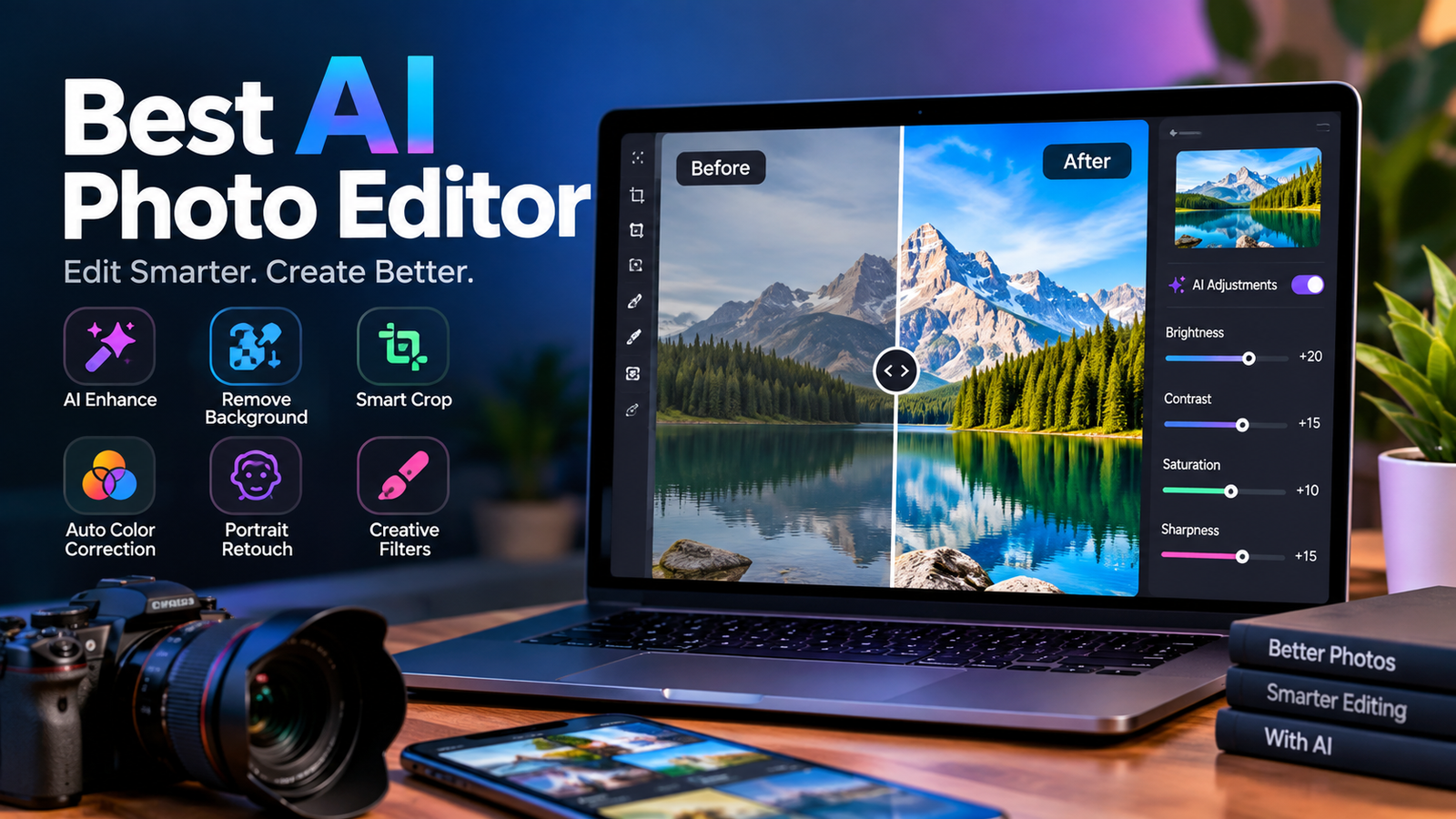
Choosing the best AI photo editor is no longer just about adding filters or adjusting brightness. Modern AI-powered editors can remove unwanted objects, replace backgrounds, restore old images, improve resolution, retouch portraits, expand photos, and even make complex edits from a simple text prompt. The challenge is knowing which tool actually fits your needs.
Some editors are designed for beginners who want fast, one-click improvements, while others provide advanced controls for photographers, designers, marketers, and e-commerce businesses. Free options can also be surprisingly capable, although they may limit exports, credits, resolution, or advanced AI features.
In this guide, we compare the most important features to look for in an AI photo editor and explain which type of tool works best for different situations. Whether you need a free AI app for photo editing, professional retouching, background removal, or prompt-based changes, this guide will help you make a more informed choice.
Best AI Photo Editors at a Glance
| AI Photo Editor Type | Best For | Key AI Features | Free Option |
| Professional AI editor | Photographers and designers | Generative editing, masking, retouching | Limited |
| Beginner-friendly editor | Quick everyday edits | One-click enhancement, templates | Often |
| AI design platform | Social media and marketing | Background removal, resizing, design tools | Often |
| Photo enhancement tool | Low-quality images | Upscaling, sharpening, restoration | Limited |
| Product photo editor | E-commerce sellers | Background replacement, shadows, cleanup | Often |
| Mobile AI editor | Phone users | Portrait edits, effects, quick enhancements | Often |
| Prompt-based editor | Creative AI editing | Text instructions, generative fill | Varies |
The right choice depends on what you want to accomplish. A professional photographer may prioritize precision and RAW workflows, while a casual user may care more about speed and simplicity.
What Makes the Best AI Photo Editor?
The best AI photo editor should make difficult editing tasks easier without sacrificing control or image quality. AI is useful when it saves time, understands the requested change, and leaves the rest of the image intact.
A strong editor should also provide more than a collection of trendy effects. Features such as object removal, background replacement, image enhancement, generative fill, and upscaling have practical value because they solve common editing problems.
Ease of use matters as well. An advanced editor can have hundreds of features, but that does not make it the best choice for someone who only wants to remove an unwanted person from a vacation photo.
How to Evaluate an AI Photo Editor
Before choosing an editor, consider several factors instead of judging it only by the number of AI features it advertises.
Editing Quality
The final result matters more than the feature list. Look for natural skin texture, clean edges, realistic backgrounds, accurate shadows, and minimal AI artifacts.
For example, an object remover should not simply erase an unwanted object. It should reconstruct the area behind it in a way that looks believable.
AI Features
Useful features include:
- AI object removal
- Background removal
- Generative fill
- Generative expand
- AI upscaling
- Portrait enhancement
- Noise reduction
- Photo restoration
- Color correction
- Sky replacement
- Batch editing
Not every user needs all of these features, so prioritize the tools that match your workflow.
Ease of Use
A beginner-friendly interface can be more valuable than advanced controls you never use. Look for clear menus, simple editing tools, previews, undo options, and straightforward export settings.
Prompt-based editing can make AI tools particularly accessible because users can describe what they want instead of manually selecting every area.
Price and Free Limits
A tool labeled “free” may still impose limits on resolution, credits, downloads, or premium AI features. Always check what the free version actually provides.
A free AI photo editor can be enough for occasional social media edits, but frequent users may benefit from a paid plan with higher limits and better export quality.
Platform Support
Consider where you normally edit photos. Some tools work primarily in a browser, while others offer Windows, Mac, iPhone, or Android apps.
If you regularly edit photos on your phone, a powerful desktop editor may not be the most convenient choice.
Best AI Photo Editors for Different Needs
There is no universal winner for every editing task. The best choice depends on the type of work you do.
Best AI Photo Editor for Beginners
Beginners should look for simple interfaces, automatic enhancements, one-click corrections, and easy background or object removal.
A good beginner editor should let you upload a photo, select an AI feature, review the result, and export the finished image without requiring extensive editing knowledge.
Best Free AI Photo Editor
Free editors are ideal when you need occasional improvements without paying for a subscription. They can handle tasks such as basic enhancement, background removal, cropping, resizing, and simple retouching.
However, check for watermarks, daily limits, credit systems, and maximum export resolution before committing to a free service.
Best AI Photo Editor for Professional Photographers
Professionals generally need more control. Features such as RAW support, precise masking, layers, color adjustment, batch processing, high-resolution exports, and non-destructive editing can make a significant difference.
AI should accelerate the workflow rather than take control away from the photographer.
Best AI Photo Editor for Portraits
Portrait editing requires careful AI processing. An editor should improve lighting and skin appearance without making the subject look artificial.
Look for facial enhancement, skin retouching, eye correction, hair refinement, noise reduction, and identity preservation.
Best AI Photo Editor for Product Photos
E-commerce sellers have different requirements. Product images need accurate edges, clean backgrounds, consistent lighting, and preserved branding.
An AI editor can quickly remove a background, create a studio-style setting, add realistic shadows, and prepare images for online stores.
Best AI Photo Editor for Photo Restoration
Restoration tools are useful for damaged, blurry, faded, or low-resolution images. AI can help reduce noise, recover details, sharpen faces, and increase resolution.
Results vary significantly, though. Restoration should enhance an original photograph rather than inventing important details that were never visible.
Best AI Photo Editor for Mobile Editing
Mobile AI editors are useful for people who create content directly from their phones. Look for fast processing, simple controls, portrait enhancement, background removal, social-media templates, and easy sharing.
For everyday editing, convenience can matter more than having hundreds of professional controls.
Key AI Photo Editing Features to Look For
AI Object Removal
Object removal is one of the most practical AI editing features. Instead of manually cloning pixels, you can identify an unwanted object and let AI reconstruct the surrounding area.
It works well for removing distracting people, signs, wires, furniture, and other background elements.
Background Removal and Replacement
AI background removal automatically identifies the main subject and separates it from the background.
This is especially useful for product photography, profile images, advertisements, and social media graphics.
AI Image Enhancement
Image enhancement can improve sharpness, lighting, contrast, and visible detail. It is particularly useful when an original photo is slightly blurry, noisy, or poorly exposed.
AI Upscaling
AI upscaling increases image resolution while attempting to reconstruct missing details. It can be useful when preparing images for printing, websites, presentations, or large displays.
However, upscaling cannot magically recover every detail from a severely damaged original.
Generative Fill
Generative fill allows users to replace or add parts of an image using AI. Instead of manually creating the new content, you describe the desired result.
For example:
“Replace the empty wall with a modern textured concrete surface while keeping the existing lighting and furniture unchanged.”
The best results usually come from precise instructions that describe both the change and what should remain untouched.
Generative Expand
Generative expansion extends an image beyond its original borders. It can be useful when a portrait needs more space or when a landscape needs a wider composition.
Real-World AI Photo Editing Tests
A useful way to judge an AI photo editor is to test the same tasks across multiple tools.
For example, you could use one portrait for facial enhancement, one product image for background replacement, one crowded photograph for object removal, and one old image for restoration.
| Test | What to Check |
| Portrait retouching | Natural skin and identity preservation |
| Background removal | Hair and fine-edge accuracy |
| Object removal | Realistic reconstruction |
| Product editing | Shape and branding preservation |
| Upscaling | Detail and sharpness |
| Generative expansion | Scene consistency |
This approach is more useful than judging an editor purely from its marketing claims. It also gives readers a clearer understanding of where a particular tool performs well.
Free vs Paid AI Photo Editors
A free AI photo editor can be perfectly suitable for occasional users. If you only need to remove backgrounds, enhance a few images, or make simple social media edits, paying for advanced features may not be necessary.
Paid plans become more attractive when you edit frequently. Higher export resolutions, additional AI credits, batch processing, advanced controls, and fewer restrictions can save considerable time.
Before subscribing, check whether the features you actually need are included in the plan. A lower-priced subscription with the right tools can be better than an expensive package filled with features you will never use.
AI Photo Editor vs Traditional Photo Editor
AI editing and traditional photo editing are not necessarily competing approaches.
Traditional editors provide detailed control over layers, selections, colors, masks, curves, and individual adjustments. AI tools automate many of these tasks.
For example, manually removing a complicated background may take several minutes. An AI background remover can often create a starting selection almost instantly.
The best workflow can therefore combine both approaches: use AI for repetitive tasks and traditional controls for final precision.
How to Use an AI Photo Editor
Using an AI editor is usually straightforward.
Step 1: Upload Your Image
Choose the highest-quality original available. Starting with a good source image generally produces better results.
Step 2: Select an AI Feature
Choose the task you need, such as enhancement, background removal, object removal, or generative editing.
Step 3: Describe the Edit
If the tool supports prompts, clearly explain the desired change.
Step 4: Review the Result
Look closely at faces, hands, hair, text, logos, edges, and shadows. AI-generated changes can sometimes introduce subtle errors.
Step 5: Refine the Edit
If the first result is not accurate, adjust the selection or rewrite the prompt rather than accepting the first output.
Step 6: Export
Choose the appropriate resolution and file format for your intended use.
AI Photo Editing Prompt Examples
Prompt-based editing can make complex changes much easier.
Portrait:
“Improve the lighting and skin texture naturally while preserving facial identity, hair details, clothing, and the original expression.”
Background:
“Remove the background and replace it with a clean studio environment while matching the subject’s original lighting and shadows.”
Product:
“Place this product on a minimal white studio background, preserve the exact product shape and branding, and add a soft realistic shadow.”
Restoration:
“Restore this old photograph by reducing scratches, noise, and fading while preserving the original facial features and natural texture.”
Specific instructions generally produce more predictable results than vague prompts such as “make this photo better.”
Common AI Photo Editing Problems
AI editors are powerful, but they are not perfect.
One common issue is over-editing. Portrait tools may smooth skin excessively or alter facial details. Another problem is distorted text and logos, particularly during generative editing.
Background replacement can also produce mismatched lighting or unnatural edges. Always inspect the final image before publishing it.
For professional or commercial images, human review remains important even when most of the editing is automated.
Privacy and Copyright Considerations
Before uploading personal or commercial photographs, review the editor’s privacy and data-use policies.
Consider how the service handles uploaded images, whether files are retained, and whether its terms address AI processing or training. Businesses should also verify that the tool’s licensing terms fit their intended commercial use.
When editing photographs of other people, make sure you have appropriate permission, particularly when the final image will be used publicly or commercially.
How to Choose the Right AI Photo Editor
Start with your primary goal rather than the tool with the longest feature list.
If you want fast everyday edits, choose simplicity. If you photograph professionally, prioritize control and output quality. For e-commerce, focus on background removal and consistent product presentation. For old images, prioritize restoration and upscaling.
If budget is your biggest concern, compare the actual free features instead of relying on the word “free.” And if you prefer describing edits with natural language, look for an editor with reliable prompt-based editing.
Conclusion
The best AI photo editor is ultimately the one that solves your specific editing problem while producing results you can trust. Beginners may value simplicity and free access, while photographers and businesses often need higher quality, advanced controls, and reliable exports.
Before choosing a tool, compare its AI features, editing quality, pricing, free limits, platform support, and privacy policies. Most importantly, test it on the type of images you actually edit.
Whether you need quick portrait improvements, professional retouching, background removal, product photography, restoration, or prompt-based editing, the right AI workflow can reduce tedious work and give you more time to focus on the creative result.
Frequently Asked Questions
What is the best AI photo editor?
The best AI photo editor depends on your needs. Professional photographers may prioritize advanced controls, while beginners may prefer simple AI enhancement, background removal, and automatic editing.
What is the best free AI photo editor?
The best free option depends on the features you need. Compare free export limits, watermarks, AI credits, available tools, and image resolution before choosing one.
Is there a completely free AI photo editor?
Yes, some AI editors offer free features, but completely unlimited AI editing is less common. Many free services restrict advanced features, credits, resolution, or downloads.
Can AI edit photos with prompts?
Yes. Many modern AI editing tools allow users to describe changes using natural language. Specific prompts that explain the desired edit and identify elements that should remain unchanged generally work better.
What is the best AI photo editor for portraits?
Look for an editor with natural face enhancement, skin retouching, lighting correction, and identity preservation. The best option should improve the portrait without creating an overly artificial appearance.
Can AI improve old or blurry photos?
AI can improve many old or low-quality images through restoration, noise reduction, sharpening, and upscaling. However, heavily damaged images may still contain details that AI cannot accurately recover.
Is an AI photo editor better than Photoshop-style editing?
Not always. AI editors are usually faster for automated tasks, while traditional editors provide greater manual control. Combining both can provide the best balance of speed and precision.
You May Also Read: drake net worth
