


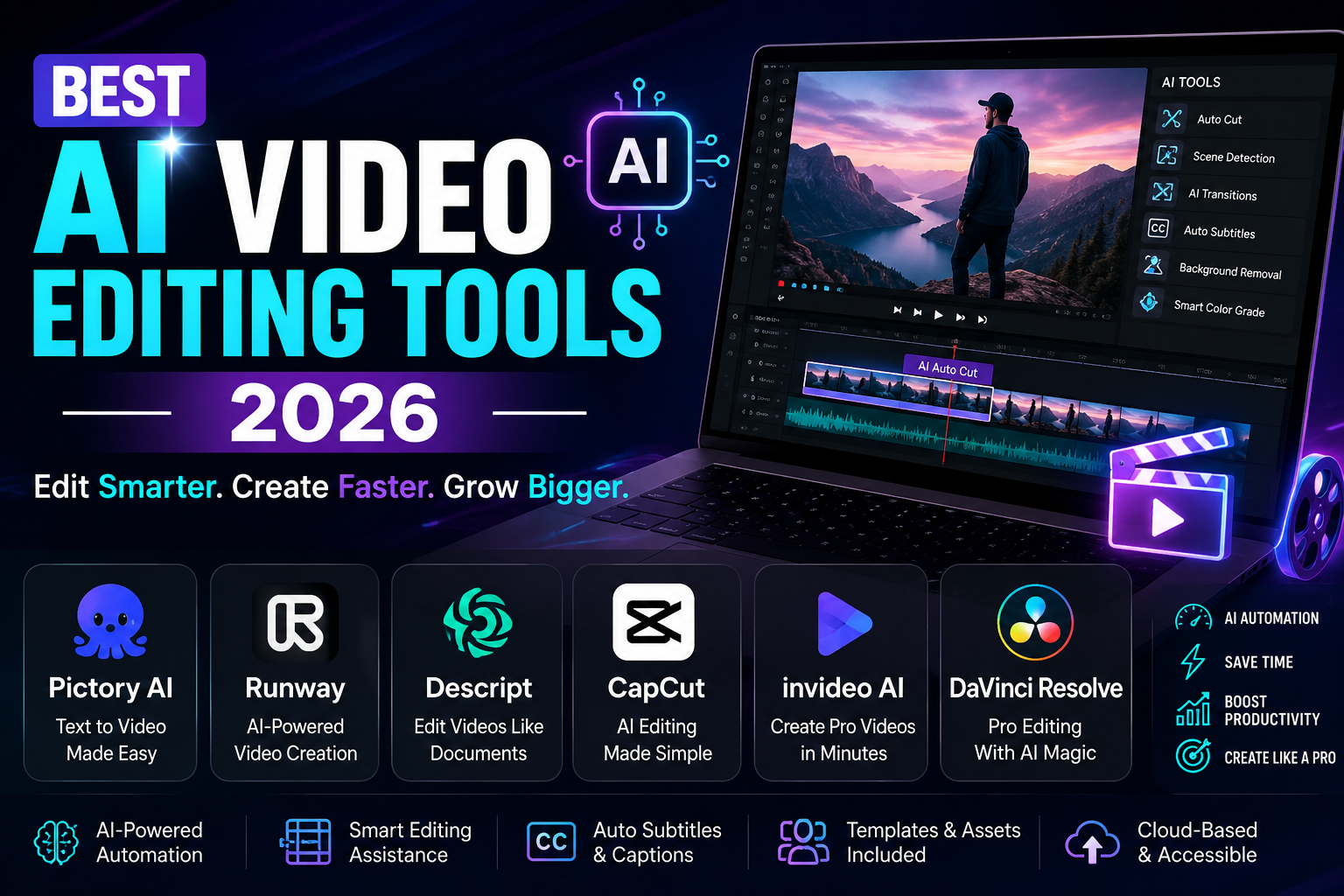
Finding the best AI video editing tools 2026 can save creators hours of repetitive editing work. Modern AI video editing tools can automatically generate captions, remove silence, clean audio, resize videos, detect highlights, remove backgrounds, and help turn long recordings into short-form content. The challenge is knowing which tool is actually right for your workflow.
The best AI video editing tools 2026 are not all designed for the same purpose. Some are ideal for beginners, some focus on YouTube and podcasts, while others provide professional editing controls. There are also AI video generators that create new footage instead of editing existing videos, so understanding the difference is important.
In this guide, we compare the best AI video editing tools 2026 based on AI capabilities, ease of use, editing quality, free options, workflow, and practical use cases. Whether you are creating YouTube videos, TikTok clips, Instagram Reels, podcasts, advertisements, or professional projects, this guide will help you choose the right AI video editor.
Best AI Video Editing Tools 2026 at a Glance
| Tool | Best For | AI Features | Free Option | Skill Level |
| CapCut | Social media | Captions, background removal, effects | Yes | Beginner |
| Descript | Podcasts | Transcript editing, captions, audio cleanup | Yes | Beginner |
| Adobe Premiere Pro | Professional editing | AI-assisted editing and audio | Trial/Paid | Advanced |
| DaVinci Resolve | Professional production | AI editing, color, audio | Yes | Advanced |
| VEED | Online editing | Captions, resizing, cleanup | Yes | Beginner |
| OpusClip | Short-form repurposing | AI clipping and captions | Yes | Beginner |
| Canva | Marketing videos | AI design and templates | Yes | Beginner |
This comparison shows why the best AI video editing tools 2026 depend on the type of content you create. A social media creator may need speed and templates, while a professional editor may need advanced controls.
What Makes the Best AI Video Editing Tools 2026 Different?
The best AI video editing tools 2026 should do more than add an AI label to traditional editing software. They should actually reduce repetitive work and help creators finish videos faster.
AI Automation
The best AI video editing tools 2026 can automate tasks such as:
- Automatic captions
- Subtitle generation
- Silence removal
- Filler-word removal
- Background removal
- Audio enhancement
- Smart cropping
- Auto-reframing
- Scene detection
- AI video clipping
- Video enhancement
- AI B-roll
- Content repurposing
Easy Editing Workflow
One reason the best AI video editing tools 2026 are becoming popular is that they make complicated editing tasks easier. Beginners can use automated tools, while experienced editors can use AI to speed up repetitive processes.
High-Quality Output
The best AI video editing tools 2026 should produce clean exports with good video resolution, clear audio, accurate captions, and smooth edits. AI speed is useful, but poor output can create more work.
Free and Paid Options
Many of the best AI video editing tools 2026 offer free plans or trials. However, free plans can have watermarks, export restrictions, limited AI credits, or fewer advanced features.
Top 7 Best AI Video Editing Tools 2026
1. CapCut — Best AI Video Editing Tool for Social Media
CapCut is one of the most accessible options among the best AI video editing tools 2026, especially for creators producing TikTok videos, Instagram Reels, and YouTube Shorts.
The platform combines traditional editing with AI-powered features such as captions, background removal, effects, templates, automatic formatting, and other tools designed for fast content production.
For beginners looking for the best AI video editing tools 2026, CapCut can be a practical starting point because you do not need advanced editing knowledge to create polished short-form videos.
Best for: TikTok, Instagram Reels, YouTube Shorts, mobile creators, and beginners.
Pros:
- Easy interface
- Strong short-form workflow
- Useful AI features
- Many templates
- Good vertical-video support
Cons:
- Advanced professional projects may require other software
- Some features can vary between free and paid plans
If social media is your primary focus, CapCut is one of the best AI video editing tools 2026 to consider.
2. Descript — Best AI Video Editing Tool for Podcasts
Descript has a different approach to editing. Instead of relying entirely on a traditional timeline, it lets users edit spoken video through a transcript.
This makes Descript one of the best AI video editing tools 2026 for podcasts, interviews, webinars, tutorials, and talking-head YouTube videos.
AI transcription, captions, filler-word removal, and audio cleanup can reduce the amount of repetitive editing required.
Best for: Podcasters, YouTubers, interviews, tutorials, and spoken content.
For creators whose videos contain a lot of dialogue, Descript is one of the best AI video editing tools 2026 because the transcript-based workflow can make editing much faster.
3. Adobe Premiere Pro — Best AI Video Editing Tool for Professionals
Adobe Premiere Pro is designed for creators who need advanced editing control combined with AI-assisted workflows.
Professional users can use AI features to speed up tasks while maintaining detailed control over the timeline, audio, effects, and overall project.
That balance makes Premiere Pro one of the best AI video editing tools 2026 for professional editors, agencies, filmmakers, and advanced creators.
Best for: Professional editors, agencies, filmmakers, and advanced video creators.
Pros:
- Professional editing controls
- Extensive creative features
- Strong audio and video workflow
- Suitable for complex projects
Cons:
- Steeper learning curve
- Subscription-based
- More complicated for beginners
For professional production, one of the best AI video editing tools 2026 is software that combines automation with precise manual control.
4. DaVinci Resolve — Best for Professional Editing and Color
DaVinci Resolve is another powerful choice among the best AI video editing tools 2026. It combines video editing, color grading, audio production, visual effects, and AI-assisted workflows.
Its professional capabilities make it suitable for filmmakers, advanced editors, and creators who want more control over their final video.
Best for: Professional editors, filmmakers, advanced creators, and color-focused workflows.
The free version also makes DaVinci Resolve interesting for people searching for the best AI video editing tools 2026 without immediately committing to a subscription.
5. VEED — Best Browser-Based AI Video Editor
VEED is a useful choice for people who want the convenience of browser-based editing.
Its features can help with captions, resizing, background tools, audio improvements, and other common video editing tasks.
For marketers and beginners, VEED can be one of the best AI video editing tools 2026 because it does not require the same desktop workflow as traditional professional editing software.
Best for: Beginners, marketers, teams, and browser-based editing.
If you want one of the best AI video editing tools 2026 that can be accessed online, a browser-based editor may be more convenient than installing large desktop software.
6. OpusClip — Best for Turning Long Videos Into Shorts
OpusClip focuses on video repurposing. It is particularly useful when you have long videos and want to turn them into multiple short clips.
For example:
Podcast → AI identifies highlights → Short clips → Captions → Reframing → Social media videos
This makes OpusClip one of the best AI video editing tools 2026 for podcasters, YouTubers, marketers, and creators who want to publish content across multiple platforms.
Instead of manually searching through an hour-long recording, AI can help identify potentially useful sections.
7. Canva — Best AI Video Editing Tool for Simple Marketing Content
Canva is another beginner-friendly option among the best AI video editing tools 2026.
It is especially useful for marketing videos, social media content, promotional videos, presentations, advertisements, and branded content.
Canva combines templates, visual design features, video editing, and AI-assisted design capabilities.
For small businesses and marketers searching for the best AI video editing tools 2026, Canva can be useful when speed and visual design are more important than advanced timeline editing.
Best AI Video Editing Tools 2026 Compared by Features
Choosing among the best AI video editing tools 2026 becomes easier when you compare the features you actually need.
| Feature | Why You Need It |
| AI captions | Automatically creates subtitles |
| Silence removal | Removes unnecessary pauses |
| Filler-word removal | Cleans spoken content |
| AI audio cleanup | Improves voice quality |
| Background removal | Removes unwanted backgrounds |
| Auto-reframing | Converts videos to different formats |
| Smart clipping | Finds useful video moments |
| Transcript editing | Makes spoken-video editing easier |
| AI enhancement | Improves video quality |
| AI B-roll | Adds supporting visuals |
The best AI video editing tools 2026 should provide the features that match your actual workflow rather than simply offering the largest number of AI options.
What Can the Best AI Video Editing Tools 2026 Do?
The best AI video editing tools 2026 can now automate many tasks that previously required manual editing.
Automatic Captions
AI can convert spoken words into subtitles quickly. This is especially useful for YouTube, TikTok, Instagram, and accessibility.
Silence and Filler-Word Removal
Some of the best AI video editing tools 2026 can identify long pauses and filler words and remove them automatically.
AI Audio Enhancement
AI audio tools can reduce background noise and make voices clearer. This can be particularly helpful for podcasts, interviews, and home recordings.
Automatic Reframing
Creators often need the same content in different formats. AI can help reframe a landscape video into a vertical format for Shorts, Reels, or TikTok.
Smart Video Clipping
Some of the best AI video editing tools 2026 can analyze long videos and identify sections that may work well as short clips.
Background Removal
AI can separate the subject from the background without requiring traditional manual masking in every situation.
AI Video Editor vs AI Video Generator
When researching the best AI video editing tools 2026, it is important not to confuse AI editors with AI generators.
| AI Video Editor | AI Video Generator |
| Edits existing footage | Creates new footage |
| Cuts video | Generates scenes |
| Adds captions | Generates visuals |
| Removes unwanted sections | Creates content from prompts |
| Enhances audio | Can generate narration |
| Reframes footage | Produces new video sequences |
An AI video editor is useful when you already have footage. An AI video generator is more useful when you want to create new visual content.
This is why someone searching for the best AI video generator free may not actually need an AI video editor.
Similarly, people searching for the best AI video generator 2026 should compare generation quality rather than only looking at editing features.
Best AI Video Editing Tools 2026 for Different Creators
Best AI Video Editing Tools 2026 for YouTube
YouTube creators should prioritize captions, audio enhancement, transcript editing, long-form support, and easy clip creation.
Best AI Video Editing Tools 2026 for TikTok
TikTok creators need vertical editing, quick cuts, captions, effects, templates, and fast exports.
Best AI Video Editing Tools 2026 for Instagram Reels
For Reels, look for automatic captions, vertical formatting, templates, resizing, and easy social exports.
Best AI Video Editing Tools 2026 for Podcasts
Podcast creators should prioritize transcription, silence removal, filler-word removal, audio cleanup, and automatic short-form clipping.
Best AI Video Editing Tools 2026 for Beginners
Beginners should choose simple software with templates, automated editing, easy exports, and a low learning curve.
Best AI Video Editing Tools 2026 for Professionals
Professional creators need advanced timelines, color grading, audio controls, effects, high-resolution exports, and AI assistance without losing creative control.
Best Free AI Video Editing Tools 2026 vs Paid Tools
Free versions of the best AI video editing tools 2026 can be enough for beginners and occasional creators.
However, paid versions may provide more AI credits, higher export resolutions, additional storage, collaboration tools, premium templates, and advanced editing capabilities.
Before choosing a free AI video editor, check whether it adds a watermark or restricts exports. Also check how many AI actions or credits are included.
For frequent creators, paying for one of the best AI video editing tools 2026 can be worthwhile if it significantly reduces editing time.
How to Choose the Best AI Video Editing Tools 2026
Start by identifying the type of content you create.
If you mainly create Shorts, prioritize fast AI clipping, captions, templates, and vertical exports. If you produce professional videos, focus more on advanced controls, color, audio, and export quality.
Next, consider your budget. A free editor may be enough for basic projects, while professional creators may benefit from premium software.
Also consider your device. Browser-based and mobile tools can be convenient, while desktop applications often provide more advanced controls.
Most importantly, choose one of the best AI video editing tools 2026 based on your workflow rather than popularity alone.
Are the Best AI Video Editing Tools 2026 Worth It?
For many creators, the best AI video editing tools 2026 are worth using because they reduce repetitive work.
AI can handle captions, transcription, silence removal, basic audio cleanup, short-form clipping, resizing, and other time-consuming tasks.
However, AI does not completely replace human judgment. An automated edit can still choose the wrong moment, remove an important sentence, create an awkward transition, or produce captions that need correction.
The best approach is to use AI for repetitive work and human judgment for storytelling, pacing, branding, and final quality.
Common Mistakes When Choosing AI Video Editing Tools
Choosing Too Many Features
More features do not automatically make software better. Focus on the tools you will actually use.
Ignoring Free-Plan Limits
Always check watermarks, export limits, AI credits, resolution, and storage before relying on a free plan.
Confusing AI Generation With Editing
A video generator and a video editor solve different problems. Know what you need before choosing software.
Choosing Only by Price
The cheapest software is not always the best value. A slightly more expensive tool can save significant time.
Forgetting Manual Editing
The best AI video editing tools 2026 should make it easy to correct AI mistakes manually.
Conclusion
The best AI video editing tools 2026 can make video production faster without requiring creators to sacrifice quality or control. CapCut is useful for social content, Descript is excellent for spoken videos, OpusClip is focused on repurposing, while Premiere Pro and DaVinci Resolve provide deeper professional editing capabilities.
The important thing is not to choose a tool simply because it has the most AI features. Choose the best AI video editing tools 2026 according to your content, budget, platform, skill level, and editing workflow.
If you are looking for the best AI video generator 2026, remember that generation is different from editing. If you already have footage, an AI editor is usually the better fit. If you need to create new scenes from prompts, explore AI video generation instead.
Frequently Asked Questions
What are the best AI video editing tools 2026?
The best AI video editing tools 2026 include options such as CapCut, Descript, Adobe Premiere Pro, DaVinci Resolve, VEED, OpusClip, and Canva. The right choice depends on your content type and editing requirements.
What is the best free AI video editor?
The best free option depends on your workflow. Some of the best AI video editing tools 2026 offer free plans with useful features, but you should check watermarks, export limits, and AI credits before choosing.
What is the best AI video editor for beginners?
Beginner-friendly best AI video editing tools 2026 should have simple interfaces, templates, automated captions, easy exports, and minimal learning requirements. CapCut, Canva, and browser-based editors can be good starting points.
What is the best AI video editor for YouTube?
For YouTube, the best AI video editing tools 2026 should provide strong audio cleanup, captions, transcript editing, long-form support, and short-form repurposing.
Can AI completely edit a video?
The best AI video editing tools 2026 can automate many editing tasks, but completely hands-off editing is not always reliable. Human review is still important for storytelling and quality control.
What is the difference between an AI video editor and an AI video generator?
An AI video editor works primarily with existing footage, while an AI video generator creates new video content from prompts, images, or other inputs. Some modern platforms combine both.
Are AI video editing tools worth using?
Yes. The best AI video editing tools 2026 can save time by automating repetitive tasks such as captions, transcription, audio cleanup, clipping, and resizing. They are most effective when combined with human creativity.
Ultimately, the best AI video editing tools 2026 should make editing faster, easier, and more productive while leaving the final creative decisions in your hands.
You May Also Read: Best AI Note Taking App
