


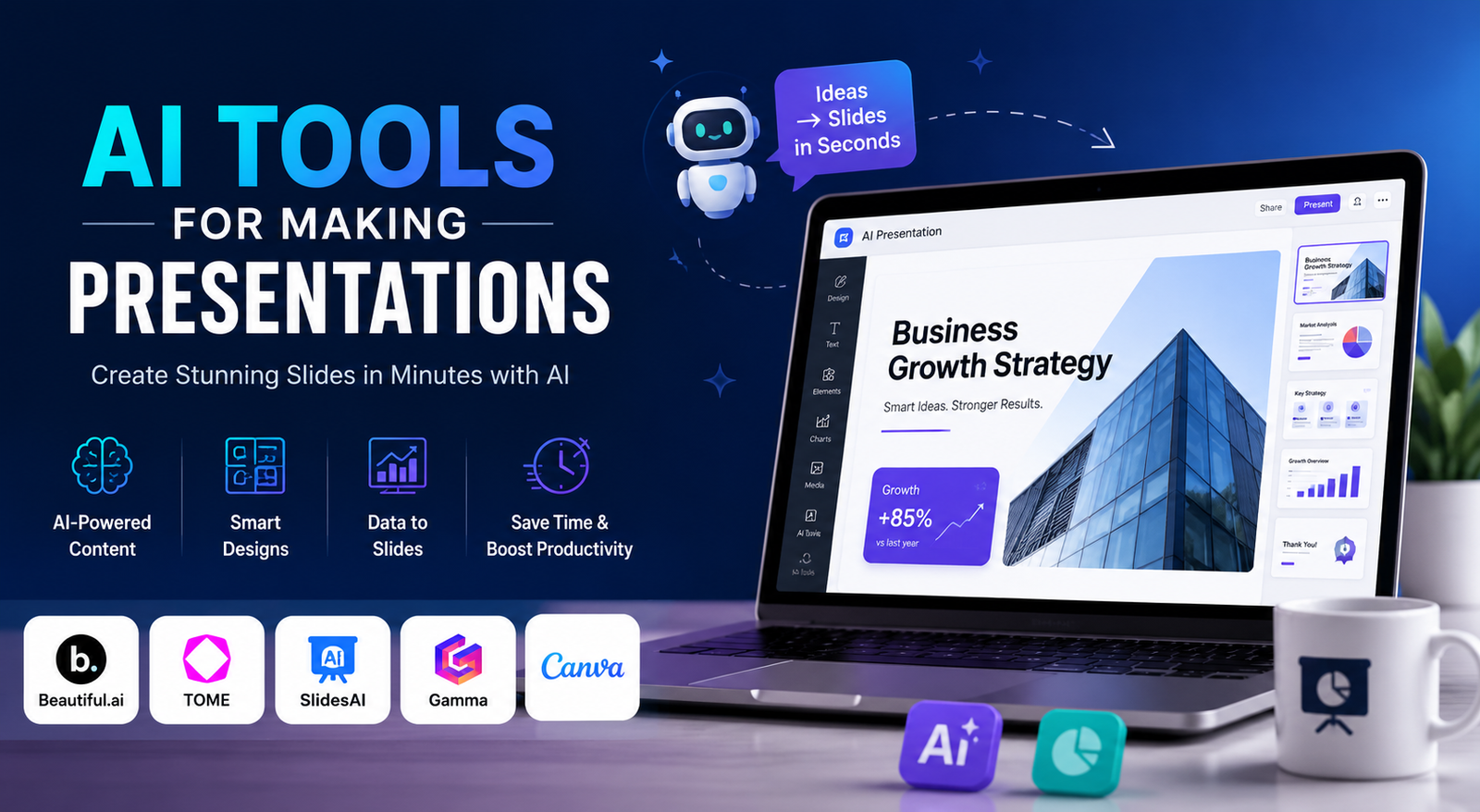
Creating a professional presentation can take hours. You have to research the topic, organize your ideas, write slide content, choose visuals, and format every slide. Fortunately, AI tools for making presentations can automate much of this process and help you create professional presentations in much less time.
Today, AI tools for making presentations can generate slide outlines, presentation content, images, layouts, charts, and speaker notes from simple prompts. Some AI presentation tools can also transform documents, PDFs, or existing content into presentation slides.
However, choosing the right AI tools for making presentations isn’t always easy. Some tools are excellent for PowerPoint, while others are better for Google Slides, visual design, business presentations, student projects, or quick presentations.
In this guide, we’ll explore the best AI tools for making presentations, including free AI for presentations, the best AI for PowerPoint presentations, and popular tools such as Plus AI, Gamma, Canva, and Alai AI presentation maker. You’ll also learn how to choose the right AI presentation tool for your specific needs.
Best AI Tools for Making Presentations at a Glance
If you don’t have time to test dozens of platforms, this quick comparison can help you find the right AI tools for making presentations.
| AI Tool | Best For | Free Option | PowerPoint | Google Slides | Ease of Use |
| Gamma | Fast presentations | Yes | Export | Export | Easy |
| Plus AI | PowerPoint & Google Slides | Limited/Trial | Yes | Yes | Easy |
| Canva | Visual presentations | Yes | Export | Export | Easy |
| Microsoft Copilot | PowerPoint | Depends on plan | Native | No | Easy |
| Gemini | Google Slides | Depends on plan | Export | Native | Easy |
| Beautiful.ai | Professional design | Limited | Export | Export | Easy |
| Pitch | Team presentations | Limited | Export | No native workflow | Easy |
| Prezi | Interactive presentations | Limited | Export | No native workflow | Moderate |
The best AI tools for making presentations depend on your budget, preferred software, presentation type, and how much editing control you need.
What Are AI Tools for Making Presentations?
AI tools for making presentations are software platforms that use artificial intelligence to help users create slide decks. Instead of opening PowerPoint and designing every slide manually, you can give an AI presentation maker a topic, prompt, document, or outline.
The AI can then generate a presentation structure, write slide content, suggest images, organize layouts, and sometimes create graphics automatically.
For example, you could enter:
“Create a 10-slide presentation explaining how AI is changing digital marketing for small businesses.”
An AI presentation generator can turn that instruction into a complete first draft.
Modern AI tools for making presentations can also work with existing content. Microsoft Copilot, for example, can create presentations from prompts and referenced content within PowerPoint.
Google’s Gemini in Slides can generate editable presentations and use reference files to help create the deck.
This means AI tools for making presentations aren’t limited to creating slides from scratch. They can also help transform information you already have into a more useful presentation.
The Best AI Tools for Making Presentations
1. Gamma — Best for Fast AI Presentations
Gamma is one of the most popular AI tools for making presentations for users who want to create a presentation quickly.
You provide a topic or prompt, and Gamma can generate a structured presentation with layouts and visual elements. This makes it useful when you have an idea but don’t want to spend an hour building the initial deck.
Best for: Fast AI presentation creation.
Advantages:
- Fast presentation generation
- Simple interface
- Attractive layouts
- Useful for quick business decks
- Easy editing
Limitations:
- Exported presentations may need additional formatting.
- Advanced users may want more design control.
Gamma is particularly useful when your main goal is to move from idea to presentation quickly.
2. Plus AI — Best AI for PowerPoint Presentations
Plus AI is one of the strongest AI tools for making presentations for people who already use PowerPoint or Google Slides.
Instead of forcing you to learn a completely different presentation platform, Plus AI fits into familiar presentation workflows. This makes it useful for professionals who regularly create business presentations.
Best for: PowerPoint and Google Slides users.
Advantages:
- AI-assisted slide creation
- PowerPoint workflow
- Google Slides workflow
- Useful for existing presentations
- Business-friendly features
Limitations:
- Its main advantage is less useful if you don’t use PowerPoint or Google Slides.
- Some features may require a paid plan.
If you’re searching for the best AI for PowerPoint presentations, Plus AI is worth considering because it focuses heavily on the workflow many professional users already understand.
3. Canva — Best AI Tool for Presentation Design
Canva is another popular option among AI tools for making presentations.
Its biggest advantage is visual design. Canva combines AI features with presentation templates, graphics, images, icons, and other design resources.
This makes Canva especially useful for marketers, creators, teachers, students, and small businesses.
Best for: Visual presentations and creative users.
Advantages:
- Large template library
- Easy visual editing
- AI design features
- Graphics and images
- Beginner-friendly interface
Limitations:
- Advanced customization can still require manual work.
- It is a broader design platform rather than a presentation-only AI tool.
If your presentation needs strong visuals, Canva can be one of the best AI tools for making presentations.
4. Microsoft Copilot — Best AI for PowerPoint
Microsoft Copilot is one of the most natural choices for people who already create presentations in PowerPoint.
It can help users create presentations from prompts, work with existing content, refine outlines, and continue editing generated slides. Microsoft also recommends using an existing company template when creating branded presentations.
Best for: Microsoft PowerPoint users.
Advantages:
- Integrated with PowerPoint
- AI presentation generation
- Existing content support
- Familiar interface
- Useful for business presentations
Limitations:
- Availability depends on the Microsoft plan.
- AI-generated content still requires review.
If you are searching for the best AI for PowerPoint presentations free, check the AI features available with your current Microsoft plan before purchasing another service.
5. Gemini — Best AI for Google Slides
Gemini is another powerful option among AI tools for making presentations, particularly for people already using Google Workspace.
Gemini can help create editable presentations in Google Slides and can use reference files to provide additional context. It can also work with the style of an existing presentation.
Best for: Google Slides users.
Advantages:
- Works with Google Slides
- Editable presentation generation
- Reference-file support
- Useful for existing Google Workspace users
Limitations:
- Availability depends on the relevant Google plan and feature access.
- Some features may have usage limitations.
For Google Workspace users, Gemini can be one of the most convenient AI tools for making presentations because it reduces the need to move content between different platforms.
6. Beautiful.ai — Best for Professional Slide Design
Beautiful.ai focuses heavily on presentation design and automatic layouts.
It is useful for users who want professional-looking slides but don’t want to manually position every object.
Best for: Business presentations and consistent design.
Its automated layouts can help maintain visual consistency across a deck. However, users who want complete creative freedom may prefer a more flexible design platform.
7. Pitch — Best for Team Presentations
Pitch is useful when presentations are created by teams.
Marketing teams, sales departments, startups, and other organizations can benefit from collaborative presentation workflows.
Best for: Collaborative presentations.
Pitch is less important if you’re simply creating a presentation for yourself, but it becomes more valuable when several people need to review and update the same deck.
8. Prezi — Best for Interactive Presentations
Prezi takes a different approach from traditional slide-by-slide presentations.
Its interactive and zooming presentation style can work well for education, storytelling, training, and presentations where visual movement matters.
Best for: Interactive presentations and visual storytelling.
Prezi isn’t necessarily the best choice for every business presentation, but it can help you create something more dynamic than a conventional slide deck.
Which AI Tools for Making Presentations Are Best for You?
The best AI tools for making presentations depend on your exact requirements.
Instead of choosing a tool simply because it appears at the top of a list, consider what you’re actually trying to accomplish.
Best Free AI for Presentations
If you’re searching for free AI for presentations, don’t judge a platform only by whether it offers a free account.
Check:
- AI generation limits
- Number of presentations
- Export options
- Watermarks
- Templates
- Storage
- Collaboration
- AI credits
Some AI tools for making presentations free can create impressive drafts but restrict exports or advanced features.
Therefore, always check what the free plan actually allows before relying on it for an important presentation.
Best AI for PowerPoint Presentations Free
For PowerPoint users, Microsoft Copilot and Plus AI are strong options.
Microsoft Copilot is particularly convenient because it works inside the PowerPoint environment. Microsoft documents AI-assisted presentation creation, outline refinement, and slide generation.
If you’re looking for best AI for PowerPoint presentations free download options, pay attention to whether PPTX export is included. A tool may offer free AI generation but charge for downloadable PowerPoint files.
Best AI Tools for Making Presentations for Students
Students generally need AI tools for making presentations that are simple, affordable, and fast.
Look for:
- Easy presentation generation
- Simple templates
- Editable slides
- Research assistance
- Export options
- Free or low-cost plans
AI can help students organize ideas and create a first draft, but academic information should always be checked against reliable sources.
Best AI Tools for Making Presentations for Business
Business presentations require more than attractive slides.
The best AI tools for making presentations for business should offer:
- Professional templates
- Brand consistency
- Collaboration
- Editable output
- PowerPoint compatibility
- Data visualization
- Clear storytelling
A business presentation should communicate a decision, strategy, result, or recommendation—not simply display AI-generated text.
AI Tools for Making Presentations: Input and Output Comparison
One important difference between AI tools for making presentations is the type of content they can accept and the format they produce.
| Workflow | What It Means |
| Text → Slides | Turn written content into slides |
| Prompt → Presentation | Generate a deck from instructions |
| PDF → Slides | Convert document information into a deck |
| Document → Slides | Transform reports or notes |
| Existing Deck → New Deck | Improve or expand an existing presentation |
| PPTX Export | Download an editable PowerPoint file |
| Google Slides | Continue editing online |
| PDF Export | Share a finished presentation easily |
This is an important consideration because the best AI tools for making presentations aren’t necessarily the tools with the most features. The best tool is often the one that works with the content and software you already use.
What Can AI Tools for Making Presentations Do?
Modern AI tools for making presentations can assist with much more than slide layouts.
Generate Presentation Content
AI can create:
- Slide titles
- Bullet points
- Introductions
- Conclusions
- Speaker notes
- Presentation outlines
This makes AI useful when you’re unsure how to structure your presentation.
Create Visual Suggestions
Many AI tools for making presentations can recommend images, icons, illustrations, charts, and other visual elements.
Turn Documents Into Presentations
If you already have a report or document, some AI presentation makers can use it as source material instead of requiring you to copy everything manually.
Improve Existing Content
AI can also rewrite long paragraphs into concise slide copy.
For example:
Before:
A 150-word paragraph explaining a marketing strategy.
After:
A short headline, three key points, and a suggested visual.
This is one of the most practical uses of AI presentation tools.
How to Make a Presentation Using AI Tools for Making Presentations
Step 1: Define Your Audience
Tell the AI who will view the presentation.
For example:
Create a presentation about AI automation for small-business owners with limited technical knowledge.
Step 2: Define the Goal
Tell the AI what you want the audience to understand or do.
For example:
The goal is to explain three ways AI can reduce repetitive customer-support tasks.
Step 3: Choose the Number of Slides
Instead of asking for a presentation without limits, specify a number.
For example:
Create a 10-slide presentation.
Step 4: Provide Reliable Information
Give the AI your research, notes, reports, or other relevant information.
The more useful context you provide, the more useful the final presentation can become.
Step 5: Generate the Presentation
Use one of the AI tools for making presentations to generate the first draft.
Step 6: Review and Edit
Never publish an AI-generated presentation without checking it.
Review:
- Facts
- Statistics
- Spelling
- Images
- Sources
- Slide order
- Visual consistency
Microsoft also recommends reviewing AI-generated presentation content for accuracy before using the finished deck.
Best AI Prompt for Presentation Content
You can use this prompt with many AI tools for making presentations:
Create a 10-slide presentation about [TOPIC] for [AUDIENCE]. The goal is to [GOAL]. Start with an engaging introduction, explain the main problem, provide evidence and solutions, and finish with three actionable recommendations. Keep slide text concise, suggest appropriate visuals, and avoid unsupported statistics.
For a business presentation, add:
Use a professional design and focus on practical business outcomes.
For a student presentation, add:
Explain technical terms in simple language and identify claims that require reliable sources.
AI Presentation Makers vs Traditional Presentation Software
| Feature | AI Presentation Tools | Traditional Presentation Software |
| First draft | Very fast | Mostly manual |
| Slide structure | AI-assisted | Manual |
| Content writing | AI-assisted | Mostly manual |
| Design | Automated | Manual/templates |
| Customization | Depends on tool | Usually extensive |
| Learning curve | Often easier | Can be higher |
| Human editing | Still required | Usually required |
The main advantage of AI tools for making presentations is speed.
They can take you from a blank page to a structured presentation much faster. However, traditional presentation software still provides excellent control for people who want to customize every detail.
Are AI Tools for Making Presentations Worth It?
For most users, yes.
The biggest benefit of AI tools for making presentations is not that they magically produce a perfect presentation. Their real value is reducing repetitive work.
They can help with:
- Brainstorming
- Outlining
- Writing
- Slide generation
- Formatting
- Visual suggestions
- Speaker notes
- Presentation revisions
The best workflow is:
Prompt → Generate → Review → Edit → Fact-check → Present
AI should handle repetitive tasks while you remain responsible for the message and final quality.
Common Problems With AI-Generated Presentations
Generic Content
AI-generated presentation content can sometimes sound generic. Add personal examples, original insights, statistics, and real experiences where appropriate.
Too Much Text
A presentation should not look like a document.
If every slide contains large paragraphs, shorten the content and move detailed information into speaker notes.
Incorrect Information
Even the best AI tools for making presentations can generate incorrect claims.
Always verify important statistics, dates, quotations, and research.
Repetitive Designs
Some AI presentation makers use similar layouts repeatedly. Review the deck and introduce visual variety where it improves communication.
Weak Storytelling
AI can organize information, but you still need to decide what the audience should remember.
A strong presentation has a clear beginning, middle, and conclusion.
How to Choose the Right AI Tools for Making Presentations
Before choosing an AI presentation maker, ask yourself:
- Do I need PowerPoint?
- Do I need Google Slides?
- Do I need PPTX export?
- Am I starting with text or an existing document?
- Do I need collaboration?
- How much design control do I need?
- Do I need a free plan?
- How much manual editing am I willing to do?
If speed matters most, choose an AI-first presentation generator.
If PowerPoint is central to your workflow, consider PowerPoint-focused AI tools for making presentations.
If design matters most, a visual design platform may be better.
If you already work in Google Slides, a Google Workspace-based AI workflow may be the most convenient.
Tips for Getting Better Results From AI Tools for Making Presentations
- Give the AI a specific audience.
- Explain the presentation goal.
- Specify the number of slides.
- Provide source material.
- Ask for an outline first.
- Keep each slide focused on one main idea.
- Ask for visual variety.
- Avoid unsupported statistics.
- Fact-check important information.
- Remove unnecessary text.
- Add your own expertise.
- Review the final presentation before presenting.
The best AI tools for making presentations will produce much better results when your prompt contains clear instructions and useful context.
Frequently Asked Questions
What are the best AI tools for making presentations?
The best AI tools for making presentations include Gamma, Plus AI, Canva, Microsoft Copilot, Gemini, Beautiful.ai, Pitch, and Prezi. The best choice depends on your presentation type, budget, preferred software, and required output.
Is there a free AI for presentations?
Yes. Several platforms provide free AI for presentations through free plans or limited AI features. However, free plans can restrict generations, exports, templates, or storage.
What is the best AI for PowerPoint presentations?
Microsoft Copilot and Plus AI are strong choices for PowerPoint users. Copilot has the advantage of working directly inside PowerPoint, while Plus AI is designed around familiar presentation workflows.
Can AI create a PowerPoint presentation?
Yes. Several AI tools for making presentations can generate or export PowerPoint presentations. Some can create PPTX files, while Microsoft Copilot can generate presentations directly in PowerPoint.
Can AI make a presentation from text?
Yes. Text-to-presentation generation is one of the main features of modern AI tools for making presentations. You can provide a topic, outline, notes, or detailed instructions.
Can AI make a presentation from a PDF?
Some AI presentation makers can use PDFs and other documents as source material. Availability depends on the specific tool and plan.
Is AI-generated presentation content accurate?
Not always. AI can make factual errors or generate unsupported claims. Always verify important information before using an AI-generated presentation professionally or academically.
Final Verdict on AI Tools for Making Presentations
AI tools for making presentations can make the presentation creation process significantly faster, especially when you need a strong first draft quickly.
Gamma is useful for fast AI-generated decks, Plus AI is a strong option for PowerPoint and Google Slides users, Canva is excellent for visual design, Microsoft Copilot is a natural choice for PowerPoint, and Gemini works well for Google Slides users.
Whether you need free AI for presentations, the best AI for PowerPoint presentations free, an AI tool for presentation content, or a complete AI presentation maker, the right choice depends on your workflow.
Don’t expect AI to replace your judgment. Use AI tools for making presentations to handle repetitive work, then add your own expertise, fact-check the content, improve the storytelling, and polish the final design.
You May Also Read: AI Tools For Content Creators
